W3webschool Blog

15+ Top IG Tools to Grow Your Instagram Account (Free & Paid)
Written By: W3 Web School Editorial Team
Reviewed By: SEO Professionals
Last Updated: September 08, 2026
Reading Time: 15 Mins
Top IG Tools to Grow Your Instagram Account

Are you aiming to boost your Instagram account in 2026? If you use the right IG tools, you can spot the difference. These Instagram tools allow you to manage your Instagram posts, monitor followers in real-time, and boost overall engagement.

Have you ever wondered why a huge number of Instagram accounts or content creators on Instagram are integrating IG tools? The answer is simple. They help you boost your account’s reach and engagement. Your Instagram account ranking can also be enhanced with the integration of these popular IG tools.

CAREER OPPORTUNITY 2026

Want To Become A Certified Social Media Marketer In Kolkata?

Explore Course

In this blog post, I have shed light on popular IG tools that have higher functionality in capturing potential audiences and growing your Instagram account. From creating content to scheduling posts, these Instagram tools are specially developed for Instagram success.

Let’s find out the best IG tools for 2026!

Top 15+ IG Tools Comparison Table (SEO Optimized)

ToolFree Plan / TrialAI FeaturesAnalyticsSchedulingBest ForStarting Price
Hootsuite✅ 30 DaysAI Writing, Hashtag Generator⭐⭐⭐⭐⭐Agencies & Teams$99/mo
ContentStudio✅ 14 DaysAI Captions, AI Assistant⭐⭐⭐⭐✅ Bulk SchedulingContent Marketing$25/mo
Canva✅ FreeAI Design ToolsContent Creators & Designers$15/mo
Vimeo Create✅ Free TrialAI Script GeneratorVideo Creation$12/mo
Sprout Social✅ 30 DaysSprout AI⭐⭐⭐⭐⭐Enterprise & Brands$249/mo
Iconosquare✅ 14 Days⭐⭐⭐⭐⭐Analytics & Reporting$49/mo
Meta Ads Manager✅ FreeAudience AutomationCampaign AnalyticsAd SchedulingInstagram AdsFree
AdEspresso✅ 14 DaysAuto Optimization⭐⭐⭐⭐Campaign SchedulingPaid Advertising$49/mo
Mojo✅ 7 DaysAuto CaptionsReels & Stories$14.99/mo
Adobe Express✅ FreeGenerative AIGraphic Design$12.99/mo
PrequelTrialAI FiltersPhoto & Video Editing$4.99/mo
MilkshakeBasic InsightsLink in Bio Pages$9.99/mo
Adobe Premiere Rush✅ StarterAI Editing ToolsVideo Editing$9.99/mo
Planable AI✅ Free TrialAuto Captions⭐⭐⭐Teams & Agencies$33/mo
Crowdfire✅ FreeContent Recommendations⭐⭐⭐⭐Social Media Management$9.99/mo
Later✅ 14 DaysAI Caption Writer⭐⭐⭐⭐Instagram Scheduling$16.67/mo
All Hashtag✅ FreeHashtag GeneratorHashtag AnalyticsHashtag ResearchFree
Buffer✅ 14 Days⭐⭐⭐⭐Beginners & Small Businesses$6/mo
Keyhole✅ Free Trial⭐⭐⭐⭐⭐Social Listening & Analytics$79/mo

Quick Recommendations

CategoryRecommended Tool
🥇 Best OverallHootsuite
💰 Best Free ToolMeta Ads Manager
🤖 Best AI ToolContentStudio
📅 Best Scheduling ToolLater
📊 Best Analytics ToolKeyhole
👥 Best for TeamsPlanable AI
🏢 Best for AgenciesSprout Social
🎨 Best Design ToolCanva
🎥 Best Video Editing ToolAdobe Premiere Rush
📱 Best Reels & Stories ToolMojo
🔥 Best Hashtag ToolAll Hashtag
⭐ Best for BeginnersBuffer

Why Use IG Tools?

Managing an Instagram account is quite challenging, but if you understand the basics, then the show is yours! If you succeed in managing your Instagram account with the help of some popular IG tools, then you might notice some major benefits.

I have discussed some major perks of using Instagram tools to boost Instagram accounts in 2026 below.

Here we go.

01

Content Optimization

IG tools help you spot the right time to publish and generate highly engaging content. They highlight the types of content that your potential audience loves to engage with. This helps in content personalization to boost visibility and engagement.

02

Growth Tracking

With the assistance of various Instagram tools, you can track the real-time growth of your account's followers, comments, and likes. You can also track your progress over time and adjust your approach to do better and capture a huge audience.

03

Hashtag Research

Including hashtags in your postings boosts their exposure. Instagram tools help you identify relevant and trending hashtags to boost the visibility of your posts and get a higher number of followers.

04

Influencer Identification

You may identify influencers in your niche by utilizing popular IG tools. This makes it easier to work with influencers, connect with new followers, and apply influencer marketing to improve the business's reputation.

05

Competitor Analysis

You can also check the performance of your competitors with the help of IG tools. You can track what strategies and practices they are using to grow their Instagram account, get a comprehensive overview of what works well for them, and apply those strategies to boost your own.

06

Trends in Engagement

These Instagram tools enable you to see the patterns of user interaction with your exclusive content. You can also improve overall engagement and better customize your content as per the preference of your audience through trend identification.

How We Selected the Best IG Tools for Instagram Growth

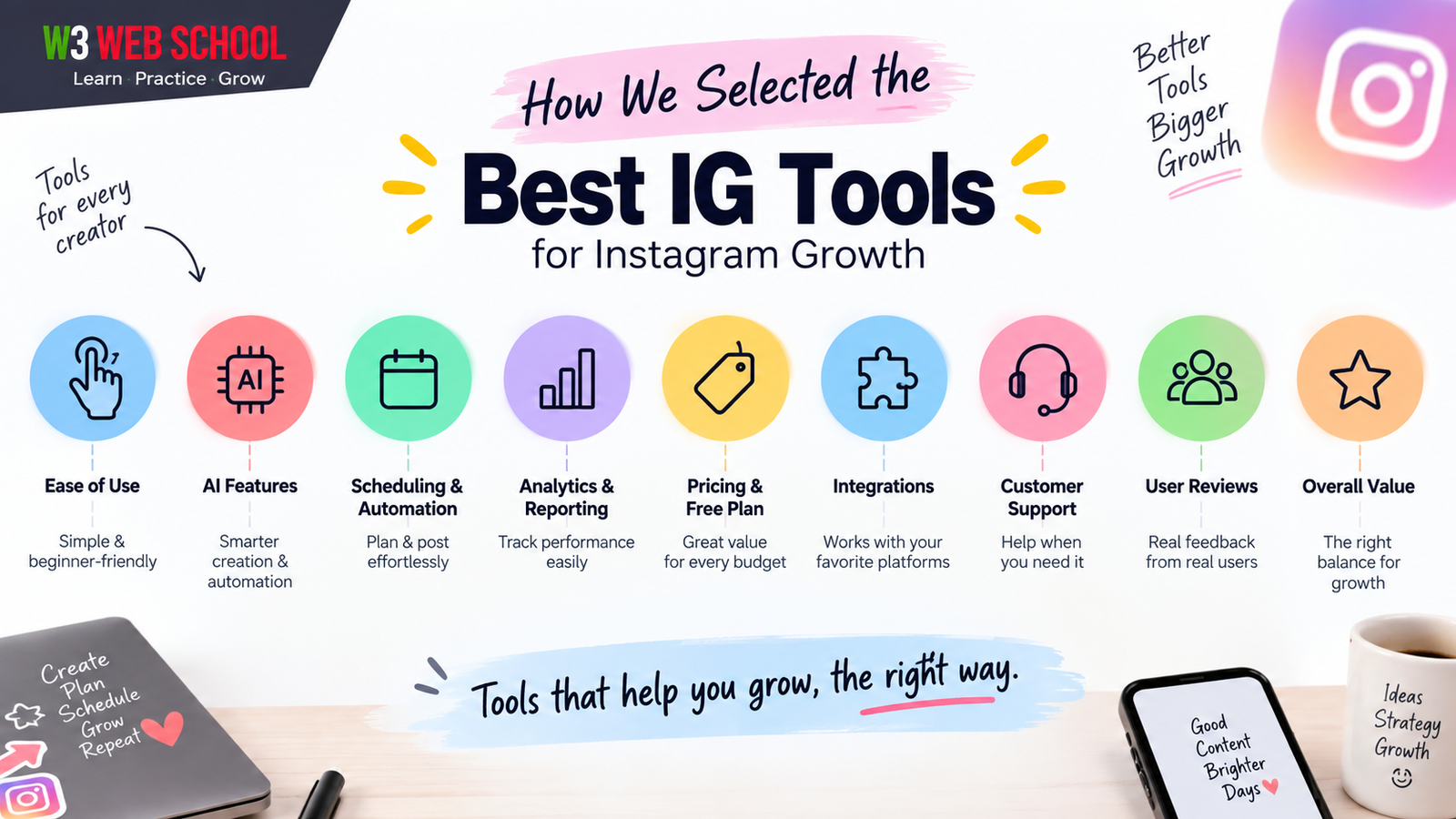
Choosing the right IG tools can make a big difference in growing your Instagram account. To help you find the best option, we carefully researched, compared, and evaluated every tool included in this list. We focused on the features that matter most to creators, influencers, businesses, agencies, and marketers so you can choose the right tool with confidence.
How We Selected the Best IG Tools

Our Evaluation Criteria

We compared each Instagram tool based on the following factors:

Ease of Use – Simple, beginner-friendly, and easy to navigate.
AI FeaturesAI-powered captions, content creation, automation, and smart recommendations.
Scheduling & Automation – Post scheduling, auto-publishing, and content calendar features.
Analytics & ReportingPerformance tracking, audience insights, and detailed reports.
Pricing & Free PlanFree trials, affordable plans, and overall value for money.
Integrations – Compatibility with Instagram, Facebook, YouTube, and other platforms.
Customer Support – Availability of support, documentation, and learning resources.
User Reviews & Ratings – Real customer feedback and overall reputation.
Overall Value – Features, usability, and return on investment for different types of users.

Our goal is to recommend the best IG tools that offer the right balance of features, pricing, ease of use, and performance to help you grow your Instagram account faster.

How to Choose the Right Instagram Tool for Your Needs?

01

Integrations

Choosing IG tools that connect to other social media platforms, like Facebook or YouTube, must be simple and easy.

02

Ease of Access

Ask for tools that are easy to access. Identifying what you need quickly will save you time and effort.

03

User-Friendly Interface

Pick tools that have a user-friendly design. It is very easy to learn about the features of a user-friendly interface, which allows you to employ the IG tools easily without being confused and frustrated.

04

Features

Always consider the unique features of each tool. If you are planning to make posts, track analytics, or look for hashtags, ensure they assist your goals so you can get the most useful guidance.

05

Client Support

Check the level of customer support that is offered by the IG tools.

06

Analytics & Reporting

Choose tools that provide clear and real-time analytics and reporting.

07

Collaboration

If you are a member of a team, look for strategies and tools that encourage smooth partnership or collaboration.

08

Pricing

To find the IG tools that fit your budget, you must compare pricing plans.

09

Reviews & User Feedback

Always check for reviews and feedback from other users to make decisions. This offers you an idea about the strengths and flaws of the tool.

Before using these tools, make sure your profile is properly optimized with a professional Digital Marketing Bio for Instagram.

List of 15+ Top IG Tools

The IG tools below allow you to grow your Instagram account with new followers and better performance reports.

They are capable of tracking real-time analytics of your account, reaching new audiences, and scheduling posts. You can see better growth in your Instagram account with the proper integration of such popular IG tools.

1. Hootsuite

Hootsuite Instagram Tool Overview
Overview
Hootsuite is one of the most comprehensive social media management platforms designed for streamlined team management and multi-account publishing. It allows you to schedule Instagram posts in advance, ensure seamless auto-publishing, and keep your publishing calendar fully organized across all channels.
Key Features
Social Inbox Best Time to Post Insights Time Slot Recommendations Monitor Hashtags Hashtag Generator Social Listening Tools Auto-Responding Inbox Analytics Advanced Scheduling Advertising Management Team Collaboration Custom Streams Content Creation & AI Tools

It also helps you generate hashtags. You can also explore our list of the best Instagram Caption Generator Tools to create engaging captions and hashtags.

Pros
  • Centralized dashboard for multi-account management.
  • Robust team collaboration and approval workflows.
  • Deep analytics and optimal publishing recommendations.
Cons
  • Higher entry pricing for basic users.
  • Can feel overwhelming for complete beginners.
Pricing
Offers a 30-day free trial with access to core features like AI writing, managing up to 10 accounts, unlimited post scheduling, and idea generation.

Professional Plan: Starts at $99/month (1 user, up to 10 accounts).
Team Plan: Starts at $249/month (3 users, up to 20 accounts).
Enterprise Plan: Custom pricing available for large organization needs.
Best For
Social media marketing agencies, corporate teams, and established brands requiring centralized monitoring, team permissions, and unified inbox controls.
Why We Recommend It
It eliminates multi-tab juggling and boosts workflow efficiency with precise best-time-to-post recommendations and bulk scheduling.
Verdict
An excellent corporate-grade IG management tool with powerful social listening and scheduling features.

2. Content Studio

Content Studio Instagram Tool Overview
Overview
The content studio is another major IG tool after HootSuite that is quite popular among Instagram users to deal with their unique content offering. This tool is widely used as a significant social media tool that assists businesses or brands in creating and sharing content, handling social media engagement and more.
Key Features
AI Captions Social Media Analytics Social Media Calendar Workspaces RSS Reader Bulk Scheduling Content Discovery Media Library Multiple Platforms Integration Social Inbox Multiple Publishing Queues ContentStudio's Composer

Pair AI-generated captions with these ready-to-use Captions for Instagram for even better engagement.

Pros
  • Seamless content creation, scheduling, and multi-platform integration.
  • Powerful discovery tools with built-in AI caption capabilities.
Cons
  • Free access is limited to a 14-day trial period.
Pricing
Content Studio offers a 14-day free trial plan, which is perfect for beginners. The free trial plan enables you to approve workflow, generate social hashtags, plan content, and discover content easily.

Starter Plan: Starts at $25 a month.
Pro Plan: Starts at $49 each month.
Agency Plan: Starts at $99 a month.
Best For
Businesses, brands, and content creators looking to streamline content generation and social media engagement.
Why We Recommend It
Offers a great balance of content discovery, AI captioning, and social engagement features in one platform.
Verdict
An excellent, feature-packed alternative to Hootsuite for managing unique content offerings efficiently.

3. Canva

Canva Instagram Tool Overview
Overview
Canva is a great design tool that provides the best video and image optimization features for making your Instagram visually appealing. You are allowed to change the images, fonts and colours of your content that best fit your niche.
Key Features
Template Variety Collaboration tools Brand book Image alt text support Drag and drop editor Stunning charts Share the design with a click Thumbnail maker Design Customization 3M+ Stock images support Copyright-cleared music 1000+ Free Templates Video editing Design printing and delivery
Pros
  • Offers 1000+ free templates, stock images, and drag-and-drop customization.
  • Supports seamless team collaboration and video/image optimization.
Cons
  • Advanced high-quality editing tools require a paid subscription.
Pricing
Canva offers a free plan for beginners with limited features. If you are an expert designer or need high-quality image or video editing tools for your Instagram account growth, you have to take paid pricing plans from the below.

Canva Pro plan: Starts from $15 a month.
Canva Teams plan: Starts from $10 a month and allows the access of a maximum of 3 people.
Best For
Beginners, expert designers, and teams looking to create visually appealing image and video content for Instagram.
Why We Recommend It
Makes content creation simple with customizable templates, stock media, and instant click-sharing features.
Verdict
An essential design tool to boost Instagram reach and engagement with high-quality visual content.

4. Vimeo Create

Vimeo Create Instagram Tool Overview
Overview
Vimeo is another great IG tool that helps your Instagram account grow rapidly through video editing. With the help of this tool, you can add text, music, and logos to your video content.
Key Features
Pre-built templates Simple logo and text integration High-resolution video export feature Directly share to Instagram option Auto closed captioning Brand kit Teleprompter Text-based video editing AI script generator Reminder emails Live chat and polls Live broadcast hosting
Pros
  • Easy video editing with AI script generator and auto closed captioning.
  • High-resolution exports with direct sharing to Instagram.
Cons
  • Per-user monthly subscription costs scale up for larger teams.
Pricing
A free trial plan is offered with Vimeo that is best for newbies and people with low budgets for their Instagram marketing.

There are three subscription plans along with an Enterprise plan:
Starter Plan: Starting from $12 monthly per user.
Standard Plan: Starting from $20 monthly per user.
Advanced Plan: Starting from $65 monthly per user.
Best For
Newbies, creators, and brands looking to boost Instagram account growth through effortless video editing.
Why We Recommend It
Simplifies adding text, music, and branding to videos with direct export options to Instagram.
Verdict
A highly efficient video editing tool for creating polished, high-resolution Instagram content rapidly.

5. Sprout Social

Sprout Social Instagram Tool Overview
Overview
A complete tool for handling social media accounts is Sprout Social. It helps you with daily tasks such as post-scheduling, audience engagement, and real-time performance analysis. The rich analytics features of this tool provide an understanding of your Instagram account growth.
Key Features
Scheduling tools Social Inbox Detailed analytics Sprout AI Engagement tracking Hashtag monitoring Social content calendar Custom workflows Unlimited social profiles Message tagging Brand-level engagement reporting AI-assisted suggestions
Pros
  • Rich analytics and real-time tracking for understanding account growth.
  • Advanced AI suggestions, custom workflows, and unified social inbox.
Cons
  • High monthly subscription prices compared to basic scheduling platforms.
Pricing
Sprout Social offers a free 30-day trial plan with limited features. If you need a more advanced engagement feature for the growth of your Instagram account, you have to take paid pricing plans.

Standard Plan: Starts from $249 a month.
Professional Plan: Starts from $399 a month.
Advanced Plan: Starts from $499 a month.
Enterprise Plan: Custom-built plan personalized to your needs.
Best For
Enterprise teams, marketing agencies, and established brands needing detailed analytics and audience engagement reporting.
Why We Recommend It
Provides comprehensive performance analysis alongside AI-assisted tools for higher Instagram engagement.
Verdict
A premium, feature-rich platform ideal for high-level social media management and brand-level reporting.

6. Iconosquare

Iconosquare Instagram Tool Overview
Overview
Iconosquare is one prominent name in the IG tools garage due to its effective channel growth monitoring and performance tracking feature. The dashboard it offers is very simple and clean, making it excellent for new users. From calculating engagement rates automatically to calculating the change percentage, Inconosquare does its job perfectly.
Key Features
Performance Analytics Scheduling User-intuitive dashboard Automated social media report Collaboration Competitor benchmarking Comments tracking Customized feeds Rapid exports
Pros
  • Clean, intuitive dashboard ideal for simple growth monitoring.
  • Automated calculations for engagement rates and change percentages.
Cons
  • Free trial is limited to 14 days before requiring a paid plan.
Pricing
If you are a beginner, you can try Iconosqaure’s 14-day free trial plan.

Three pricing plans are available in Iconosquare:
Single Plan: For a single user, starting from $49 monthly.
Teams Plan: For up to 10 users, starting from $79 monthly.
Custom Plan: For unlimited users, customizable as per requirement.
Best For
New users, social media managers, and teams needing channel growth monitoring and clean performance tracking.
Why We Recommend It
Effortlessly tracks performance and generates automated reports through a beginner-friendly dashboard.
Verdict
An excellent, user-friendly tool for automated engagement reporting and competitor benchmarking.

7. Meta Ads Manager

Meta Ads Manager Instagram Tool Overview
Overview
Meta Ads Manager is an exclusive platform powered by Instagram and Facebook. It aims to create and track ads and boosts the growth of your Instagram account. It allows users or advertisers to target Instagram ad campaigns along with effectively ad run over both of these platforms.
Key Features
A/B split testing Access management Ad creative Multiple ads management Audience automation Asset organization Ad preview Offline conversion tracking Ad creation from recommended posts Payment account access
Pros
  • Free native Meta platform to create, run, and track ad campaigns.
  • Powerful targeting, audience automation, and A/B split testing.
Cons
  • Requires separate advertising budget to run ad campaigns.
Pricing
This is a free tool powered by Meta. Hence, you can use it without spending any money.
Best For
Advertisers, brands, and businesses seeking targeted Instagram and Facebook ad campaigns for account growth.
Why We Recommend It
Offers essential cross-platform ad management, tracking, and post-boosting with zero subscription cost.
Verdict
The ultimate official tool for managing targeted Instagram ad campaigns effectively. Before running Instagram ads, make sure you've set up a professional Instagram Business Account.

8. AdEspresso

AdEspresso Instagram Ad Tool Overview
Overview
AdEspresso is a user-intuitive platform that helps in managing ads on Instagram. It boosts the planning, research, and optimization process of your ad campaigns. You can check various ad versions with the help of AdEspresso to check which ones go best for you.
Key Features
Campaign Approvals Reposting dashboards Automatic page post-promotion Automatic Optimization Grid Composer Collaboration Hub Bulk Editing Rich Media Support Geo-targeting Budget pacing Real-time performance tracking API Access Schedulable reporting tool Automated contacts syncing
Pros
  • Simplified multi-version ad split testing and real-time campaign optimization.
  • Automated post promotion, bulk editing, and automated contacts sync.
Cons
  • Requires paid plan subscription after 14-day trial for advanced engagement tools.
Pricing
AdEspresso offers a 14-day free trial with some basic features for Instagram growth, which is best for beginners or users with little or no experience. For a more advanced engagement feature in managing your Instagram account, you have to subscribe to paid pricing plans.

Starter Plan: Starts from $49 a month.
Plus Plan: Starts from $99 a month.
Enterprise Plan: Starts from $259 a month.
Best For
Beginners, digital marketers, and agencies wanting simplified A/B split testing and streamlined Instagram ad management.
Why We Recommend It
Makes multi-version ad testing fast and effortless while providing automatic optimization for better reach.
Verdict
A top-tier ad optimization tool ideal for running and testing multi-variation Instagram campaigns smoothly.

9. Mojo

Mojo Instagram Animated Content Tool Overview
Overview
Mojo is one of the most popular tools among various IG tools due to its animated visual creation feature. It helps to add text effects, templates, and higher-quality animations to your social media content on Instagram to boost your account.
Key Features
On-brand content creation Access to Animated templates Automated captions addition feature Custom dimensions Background removal feature All format resizing feature Social content creation Royalty-free music, videos and photos Quick share on social media platforms Dedicated customer support
Pros
  • High-quality animated templates, automated captions, and background removal.
  • Includes royalty-free stock media library and easy multi-format resizing.
Cons
  • Free trial period is limited to 7 days before requiring a paid plan.
Pricing
A 7-day free trial plan is available with Mojo, known as MojoFree, which is highly recommended for beginners who want to start their Instagram growth journey.

There are two paid pricing plans along with an Enterprise plan:
Mojo Pro Plan: Starts from $14.99 monthly per user.
Mojo Teams Plan: Starts from $10 monthly per user.
Enterprise Plan: Custom option for larger teams.
Best For
Content creators, influencers, and small businesses looking to produce eye-catching animated Instagram Stories and Reels quickly.
Why We Recommend It
Simplifies high-quality animated post creation with automated captions and customizable brand assets.
Verdict
An exceptional visual content app for crafting professional, animated Instagram stories and posts easily.

10. Adobe Creative Cloud Express

Adobe Creative Cloud Express Instagram Content Creation Tool Overview
Overview
This is another Adobe solution that performs best in creating robust social media templates with the drag-and-drop builder and easy-to-access interface. This tool allows one to successfully conduct photo editing, such as background removal, resizing and file conversion.
Key Features
Visual AI tools Video editing tool Extensive template library Templates and resizes Picture restoration Generative fill Ease of access to 25,000+ custom fonts Shared libraries Premium static and video templates Generative AI Brand management Collaboration Save and share template feature
Pros
  • Generative AI tools, image editing, and drag-and-drop template builder.
  • Access to 25,000+ custom fonts, shared libraries, and brand management.
Cons
  • Advanced features and premium assets require subscribing to paid plans.
Pricing
It has a free trial plan that offers core features such as effects usage, unlimited templates, and photo editing tools. If you want to avail the advanced features for better Instagram engagement then you can try our premium pricing plans.

Premium Plan: Starts at $12.99 a month.
Team Plan: Starts at $65.99 a month.
*These two plans differ in pricing for individuals, students, enterprises, and educators.
Best For
Content creators, designers, and marketing teams looking for drag-and-drop social media design, video editing, and generative AI visual tools.
Why We Recommend It
Combines Generative Fill AI, background removal, and thousands of fonts to craft stunning, on-brand Instagram content easily.
Verdict
A powerful, versatile graphic design and video editing suite perfect for boosting visual engagement on Instagram.

11. Prequel

Prequel Photo and Video Editor Overview
Overview
With powerful IG tools like Prequel, users can easily design visually appealing posts, reels, and stories on Instagram. It offers a huge variety of filters and live effects so you can make visually stunning and original content out of your videos and images.
Key Features
Retouch tools AI-integrated filters GIPHY text AI-powered filters Artistic filters Blurring and 3D effects Daily updates Advanced editing features such as brightness, sharpening, warming and more 800+ effects and filters Advanced editing toolkit 30+ custom fonts
Pros
  • Massive library of 800+ filters, 3D effects, and AI tools.
  • Offers daily content updates and customizable aesthetic editing features.
Cons
  • Free trial is tied to subscribing to the Prequel Gold paid plan.
Pricing
Prequel is offering a free trial plan for new members, but you can only get it once you subscribe to their paid plan known as Prequel Gold. The Prequel Gold plan starts from $4.99 a month. After exhausting one month, the plan renews automatically; you can stop the auto-renewal at any time you want.
Best For
Social media creators and influencers wanting trendy 3D effects, aesthetic AI filters, and video editing for Instagram Reels and Stories.
Why We Recommend It
Provides over 800 effects, 3D blurring, and AI filters to instantly elevate video and image aesthetic quality.
Verdict
An essential aesthetic editor for creators seeking highly stylized photo and video visual effects.

12. Milkshake

Milkshake Instagram Bio Website Builder Overview
Overview
Another major one among different popular IG tools, Milkshake, is an easily accessible tool for creating stunning microsites that you can include in your Instagram bio. This helps you get a higher reach in your account and grow rapidly.
Key Features
User-friendly interface Multiple sharing options Milkshake branding removal option Instant sharing and publishing Card-based structure Customizable looks Real-time insights and analytics Lightweight site creation Multiple business linking Access to multiple layouts Custom fonts Fast setup Drag-and-drop page builder Custom designs
Pros
  • Fast, card-based mobile builder for creating bio microsites quickly.
  • Includes real-time insights, custom layouts, and optional branding removal.
Cons
  • Advanced customization and branding removal require paid subscription plans.
Pricing
There are two paid pricing plans available in Milkshake. The plans are the Lite subscription plan and the Pro subscription plan. These paid subscription plans start from $9.99 a month.
Best For
Instagram creators, influencers, and small business owners looking to build a stylish link-in-bio microsite right from their phone.
Why We Recommend It
Offers a swipeable card format that turns standard link-in-bio pages into mini interactive websites.
Verdict
An intuitive mobile microsite builder that helps turn Instagram profile traffic into active clicks and engagement.

13. Adobe Premier Rush

Adobe Premier Rush Instagram Video Editor Overview
Overview
Adobe Premier Rush is a powerful IG tool that helps in cross-device collaboration for the creation and easy sharing of online videos. You are allowed to shoot, edit and share your exclusive videos and reels on Instagram to grow your account.
Key Features
Picture-in-picture effect creation Colour fixing Audio adjusting Text overlay Title addition Multi-language support Access to the media library Customizable branding Easy drag-and-drop builder Custom motion graphic templates Adobe Stock integration 100 GB cloud storage Multi-device editing Pre-built templates Speed adjustment feature Motion graphics templates
Pros
  • Cross-device syncing, 100 GB cloud storage, and intuitive drag-and-drop video editing.
  • Includes custom motion graphics, color grading, audio adjustment, and Adobe Stock integration.
Cons
  • Full feature set and increased cloud storage require a paid monthly subscription.
Pricing
A free trial version is available in Adobe Premier Rush and is known as the Premier Rush starter plan. Adobe Premier Rush is part of Adobe Creative Cloud Express, and the monthly subscription plan starts from $9.99. The Premier Pro plan starts from $20.99 a month.
Best For
Vloggers, video creators, and social media managers needing seamless multi-device editing for Instagram Reels and video content.
Why We Recommend It
Enables quick shooting, editing, and cross-device publishing with built-in motion graphics and speed controls.
Verdict
A flexible, cross-platform video editor designed to produce professional Instagram videos on mobile and desktop.

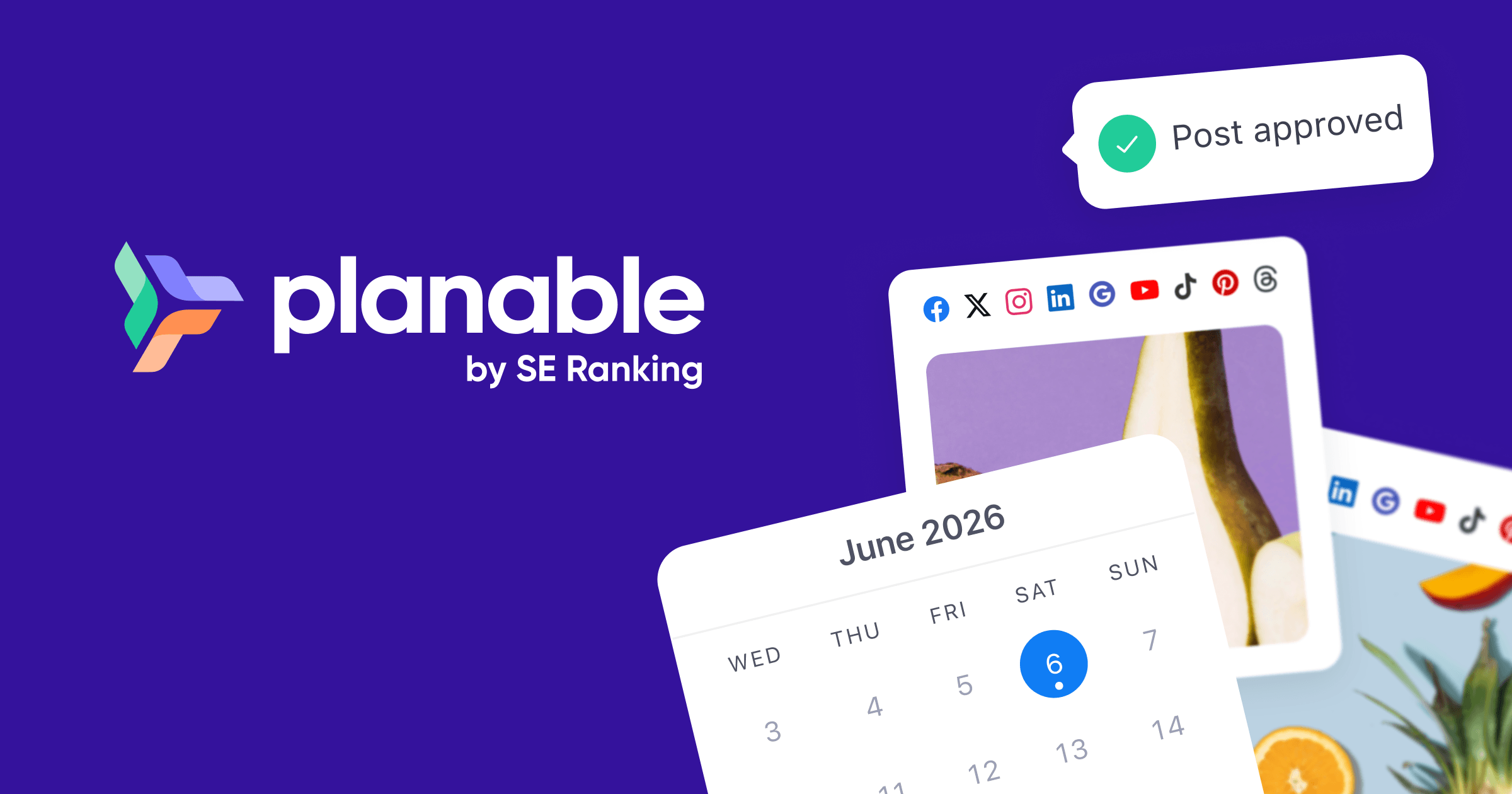
14. Planable AI

Planable AI Social Media Collaboration and Scheduling Tool Overview
Overview
This is one of the best and most powerful collaborative tools that help you in managing your Instagram account and let it grow rapidly. Teams can successfully plan and schedule postings with the help of this social media collaboration tool.
Key Features
Auto-generated captions Feed view Grid View List View Calendar view Easy collaboration Agency Workflows Real-time analytics Marketing calendar support
Pros
  • Seamless team collaboration with visual feed, grid, list, and calendar views.
  • Features AI-generated captions and customizable multi-level approval workflows.
Cons
  • The free plan is capped at 50 total posts, and entry-tier plans have post caps per month.
Pricing
A free trial plan is offered by Planable AI with 50 total post-support for beginners. Two types of paid subscription plans are also available with this.

Basic Plan: Starts from $33 a month (supports 60 posts and two types of approval).
Pro Plan: Starts from $49 a month (supports 150 posts and three types of approval).
Enterprise Plan: Offers unlimited posts and multi-level approvals, customizable to your needs.
Best For
Social media marketing teams and agencies needing an approval-first workflow to review, plan, and schedule Instagram content together.
Why We Recommend It
Simplifies post approvals across teams and provides clear Grid and Calendar views before content goes live on Instagram.
Verdict
A top-tier visual collaboration and scheduling tool built specifically for streamlining agency and team social media workflows.

15. Crowdfire

Crowdfire Social Media Management Tool Overview
Overview
Another popular social media management tool is Crowdfire, which helps you schedule your posts, monitor analytics, constant curation and follower management. It also allows you to integrate with multiple social media platforms due to its easy, user-intuitive interface.
Key Features
Post Scheduling Customer engagement features Calendar management Automated publishing Real-time analytics management Hashtag-recommendations Bulk post support Image recommendation Brand tracking Multiple user support Report Builder Competitor analysis
Pros
  • All-in-one content curation, image/hashtag recommendations, and post scheduling.
  • Includes competitor analysis, multi-platform publishing, and brand tracking tools.
Cons
  • The free plan is limited to 3 linked accounts and 10 scheduled posts per account.
Pricing
Crowdfire comes with a free trial plan with limited features such as three account linking, multiple social network integration, ten scheduled posts and more. If you need more advanced features for Instagram account growth, you have to choose paid subscription plans.

Plus Plan: Starts from $9.99 a month.
Premium Plan: Starts from $49.99 a month.
VIP Plan: Starts from $99.99 a month.
Best For
Social media managers, small businesses, and agencies looking for integrated post scheduling, content curation, and competitor tracking across platforms.
Why We Recommend It
Combines automated content curation with hashtag recommendations and multi-account scheduling to streamline social media growth.
Verdict
A versatile social media management platform that simplifies post scheduling, content discovery, and performance tracking.

16. Later

Later Social Media Scheduling Platform Overview
Overview
This is another major user-intuitive social media post-scheduling platform, among other IG tools. It helps you find the trending hashtags and share the user-generated content quickly.
Key Features
Visual content calendar Instagram feed preview feature User-generated content Personalized insights Optimal posting times Custom link in the bio page AI-powered caption writer Hashtag generator Saved captions Auto-publish posts feature
Pros
  • Visual grid planner and auto-publishing make Instagram content management effortless.
  • Includes built-in UGC curation tools, link-in-bio creation, and AI caption writing.
Cons
  • Advanced analytics, higher post limits, and multi-user access require paid tier upgrades.
Pricing
A 14-day free trial plan is available on Later. Premium plans offer discounted rates when billed annually:

Starter Plan: Starts from $16.67/month (billed annually) or $25/month.
Growth Plan: Starts from $30/month (billed annually) or $45/month.
Advanced Plan: Starts from $53.33/month (billed annually) or $80/month.
Agency Plan: Starts from $133.33/month (billed annually) or $200/month.
Enterprise Plan: Custom pricing tailored to specific requirements.
Best For
Visual creators, Instagram marketers, and agencies looking for intuitive grid planning, UGC discovery, and link-in-bio management.
Why We Recommend It
Offers a drag-and-drop visual feed planner alongside optimal posting time predictions to streamline visual-first social strategies.
Verdict
An industry-leading scheduling platform tailored for visual content planning, brand aesthetic management, and Instagram growth.

17. All Hashtag

All Hashtag Generator and Analytics Tool Overview
Overview
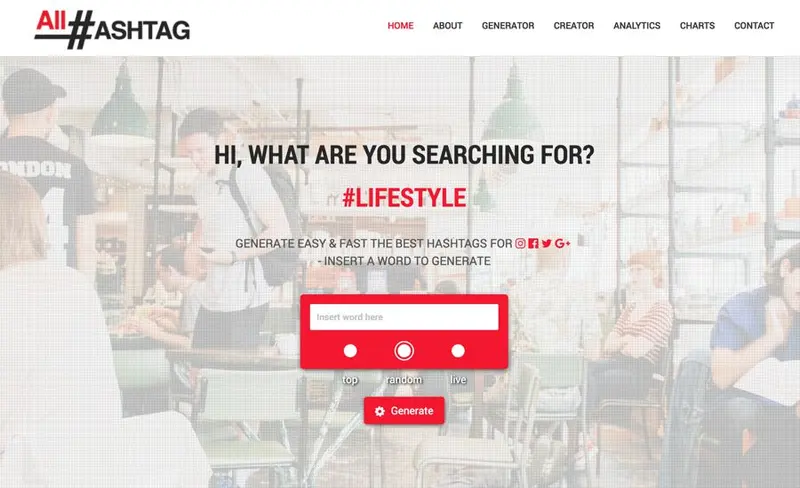
All Hashtags is another powerful tool among popular IG tools that is simply designed to identify the perfect hashtags for your Instagram channel growth. It helps to reach and capture more audiences for higher engagement.
Key Features
Hashtag-generator Hashtag analytics Hashtag counter Top Hashtags Real-time hashtag performance analytics Trending hashtag finder
Pros
  • 100% free web utility for instant hashtag generation and trend analysis.
  • Includes real-time performance analytics, tag counters, and top hashtag lists.
Cons
  • Basic web interface lacking integrated direct post scheduling or account management tools.
Pricing
Free: 100% free to use with complete access to all generator and analytics features.
Best For
Content creators, marketers, and small businesses looking for a quick, no-cost tool to discover relevant, high-performing Instagram hashtags.
Why We Recommend It
Delivers fast, free hashtag research with built-in counters and real-time performance insights to boost post reach.
Verdict
An essential, accessible free resource for optimizing Instagram hashtag strategies and expanding content discoverability.

18. Buffer

Buffer Social Media Management Tool Overview
Overview
Buffer, as a powerful tool among other IG tools, allows you to make and share your content on Instagram, highly engage with your audience and conduct real-time data tracking with its simple and easy user interface.
Key Features
Analytics Answers Tab feature Ease of scheduling Multiple profile management Post scheduling Easy sharing support with browser extensions Team collaboration Real-time reporting RSS Feed integration Content calendar Custom video thumbnails Hashtag manager
Pros
  • Simple post scheduling with browser extensions, RSS integration, and hashtag management.
  • Includes real-time analytics, team collaboration, and audience engagement tools.
Cons
  • The Agency plan incurs an additional $6 charge per month for every channel added beyond 10.
Pricing
Buffer offers a free 14-day trial plan, which can schedule up to 3 social media platforms. Three types of subscription plans are also available:

Essentials Plan: Starts from $6 monthly.
Team Plan: Starts from $12 monthly.
Agency Plan: Starts from $120 monthly (supports up to 10 channels; additional channels cost $6/channel).
Best For
Content creators, small businesses, and agencies looking for a clean, intuitive interface to schedule content and track engagement across multiple profiles.
Why We Recommend It
Combines user-friendly scheduling with real-time reporting, browser extension sharing, and structured team workflows.
Verdict
A highly reliable and straightforward social media management tool ideal for organizing and publishing Instagram content efficiently.

19. Keyhole

Keyhole Social Media Analytics and Hashtag Tracking Tool Overview
Overview
Keyhole is a popular social media analytics tool specially created to track trending keywords and hashtags. It offers real-time information related to your Instagram performance and audience engagement.
Key Features
Social listening Trend identification feature Quick market research Monitor competitors Profile analytics Real-time campaign tracking New client discovery Influencer Identification & Influencer View Downloadable Excel data Geo-tagging Real-time Event tracking Shareable dashboard
Pros
  • Offers real-time social listening, campaign tracking, and competitor monitoring.
  • Features influencer identification, shareable dashboards, and downloadable Excel reporting.
Cons
  • Paid plans start at $79/month, which may be expensive for smaller accounts or solo creators.
Pricing
Keyhole offers a free trial plan for newbies with basic features beneficial for Instagram growth. Four types of paid subscription plans are available:

SMB & Freelancers Plan: Starts from $79 a month.
Corporate Plan: Starts from $239 a month.
Agency Plan: Starts from $479 a month.
Enterprise Plan: Custom pricing personalized to organizational needs.
Best For
Agencies, corporate marketing teams, and brands requiring real-time hashtag tracking, social listening, and influencer campaign monitoring.
Why We Recommend It
Provides comprehensive keyword analytics and shareable dashboards to evaluate campaign performance and discover new market trends.
Verdict
An enterprise-grade social listening and hashtag analytics platform designed to drive data-led Instagram marketing strategies.

Frequently Asked Questions About Instagram Tools

Are Instagram Tools safe to use?

Yes, most Instagram tools are safe when they follow the API guidelines of Meta. Always avoid tools that promise fake followers or automation.

What are the best IG tools to use?

If you want higher Instagram growth, then you can pick Hootsuite, Canva, ContentStudio, Vimeo Create, AdEspresso, Mojo, Prequel, and more!

Which tools are best for Instagram analytics?

Iconosquare, Keyhole, Sprout Social, and Meta Insights are one of the best tools for tracking Instagram analytics and engagement performance.

How can I learn to use Instagram tools?

You can learn Instagram tools professionally by joining a structured social media marketing course in Kolkata with hands-on training and live projects.

Which Instagram scheduler is free?

Several free Instagram scheduling tools are available, including Meta Business Suite, Buffer (free plan), Later (free trial), and Crowdfire (free plan). Among them, Meta Business Suite is completely free for scheduling Instagram and Facebook posts, making it one of the best free IG tools for beginners and small businesses.

Can Instagram posts be scheduled for free?

Yes, Instagram posts can be scheduled for free using Meta Business Suite, which is the official scheduling tool from Meta. Some third-party IG tools like Buffer and Crowdfire also offer free plans with limited scheduling features for personal and business accounts.

Which Instagram tool is best for agencies?

For agencies managing multiple clients, Sprout Social, Hootsuite, and Planable AI are among the best IG tools. They offer team collaboration, approval workflows, analytics, content scheduling, and multi-account management, making them ideal for handling large-scale Instagram marketing campaigns.

Can AI generate Instagram captions?

Yes. Many modern IG tools include AI-powered caption generators that create engaging captions within seconds. Tools like ContentStudio, Later, and Planable AI help generate captions, hashtags, and content ideas based on your niche, saving time while improving content quality.

Best Instagram tool for beginners?

Buffer is one of the best IG tools for beginners because of its simple interface, affordable pricing, and easy scheduling features. Canva is another excellent option for creating attractive Instagram posts without requiring professional design skills.

Best Instagram tool for ecommerce?

For ecommerce businesses, Hootsuite, Sprout Social, and Meta Ads Manager are excellent choices. These tools help schedule posts, manage advertising campaigns, track customer engagement, and analyze performance to improve Instagram sales and brand visibility.

Can Instagram tools increase followers?

Yes, the right IG tools can help increase followers by improving content planning, scheduling consistency, hashtag research, analytics, and audience engagement. While they don't guarantee instant growth, they make it easier to build a consistent Instagram marketing strategy.

Best free alternative to Buffer?

If you're looking for a free alternative to Buffer, Meta Business Suite is one of the best options. It allows you to schedule Instagram and Facebook posts for free. Crowdfire's free plan is another good choice for users with basic scheduling needs.

Best alternative to Later?

Popular alternatives to Later include Buffer, Hootsuite, ContentStudio, and Planable AI. These IG tools provide similar scheduling, analytics, content planning, and collaboration features while offering different pricing plans for creators, businesses, and agencies.

Is Meta Business Suite enough?

Meta Business Suite is sufficient for basic Instagram marketing tasks such as scheduling posts, managing messages, and tracking insights. However, if you need advanced analytics, AI content creation, or team collaboration, dedicated IG tools like Hootsuite or Sprout Social offer more powerful features.

What are the best IG tools for marketing?

Some of the best IG tools for Instagram marketing include Hootsuite, Buffer, Sprout Social, ContentStudio, Later, Canva, Meta Ads Manager, and Keyhole. These tools help with content creation, scheduling, analytics, advertising, hashtag research, and audience engagement.

What features should I look for in IG tools?

When choosing IG tools, look for features such as content scheduling, analytics, AI-powered content creation, hashtag suggestions, collaboration, automation, social media integrations, mobile support, and affordable pricing. Selecting a tool that matches your marketing goals will deliver better long-term results.

Are there free IG tools available?

Yes, several free IG tools are available. Meta Business Suite, Canva, All Hashtag, Crowdfire (free plan), and Buffer (free version) provide useful features for scheduling posts, designing graphics, researching hashtags, and managing Instagram accounts without any upfront cost.

What are the best IG tools for content creation?

For content creation, Canva, Adobe Express, Mojo, Prequel, and ContentStudio are among the best IG tools. They help design eye-catching graphics, edit videos, create Instagram Stories, generate captions, and produce engaging visual content.

What are some best IG tools for visual content editing?

If your focus is visual content editing, tools like Canva, Adobe Express, Adobe Premiere Rush, Mojo, Prequel, and Vimeo Create offer professional features for editing images, videos, reels, stories, animations, and branded social media content.

Are IG tools worth the investment?

Yes, investing in premium IG tools can save time, improve workflow, automate repetitive tasks, and provide deeper analytics. For businesses, creators, and agencies, these tools often deliver better content performance and higher engagement, making them a valuable long-term investment.

Can IG tools be used for personal accounts?

Absolutely. Most IG tools support both personal and business accounts. Whether you're a creator, student, freelancer, or influencer, these tools can help schedule posts, design better content, track performance, and maintain a consistent Instagram presence.

Final Thoughts

Varieties of IG tools are there to offer exclusive features to boost your Instagram account. You must stick to one or two IG tools to get better results and higher reach as well as engagement.

Always remember that the majority of the above-mentioned IG tools offer free trials, so use them before subscribing to premium pricing plans for your Instagram account.

Hope this blog post solved all your doubts regarding IG tools. If you want to know more, just go to our website, W3 Web School, and check the Social Media Marketing courses in Kolkata now!

Happy reading!

Poulami Dalal
Written By

Poulami Dalal

Digital Marketing Trainer & Content Writer, W3 Web School

Connect on LinkedIn

Poulami Dalal is a Digital Marketing Trainer and Content Writer at W3 Web School. She creates research-backed, easy-to-understand content on SEO, AI tools, digital marketing, web development, UI/UX design, and career-focused technology topics. Her work focuses on simplifying complex concepts into practical guides that help students, marketers, business owners, and professionals make informed decisions.

Before publishing, each article is researched using official product documentation, trusted industry resources, and current SEO best practices to ensure accuracy, relevance, and real-world usefulness. Her goal is to create content that is practical, trustworthy, and genuinely helpful for readers.

Editorial Policy & Quality Guarantee

Editorial Policy: Every article published on W3 Web School is reviewed for accuracy, updated periodically, and based on official documentation, trusted industry resources, and practical research before publication.