Social media posts need more than attractive images and catchy captions. They also need to reach the right audience. That is where an AI hashtag generator can help. It suggests hashtags based on your topic, content, audience, and chosen social media platform, saving time during content planning.
However, choosing hashtags is not as simple as adding the most popular words to every post. A hashtag that works for an Instagram Reel may not be useful for a YouTube tutorial or a Facebook business update. The best results come from combining relevant hashtags, useful content, and a clear understanding of your audience.
In this blog, I will compare the 10 best AI hashtag generator tools for 2026, including free and paid platforms. You will learn what each tool offers, how to pick the right one, and how to use AI-generated hashtags as part of a smarter social media strategy.
Quick tip: Choose hashtags that closely match your post and audience instead of copying the same popular tags everywhere. Review AI suggestions before publishing, because no tool can guarantee higher reach or engagement.
What Is an AI Hashtag Generator?
An AI hashtag generator is a tool that suggests relevant hashtags based on your topic, image, caption, keywords, or video description. It uses AI to identify related terms and content themes, helping you find hashtags that match your post and target audience.
For example, a post about digital marketing in Kolkata might use hashtags such as #DigitalMarketingKolkata, #SMMTips, #SEOKolkata, #MarketingTips, and #SEOStrategies. The most suitable choices depend on the post, platform, and audience you want to reach.
These suggestions can save time during content planning, but AI-generated hashtags are not automatically trending and cannot guarantee higher engagement. Always check whether each hashtag accurately describes your content and is relevant to your target audience before publishing.
Benefits of Using an AI Hashtag Generator
An AI hashtag generator can make social media content planning easier by suggesting relevant hashtags for different topics and platforms. Here are its main benefits.
1. Saves Time
Generate hashtag ideas in seconds instead of brainstorming every tag manually.
2. Improves Relevance
Discover hashtags that match your content, topic, and target audience.
3. Supports Multiple Platforms
Find hashtag ideas for Instagram, Facebook, and YouTube, adapting your choices to each platform.
4. Helps Discover Niche Hashtags
Find specific hashtags that connect your content with people interested in a particular subject.
5. Improves Content Discoverability
Relevant hashtags can help users discover your posts when exploring related topics.
6. Simplifies Content Planning
Organize hashtag ideas more easily when preparing social media posts and campaigns.
7. Inspires New Ideas
Explore related keywords and new hashtag combinations you may not have considered.
Tip: Always review AI-generated hashtags before publishing. They can support content discovery but cannot guarantee higher reach or engagement.
Quick Comparison Table: Best AI Hashtag Generators for Social Media
Looking for the right AI hashtag generator?
Compare these 10 tools by their best use case, key features, and free access to find the right fit for your social media workflow.
Tool
Best For
Key Features
Free Access
QuillBot
Students, bloggers, and writers
Writing assistance and hashtag brainstorming
Limited / Free tools
VEED
Video creators and YouTubers
Video editing, captions, and hashtag suggestions
Limited free access
Ahrefs
SEO professionals and content strategists
Keyword research and content discovery
Free tools available
Buffer
Small businesses and social media managers
Hashtag ideas, post scheduling, and planning
Free tools / Plan
Hootsuite
Marketing teams and agencies
Hashtag ideas and multi-account management
Free tool available
Inflact
Instagram creators and businesses
Hashtag discovery and Instagram-focused suggestions
Limited free tools
Predis.ai
Small businesses and content creators
AI content generation, captions, and hashtags
Limited free access
Copy.ai
Copywriters and marketing teams
Marketing copy and hashtag brainstorming
Plan-dependent
Planable
Social media teams and agencies
Content collaboration, planning, and AI assistance
Plan-dependent
AfterShip
E-commerce and post-purchase operations
Shipment tracking and customer notifications
Not a dedicated hashtag tool
Swipe horizontally to compare all tools and features.
Note: Free access and paid features can change. Some tools help brainstorm hashtags rather than provide dedicated hashtag research. AfterShip is included for transparency, but it is primarily an e-commerce shipping platform, not a dedicated AI hashtag generator. Check each provider's official website for current features and pricing.
10 Best AI Hashtag Generators for 2026
Choosing the right AI hashtag generator can make social media content planning easier. Different tools support different needs, from brainstorming hashtag ideas and improving captions to researching topics and managing social media campaigns.
Here is a closer look at 10 tools, including their best use cases, advantages, limitations, and pricing information.
1. QuillBot
Best For: Students, bloggers, and content writers who need hashtag ideas while creating captions.
QuillBot is primarily known for its AI writing and text-improvement tools. It can help marketers refine captions and brainstorm hashtag ideas when used with suitable prompts.
Pros
Helps improve captions and marketing text
Offers free writing tools
Cons
Does not replace live hashtag performance tracking
Is not a specialist hashtag analytics platform
Pricing
Free writing tools are available. Check the official QuillBot website for current plan limits and paid options.
2. VEED
Best For: Video creators, YouTubers, and social media marketers.
VEED combines online video editing with AI-powered content tools. Its hashtag generation feature can assist creators in finding tags related to videos, Reels, and other social media content.
Pros
Useful for video-based content planning
Can help generate hashtags related to a video's subject
Combines video editing with social media content workflows
Cons
Advanced features may require a paid plan
May not provide detailed hashtag research metrics
Pricing
A basic free plan is available, while advanced features are offered through paid plans. The following prices were provided in the source content and should be verified before publishing:
Creator Plan: starts at $10 per month
Studio Plan: starts at $21 per month
Studio Plan: starts at $35 per month
Enterprise Plan: custom pricing
3. Ahrefs
Best For: SEO professionals, content strategists, and marketers researching keywords and content topics.
Ahrefs is widely used for keyword research, backlink analysis, and SEO. Its hashtag generator can help brainstorm social media hashtags, while its wider platform supports search-focused content research.
Pros
Offers hashtag generation options
Includes broader keyword research and SEO tools
Cons
Advanced SEO research plans can be expensive
The wider feature set may be unnecessary for users who only need hashtags
Pricing
Free tools are available, with paid plans for broader SEO research. The prices supplied in the source content are:
Starter Plan: starts at $29 per month
Lite Plan: starts at $129 per month
Standard Plan: starts at $249 per month
Enterprise Plan: starts at $1,499 per month
4. Buffer
Best For: Small businesses, students, freelancers, and new content creators.
Buffer is a practical option for people who want relevant hashtag ideas without a complicated research process. Enter your topic or post description, select a platform where supported, and generate suggestions.
Pros
Provides a straightforward content-planning workflow
Supports multiple social networks through its wider platform
Offers free access to selected tools and features
Combines content planning with scheduling and publishing features
Cons
AI-generated suggestions need human review
Free access and usage may be limited
Advanced management features require a subscription
Pricing
Buffer offers a free plan with basic features and paid options. The prices supplied in the source content are:
Essentials Plan: starts at $5 per month
Team Plan: starts at $10 per month
5. Hootsuite
Best For: Marketers who need quick hashtag ideas for campaigns and business accounts.
Hootsuite provides a free AI hashtag generator alongside a wider social media management platform. It can be useful when planning posts for different channels and coordinating content across a business account.
Pros
Helps generate hashtag ideas from content descriptions
Supports social media management across multiple channels
Offers a wider content management workflow
Cons
Basic suggestions may need further research
Detailed hashtag performance metrics may be limited in the free tool
Pricing
The source content mentions a free 14-day trial and the following paid plans. Verify current availability and pricing on Hootsuite's official website.
Standard Plan: starts at $99 per user per month
Professional Plan: starts at $199 per user per month
Advanced Plan: starts at $399 per user per month
Enterprise Plan: custom pricing
6. Inflact
Best For: Instagram influencers, creators, and businesses targeting specific Instagram audiences.
Inflact focuses on Instagram-related research and marketing tools. Its hashtag features can help users explore hashtags for specific topics and develop more focused hashtag lists.
Pros
Supports Instagram hashtag discovery
Helps explore topic-related hashtag ideas
Provides tools for organizing content research
Includes profile analysis tools
Offers influencer research features
Cons
Its focus is heavily oriented toward Instagram
Some advanced features require a paid plan
Pricing
The prices supplied in the source content are:
Research Plan: starts at $34 per month
Pro Plan: starts at $59 per month
Enterprise Plan: custom pricing
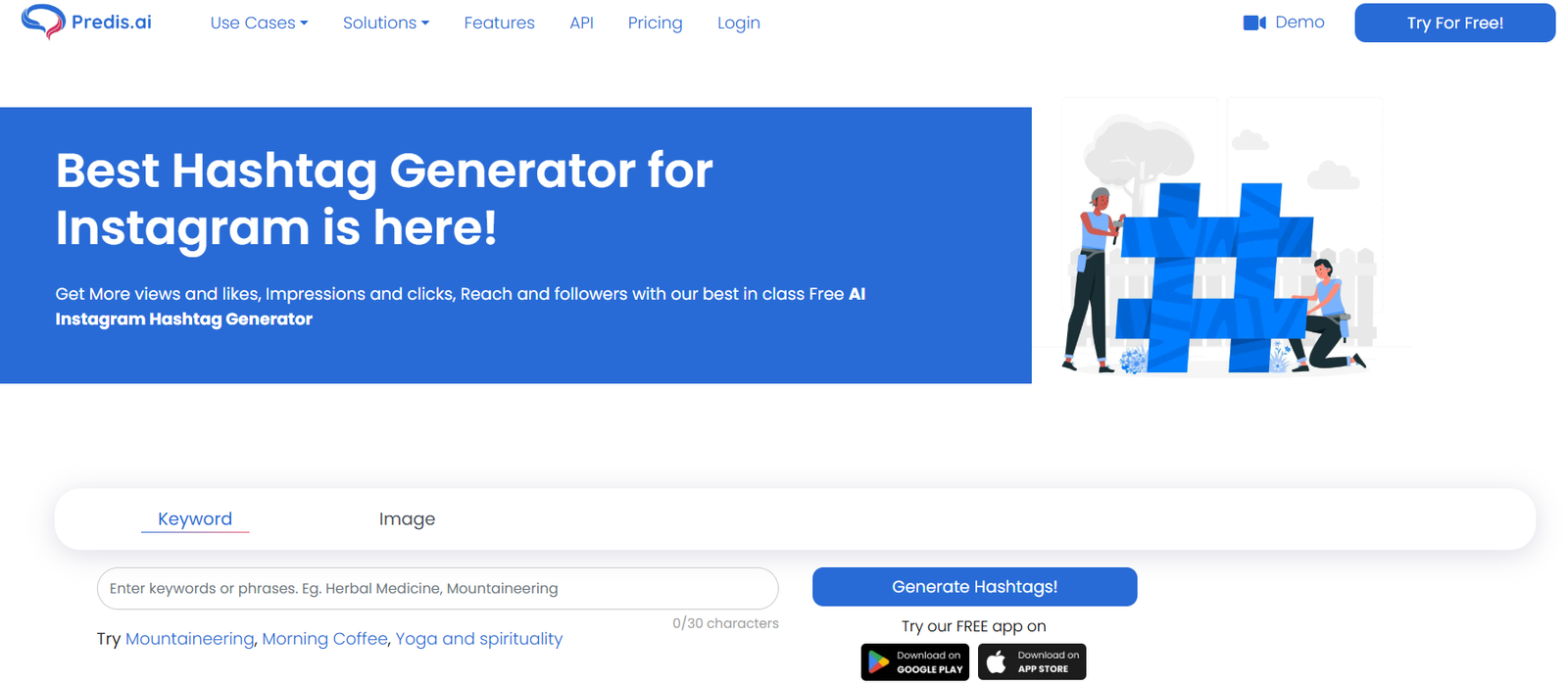
7. Predis.ai
Best For: Businesses and creators who want to speed up content production.
Predis.ai combines AI-integrated social media creation with captions, creative features, hashtag generation, and publishing assets. It is useful when you want to develop several parts of a post in one workflow.
Pros
Includes AI hashtag generation features
Supports caption writing and creative generation
Offers content planning and publishing features
Provides hashtag-related analysis features where available
Cons
Usage may depend on available generation credits
Some features may be limited by the selected plan
The free plan may not meet every business's needs
Pricing
A free plan is mentioned in the source content, along with these paid options. Confirm current plan names and prices before publishing.
Basic Plan: starts at $39 per month
Pro Plan: starts at $59 per month
Enterprise Plan: custom pricing
8. Copy.ai
Best For: Copywriters, marketing teams, and businesses brainstorming captions and hashtag ideas.
Copy.ai is an AI-powered writing and marketing platform. Its hashtag-generation tool is best suited to brainstorming hashtag lists alongside captions and promotional content.
Pros
Supports marketing copywriting and content ideation
Can help brainstorm different hashtag variations
Fits into broader writing and marketing workflows
Cons
Access and usage depend on the available tool or plan
Does not replace detailed hashtag performance analysis
Pricing
The source content mentions a free tool and the following paid options. Verify the current product plans and pricing before publishing.
Chat Plan: starts at $29 per month
Enterprise Plan: custom pricing
9. Planable
Best For: Social media agencies and teams that collaborate on content planning and approvals.
Planable focuses on social media planning, collaboration, and content workflows. Its Planable AI feature can generate hashtags within the content creation process, helping teams work without switching between multiple tools.
Pros
Supports hashtag generation within content creation workflows
Combines content planning with review and approval processes
Includes features for managing content and client collaboration
Cons
Paid plans may be costly for smaller teams
Free-plan features and usage may be limited
Pricing
The prices supplied in the source content are:
Enterprise Plan: starts at $249 per month
Rise Plan: starts at $79 per month
Core Plan: starts at $32 per month
10. AfterShip
Best For: E-commerce businesses that need shipment tracking and post-purchase customer communication. It is not a primary AI hashtag generator tool.
AfterShip focuses on e-commerce services such as shipment tracking and post-purchase customer experiences. It may be relevant to online retailers, but a dedicated AI hashtag generator could not be verified in the available product information.
Pros
Supports e-commerce shipping workflows
Provides customer communication features
Focuses on post-purchase customer experiences
Cons
Not a suitable primary choice for creators looking specifically for social media hashtags
A dedicated AI hashtag generation feature could not be verified in the available information
Pricing
The source content describes free access and the following paid plans. These details refer to AfterShip's e-commerce services, not a verified hashtag generator.
Essentials Plan: starts at $35 per month
Premium Plan: starts at $70 per month
Enterprise Plan: custom pricing
Note: Pricing, free-plan limits, features, and plan names can change. Confirm the latest details on each tool's official website before publishing or purchasing. Not every tool listed above is a dedicated hashtag research platform; some are primarily designed for writing, SEO, content planning, or e-commerce operations. AI-generated hashtags should also be reviewed for relevance to your audience and platform.
Which AI Hashtag Generator Is Best for Instagram, Facebook, and YouTube?
The best AI hashtag generator depends on the social media platform you use and your content goals. A hashtag strategy that works for Instagram may not be suitable for Facebook or YouTube, so choose suggestions based on the platform, audience, and type of post.
1AI Hashtag Generator for Instagram
An AI hashtag generator for Instagram can help you find niche-specific hashtags for Reels, carousels, and photo posts. Inflact and Predis.ai are options to explore for hashtag discovery and content creation, while Buffer can be useful when you want quick recommendations as part of your content workflow.
Choose hashtags that accurately describe the post, match your audience's interests, and relate to your niche. Avoid adding unrelated hashtags simply because an AI tool suggests them.
2AI Hashtag Generator for Facebook
An AI hashtag generator for Facebook can help you brainstorm tags for business updates, educational posts, and promotional campaigns. Buffer and Hootsuite are convenient starting points for generating ideas and organizing social media content.
Keep Facebook hashtags relevant to the post's purpose and intended audience. For business content, use clear topic-related tags rather than adding a long list of broad or unrelated hashtags.
3AI Hashtag Generator for YouTube
A YouTube hashtag generator can suggest relevant hashtags for a video's title and description. These hashtags help communicate the video's topic and give viewers another way to discover related content.
For example, a graphic design tutorial could use hashtags such as:
Example hashtags: #GraphicDesign #DesignTools #DesignSoftware #GraphicDesignTutorial
Buffer and Hootsuite can help brainstorm hashtag ideas for YouTube content. However, remember that YouTube hashtags are different from the separate video tags field in YouTube Studio. Hashtags use the # symbol and may appear in the title or description, while video tags are entered separately in the video's settings.
Quick tip: Treat AI-generated hashtags as suggestions, not guaranteed ways to increase reach. Review each hashtag for relevance, check how it fits your platform, and avoid using tags that do not accurately represent your content.
How to Use an AI Hashtag Generator Effectively?
An AI hashtag generator can help you discover relevant hashtags for your social media content. To get useful suggestions, provide clear information about your post and review the results before publishing. Follow these steps to make the most of an AI hashtag generator.
Describe Your Content
Enter the actual subject of your post, image, Reel, or video. A specific description helps the tool suggest hashtags that are more closely related to your content.
Choose the Platform
Select Instagram, Facebook, YouTube, or another supported network. Choose hashtags according to the platform and the type of content you plan to publish.
Define Your Audience
Consider your audience’s interests, location, and experience level. This helps you identify hashtags that are relevant to the people you want to reach.
Review the Suggestions
Check every suggested hashtag before using it. Remove irrelevant, misleading, or overly broad hashtags that do not accurately describe your post.
Check Current Hashtag Usage
Search for each hashtag on the relevant social media platform. Review the content associated with it to check whether it fits your topic and intended audience.
Measure Performance
Review available engagement and audience data, including reach and interactions where those metrics are provided. Use these insights to improve your hashtag choices for future posts.
Example: Hashtags for an IT Training Institute in Delhi
For a Delhi-based IT training institute promoting a post about practical technology courses, relevant hashtag options might include:
#ITTrainingCourse
#SkillBasedITLearning
#DelhiStudents
Tip: Use local hashtags only when they genuinely match the post's location, subject, and intended audience. These examples are starting points, not guaranteed high-performing hashtags. Check their relevance before publishing.
What Features Should You Look for in an AI Hashtag Generator?
Before choosing a free or paid AI hashtag generator, compare its features with your content goals. The right tool should help you find relevant hashtags without making your workflow unnecessarily complicated.
Platform Support
Check whether the tool supports your preferred social media platforms, such as Instagram, Facebook, or YouTube. Platform compatibility helps you find suggestions suited to your publishing needs.
Hashtag Relevance
Look for suggestions that closely match your content, topic, and audience. A long list of hashtags is not useful if most of the recommendations are unrelated to your post.
Niche Hashtag Discovery
Choose a tool that can help you explore specific hashtags for your industry, subject, or target audience instead of suggesting only broad and highly competitive terms.
Hashtag Research Data
Find out whether the tool provides useful research metrics or simply generates hashtag ideas. Depending on your goals, you may need additional information to evaluate hashtag relevance and potential competition.
Ease of Use
A good tool should make it easy to enter a topic, generate suggestions, and review the results. A straightforward interface can save time when planning content regularly.
Free-Plan Limitations
Check whether the free version has daily usage limits, restricted features, or other conditions. Review these limits before relying on a tool for your regular content workflow.
Analytics and Performance Tracking
If you need to measure results, check whether the tool offers analytics or integrates with a platform that provides performance data. Some hashtag generators only suggest ideas and do not track results directly.
Should you choose a paid AI hashtag generator? Not necessarily. Start with a free tool if it meets your current needs. Upgrade only when features such as advanced research, collaboration, scheduling, or analytics provide clear value for your content strategy.
FAQs on AI Hashtag Generator Tools
Find answers to common questions about AI hashtag generator tools, platform compatibility, free features, hashtag research, and social media performance.
An AI hashtag generator suggests hashtags based on a topic, caption, image, or video description. It helps speed up hashtag research, but the suggestions should be reviewed before publishing.
Buffer, VEED, Ahrefs, Hootsuite, Inflact, and Predis.ai are options worth exploring. The best choice depends on your platform, budget, and whether you need simple hashtag suggestions or broader marketing features. Check each tool's current features before choosing.
It can help you find relevant hashtags and improve your content planning process. However, reach depends on several factors, including content quality, audience interest, engagement, and platform recommendations. Hashtags alone cannot guarantee more views.
Yes. Some tools provide free generators or limited free access. Buffer has offered a free hashtag generation tool, but daily usage limits and availability can change. Other tools may restrict advanced features to paid plans, so check the current terms before relying on a specific limit.
Inflact is an option for Instagram hashtag discovery, while Predis.ai combines hashtag suggestions with social media content creation features. Buffer is another option for quick recommendations. Compare their current features and choose the one that matches your workflow.
Buffer and Hootsuite are useful starting points for social media content planning and hashtag brainstorming. Choose hashtags that accurately describe your Facebook post and audience, and check whether the tool currently supports the specific hashtag workflow you need.
Check for platform support, niche hashtag discovery, relevant suggestions, useful research data, ease of use, and transparent usage limits. If you need to measure results, look for analytics or integrations that provide performance data. Choose features based on your content goals rather than the number of hashtags generated.
They can provide useful ideas, but they may also suggest irrelevant or outdated hashtags. Review each suggestion and use platform search or reliable analytics when current popularity and relevance matter.
You can reuse relevant hashtags when appropriate, but adapt your choices to each platform. Instagram, Facebook, and YouTube have different formats and discovery systems, so identical hashtag sets may not always work equally well.
A regular hashtag generator may suggest hashtags based on keywords or a predefined database. An AI hashtag generator can use contextual information about your topic to create more tailored suggestions. The exact capabilities depend on the tool.
Inflact and Flick are options to explore for Instagram hashtag research. Buffer may also suit creators who publish across multiple platforms. The best choice depends on whether you need hashtag discovery, content planning, scheduling, or analytics. Check each service's current features before subscribing.
AI-generated hashtags can help organize social content and make its topic clearer. However, hashtags are not a substitute for website SEO, which also involves useful content, keyword targeting, technical optimization, and relevant links.
The ideal number depends on the platform and its current rules. Instagram has announced a five-hashtag limit for posts and Reels as part of its rollout. Check the latest platform guidance, and focus on relevant hashtags instead of adding as many as possible.
Some tools accept images or image URLs and suggest relevant hashtags, while others work only with text prompts. Check the supported input formats before choosing a tool for image-based content.
You can add relevant hashtags to a YouTube title or description. Use them sparingly and keep the title readable. Avoid misleading or unrelated hashtags, and remember that hashtags differ from the separate video tags field in YouTube Studio.
Yes. Small businesses can use them to brainstorm hashtags for local services, products, promotions, and informational content. Start with a free generator if it meets your needs, and make sure local hashtags accurately match your service area and audience.
Yes. AI can brainstorm branded hashtags based on a company name, campaign, product, or slogan. Before using one, search the relevant platforms to check for existing uses, unintended meanings, and potential conflicts.
Yes. AI can suggest professional hashtags based on your industry, experience, and post topic. Select a small set of relevant hashtags that fit your professional audience, and verify that the suggestions accurately describe your content.
Hashtags alone cannot guarantee higher engagement. Your content may not match your audience's interests, your hashtags may be too broad or irrelevant, or the post may lack a clear message. Review your analytics and test relevant options over time.
Conclusion
The best AI hashtag generator is not the one that produces the most suggestions. It is the one that helps you choose relevant hashtags for your platform, content, and target audience.
Buffer and Hootsuite are useful starting points for social media content planning and hashtag brainstorming. Inflact focuses on Instagram hashtag discovery, while Predis.ai combines hashtag suggestions with broader social media content creation features.
Other tools, such as QuillBot, Copy.ai, and Planable, can support writing or publishing workflows, while Ahrefs offers a broader SEO research perspective. Always check the current features, limitations, and pricing before committing to a subscription.
For consistent results, combine AI-assisted research with audience research, original content, and performance analysis. These practical skills help social media marketers make informed decisions instead of relying entirely on automation.
If you want to build these skills professionally, explore W3 Web School's Social Media Marketing Courses in Kolkata .
The right training can help you develop skills in content planning, platform-specific strategies, campaign analysis, and the role of AI in digital marketing.
Poulami Dalal is a Digital Marketing Trainer and Content Writer at W3 Web School. She creates
research-backed, easy-to-understand content on SEO, AI tools, digital marketing, web development, UI/UX design, and career-focused technology topics.
Her work focuses on simplifying complex concepts into
practical guides that help students, marketers, business
owners, and professionals make informed decisions.
Before publishing, each article is researched using
official product documentation, trusted industry
resources, and current SEO best practices to ensure accuracy, relevance, and real-world usefulness.
Her goal is to create content that is practical,
trustworthy, and genuinely helpful for readers.
Editorial Policy & Quality Guarantee
Editorial Policy: Every article published on W3 Web School is
reviewed for accuracy, updated periodically, and based on
official documentation, trusted industry resources, and
practical research before publication.