W3webschool Blog

10 Best AI Tools for UI/UX Designers in 2026 : Features, Pricing, Pros & Cons
Written By: W3 Web School Editorial Team
Reviewed By: UI/UX Experts
Last Updated: September 10, 2026
Reading Time: 10 Mins
10 Best AI Tools for UI/UX Designers in 2026

Artificial Intelligence is transforming the way digital products are built and designed. From developing wireframes faster to generating responsive user interfaces from just a text prompt, today’s AI tools for UI/UX designers are helping designers work smoothly without compromising the quality and creativity.

According to Web Designer India reports, approximately 72% of design teams now use generative AI for different tasks such as wireframing, design systems, prototyping, and UX research. This makes AI tools an integral part of modern design workflows.

CAREER OPPORTUNITY 2026

Want To Become A Certified UI/UX Designer In Kolkata?

Explore Course

If you are looking for the best AI software for UI and UX design, this article compares the 10 best AI tools for UI/UX designers in 2026 based on AI features, collaboration, pricing, ease of access, and real-client usage. If you are a beginner, a product designer, a working professional or a freelance designer, you will get to know which tools are worth using, where each of these are popular and how to pick the right one for your design projects.

What are the Best AI Tools for UI/UX Designers in 2026?

The best AI Tools for UI/UX Designers in 2026 help designers create wireframes, prototypes, user interfaces, color systems, and responsive layouts much faster than traditional workflows. Whether you're building a mobile app, SaaS dashboard, website, or design system, these AI software for UI and UX design solutions can automate repetitive tasks while allowing designers to focus on creativity and user experience.

The top AI tools for UI/UX designers in 2026 are:

Figma Make: Best for AI-powered UI design and rapid prototyping
Flowstep: Best for UX flows and user journey mapping
Google Stitch: Best for generating interfaces from text prompts
Uizard: Best for beginners and AI wireframing
Moonchild AI: Best for creative UI concepts and visual exploration
Galileo AI: Best for high-fidelity UI screen generation
Visily AI: Best for collaborative wireframing and mockups
Relume: Best for AI website planning, sitemaps, and wireframes
Framer AI: Best for AI-powered responsive website creation
Khroma: Best for AI-generated color palettes and design systems

Each tool offers unique features. Some are best for generating UI layouts in just a few seconds, while others are best at UX planning, accessibility, design systems, or website development. The right one depends on your design workflow, level of expertise, and real-client project demands.

Quick Comparison Table

AI ToolBest ForFree PlanStarting PriceIdeal For
Figma MakeAI-powered UI design & prototypingYesIncluded with Figma AIProduct designers
FlowstepUser Flows and UX planningFreemiumCustomUX designers
Google StitchPrompt to UI generationYesFree (Preview)Fast interface building
UizardAI wireframingYesFrom $12/moBeginners
Moonchild AICreative UI explorationFreemiumCustomUI designers
Galileo AIHigh-fidelity UI screensFreemiumFrom $19/moMobile and SaaS designers
Visily AICollaborative wireframesYesFrom $16/moTeams and Startups
RelumeWebsite wireframes & sitemapsFreemiumFrom $18/moWeb designers
Framer AIAI website builderYesFrom $10/moLanding pages & portfolios
KhromaAI color palettesYesFreeBranding & UI design
Tip: If you're new to AI design tools, start with Uizard, Visily AI, or Google Stitch. For advanced UI workflows, Figma Make, Galileo AI, and Relume offer more powerful AI capabilities.

Why Trust This Comparison?

Instead of ranking tools on only popularity, we compared each one using the factors that are essential in real-world UI/UX projects:

  • AI-generated design quality
  • Wireframing and prototyping features
  • Ease to use by beginners and professionals
  • Collaboration and team features
  • Export and developer handoff options
  • Pricing plans
  • Best use cases depending on various design workflows

This practical comparison guides you in picking the best AI Tools for UI/UX Designers based on your real project needs rather than marketing claims.

Why AI is Transforming UI/UX Design in 2026

AI is reshaping how modern designers create digital products. Rather than spending countless hours on repetitive wireframes, manual layouts, and basic administrative tasks, designers can leverage AI software to streamline their creative process. From early-stage startups to enterprise teams, AI tools for UI/UX design have become pivotal in crafting faster, smarter, and more user-focused digital solutions.

Faster Wireframing & Prototyping

Generates quick layouts and interactive screen transitions, letting designers validate ideas rapidly and eliminate manual layout work.

Enhanced UX Research

Summarizes research data, identifies usability bottlenecks, and extracts user behavior patterns within minutes.

Smarter Design Systems

Suggests reusable UI components, typography scales, and spacing guidelines to maintain brand consistency across complex web and mobile apps.

Seamless Collaboration

Automates design documentation and handoff specs, making cross-functional alignment effortless between designers and developers.

More Space for Core Creativity

By automating routine tasks, AI frees up valuable time for designers to focus on deep user empathy, accessibility, visual delight, and solving real business problems.

Key Takeaway

While modern AI tools boost productivity and accelerate workflows, authentic human empathy, strategic design thinking, and creative problem-solving remain irreplaceable.

How We Tested and Compared These AI Tools

To make this list of the best AI tools for UI/UX designers, we compared each tool based on the features that matter most in modern design workflows. Rather than focusing purely on popularity, we evaluated how each platform performs for collaboration, prototyping, wireframing, ease of use, and pricing.

We tested each tool using the criteria below:

AI Design Quality

Precision, creativity, and overall visual quality of AI-powered layouts and UI screens.

Wireframing and Prototyping

Speed and flexibility in building user flows, low-fidelity wireframes, and interactive prototypes.

Integrations

Compatibility with existing design environments like Figma, Framer, and developer handoff workflows.

Ease of Use

Intuitive interface design, low learning curve, and accessibility for both beginners and pros.

Pricing

Free plan availability, tier limits, and value-for-money across premium plans.

Collaboration Features

Support for multi-user editing, developer handoff assets, and inline feedback systems.

Best Use Cases

Practical relevance for freelancers, early-stage startups, product design teams, or enterprise setups.

Note: Every design team operates differently. The ideal tool depends directly on your specific workflow, project complexity, team size, and available budget.

Best AI Tools for UI/UX Designers Compared

1. Figma Make - Best Overall AI Tool for UI/UX Designers
Best For: AI-powered interface design, rapid prototyping, and collaborative product design.
Figma Make AI Tool

Figma Make is one of the most popular AI tools for UI/UX designers in 2026. Modern designers can easily generate UI layouts, design varieties, and interactive prototypes with simple prompts. This makes the design process smooth and highly collaborative. As it is built directly into the Figma ecosystem, designers can shift from idea to prototype without switching between different applications.

Key Features
  • Generating UI designs directly from text prompts
  • Building interactive prototypes at a faster pace
  • Smart layout adjustments and component suggestions
  • Built-in real-time collaboration with developers and product teams
  • Seamless integration with existing Figma design files
✓ Pros
  • Easy adoption for existing Figma users
  • Speeds up repetitive layout tasks
  • Excellent for collaborative team workflows
  • Produces clean, high-quality UI concepts
✕ Cons
  • Advanced AI capabilities require a paid plan
  • Lacks standalone versatility outside Figma
Pricing: Free Plan available (limited features) | Included with eligible Figma paid subscriptions.
Ideal For: Product Designers, UI/UX Designers, Design Teams, SaaS Startups.
Our Verdict

If your workflow already centers around Figma, Figma Make is easily one of the most effective AI additions you can use. It smoothly handles AI-assisted layouts, quick prototyping, and team collaboration—making it an essential asset for both entry-level and experienced designers.

2. Flowstep - Best AI Tool for UX Flows & User Journey Mapping
Best For: Building user flows, journey maps, and UX planning before shifting to visual design.
Flowstep AI Tool

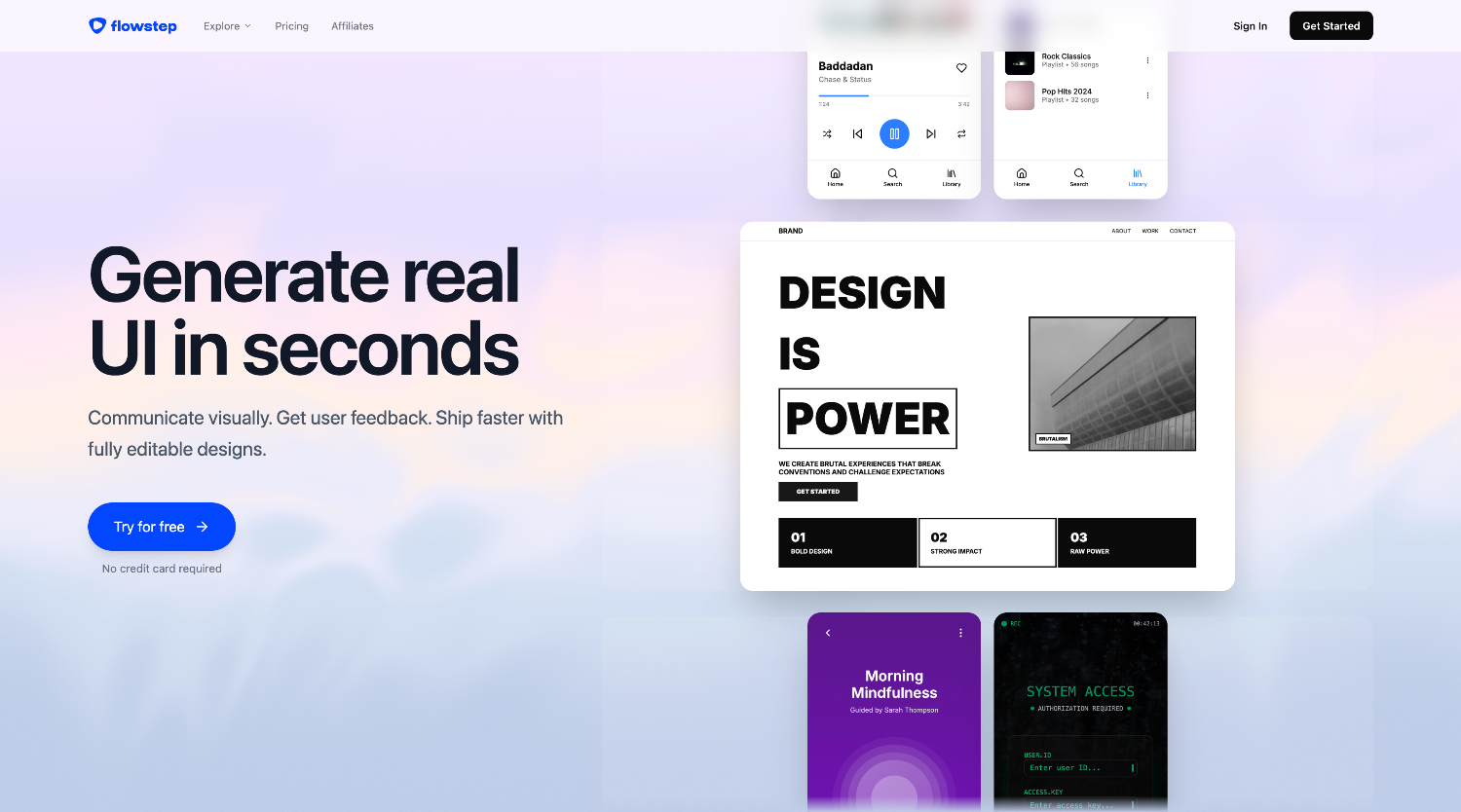
Flowstep is another AI-powered UX planning tool that assists designers convert ideas into organized user flows within just seconds. Don’t start with a blank canvas, you can create user journeys, interaction paths and screens using prompts. This makes it one of the most effective AI tools for UI/UX designers focusing on UX strategy.

Key Features
  • AI-generated user flows
  • Customer journey mapping
  • Flow diagrams from prompts
  • Collaboration for design teams
  • Fast export for further design work
✓ Pros
  • Speeds up UX planning
  • Beneficial for team collaboration
  • Easy and clean interface
  • Best for brainstorming ideas
✕ Cons
  • Limited visual UI design features
  • Best for planning rather than high-fidelity interfaces
Pricing: Free plan available | Paid plans available.
Ideal For: Product designers, UX designers, Design teams, Startups.
Our Verdict

If you look for information architecture and user research, then Flowstep is the best choice. It assists teams with better user experience prior to designing the final interface and reduce planning time.

3. Google Stitch
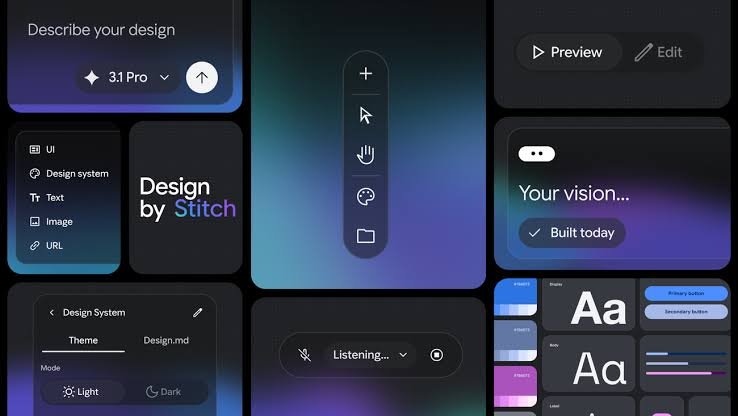
Best For: Converting text prompts into editable user interface designs.
Google Stitch AI Design Tool

Google Stitch is Google’s AI design tool that turns simple prompts into responsive UI layouts. It assists designers to explore interface ideas fast, making it highly suitable for quick prototyping and early-stage product ideas. If you are looking for modern AI software for UI and UX design, Google Stitch comes up with impressive AI-powered interface building.

Key Features
  • Generate UI from text prompts
  • Responsive layout suggestions
  • Material Design support
  • Quick design exploration
  • Simple prototype creation
✓ Pros
  • Extremely fast UI generation
  • Clean and modern interface
  • Best for idea validation
  • Backed by Google's AI technology
✕ Cons
  • Still updating with limited features
  • Less customization than full design platforms
Pricing: Free plan available (Preview) | Paid Plans: Not announced yet.
Ideal For: UI Designers, Product Designers, Developers, Startup Teams.
Our Verdict

If you want to turn ideas into interface building in just a few minutes, Google Stitch is one of the most efficient AI tools for UI/UX designers to use in 2026. It works best for quick ideation before generating ideas in tools like Figma.

4. Uizard - Best AI Tool for Wireframing & Beginners
Best For: Building wireframes, prototypes, and mockups without past design knowledge.
Uizard AI Wireframing Tool

Uizard is an AI-powered design platform built specifically to help non-designers and teams transform ideas into interactive wireframes and screen mockups rapidly. By converting simple prompts, hand-drawn sketches, or existing screenshots into editable UI components, Uizard significantly speeds up early product design and ideation workflows.

Key Features
  • Text-to-UI generation
  • Sketch-to-wireframe conversion
  • Screenshot-to-editable design
  • AI-powered templates
  • Interactive prototyping
✓ Pros
  • Best for beginners
  • Quick wireframe creation
  • Large template library
  • No coding required
✕ Cons
  • Limited advanced customization
  • Some AI features require a paid plan
Pricing: Free Plan available | Paid Plans: Starts from $12/month.
Ideal For: Beginners, Students, Freelancers, Startup Founders.
Our Verdict

If you are new to UI/UX or need to create prototypes quickly, Uizard is one of the best AI wireframing tools for user experience. Its simple interface and AI-powered automation make it ideal for learning and rapid product validation.

5. Moonchild AI - Best for Creative UI Concepts & Visual Exploration
Best For: Generates creative interface ideas, mood boards, and visual directions.
Moonchild AI Tool

Moonchild AI assists designers find unique and original design ideas using AI generated layouts, visual and style inspirations. It doesn’t replace designers. It works as a creative partner in easily making creative blocks and experimenting with multiple interface styles.

Key Features
  • AI-powered UI concepts
  • Visual style exploration
  • Design inspiration library
  • Creative layout suggestions
  • Generate mood boards
✓ Pros
  • Generates unique design concepts
  • Clean and intuitive interface
  • Best for brainstorming
  • Helps in creative thinking
✕ Cons
  • Not created for complete product design
  • Limited collaboration features
Pricing: Free Plan: Limited | Paid Plans: Custom pricing.
Ideal For: UI Designers, Creative Professionals, Freelancers, Brand Designers.
Our Verdict

If you are finding new ideas and tired of repetitive templates, then Moonchild AI is one of the most valuable AI tools for your design workflow. This tool is best for early ideation before moving to an in-depth UI design and prototyping.

6. Galileo AI - Best for High-Fidelity UI Generation
Best For: Generates polished and professional mobile applications and web interfaces from text prompts.
Galileo AI Design Tool

Galileo AI is another advanced one among AI tools for UI/UX designers and helps in generating high-quality UI screens from just text prompts. It recognizes common design patterns and builds polished user interfaces for mobile applications, websites, SaaS products, and dashboards. This makes it one of the most favourite tools of designers.

Key Features
  • Prompt-to-UI generation
  • High-fidelity screen creation
  • Mobile and web interface support
  • Editable design output
  • Smart component suggestions
✓ Pros
  • Professional-quality UI designs
  • Saves hours of manual work
  • Best for SaaS and mobile apps
  • Clean, modern design output
✕ Cons
  • Premium features need a subscription
  • Generated designs may need manual refinement
Pricing: Free Plan: Limited | Paid Plans: From $19/month.
Ideal For: Product Designers, UI Designers, SaaS Teams, Design Agencies.
Our Verdict

Galileo AI is another most significant AI software for UI and UX design in 2026 for designers looking for production ready user interface concepts. It offers impressive outcomes while offering designers complete control over the final outcome.

7. Visily AI - Best for Collaborative Wireframing & Mockups
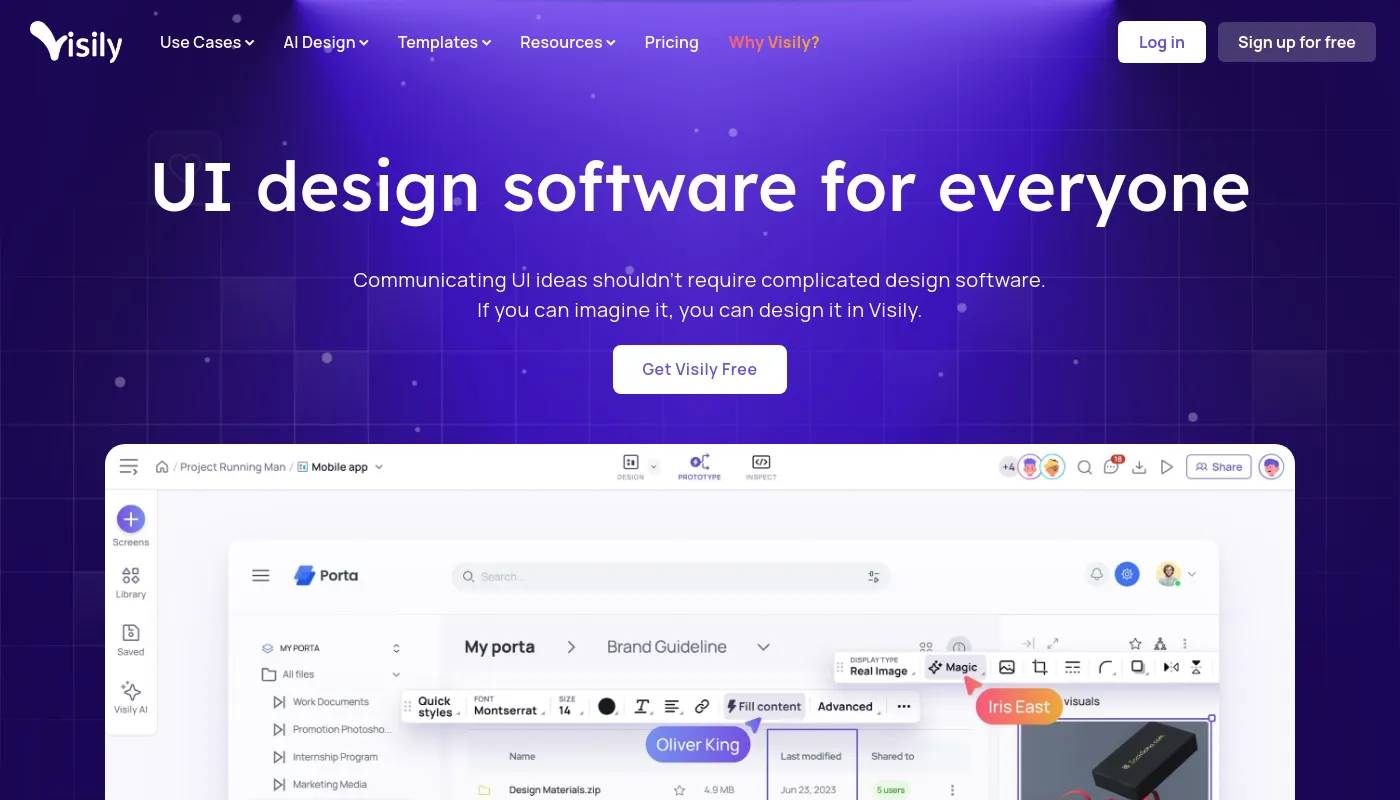
Best For: Creates collaborative prototypes, wireframes, and UI mockups with AI integration.
Visily AI Tool

Visily AI is a popular user-friendly design platform that assists teams in creating prototypes and wireframes without prior design knowledge. Its AI features turn sketches, screenshots and simple text prompts into mockups. This makes it the most demanding practical AI tools UI/UX designers for fast ideation and collaboration.

Key Features
  • AI screenshot-to-design conversion
  • Smart wireframe generation
  • Real-time team collaboration
  • Interactive prototyping
  • Large template library
✓ Pros
  • Beginner-friendly interface
  • Excellent collaboration features
  • Fast mockup creation
  • Easy to learn
✕ Cons
  • Limited advanced design controls
  • Fewer integrations than some competitors
Pricing: Free Plan available | Paid Plans: From $16/month.
Ideal For: Design Teams, Product Managers, Startups, Beginners.
Our Verdict

If your team is searching for a fast and collaborative way to build wireframes and prototypes, Visily AI delivers the highest value. Its AI-integrated workflow makes early-stage product design simple and effective.

8. Relume - Best for AI Website Planning & Wireframes
Best For: Generates website sitemaps, component-based layouts and wireframes.
Relume AI Tool

Relume is the best AI-integrated website planning tool that assists designers and design agencies build complete website structures in just a few minutes. It helps you generate sitemaps to user responsive wireframes and makes the planning phase simple with proper integration.

Key Features
  • AI-generated sitemaps
  • Website wireframes
  • Component library
  • Responsive layouts
  • Figma & Webflow integration
✓ Pros
  • Best for website projects
  • Saves planning time
  • Large component library
  • Great for agencies
✕ Cons
  • Focused mainly on web design
  • Advanced features need a paid plan
Pricing: Free Trial available | Paid Plans: From $18/month.
Ideal For: Web Designers, Agencies, Freelancers, UX Teams.
Our Verdict

Relume is another best choice among the AI tools for UI/UX designers when it comes to website design projects.

9. Framer AI - Best for AI Website & Landing Page Creation

Best For: Creating responsive websites and landing pages with AI.
Framer AI Tool

Framer AI combines AI-assisted website generation with a visual editing exposure. Designers can easily generate complete web pages from text prompts and customize them without coding. This makes it a popular choice for startups, marketing websites, and portfolios.

Key Features
  • AI website generation
  • Responsive page layouts
  • Visual drag-and-drop editor
  • Built-in CMS
  • One-click publishing
✓ Pros
  • Quick website creation
  • Responsive by default
  • No coding needed
  • Easy publishing workflow
✕ Cons
  • Best for websites than mobile applications
  • Some premium features need paid plans
Pricing: Free Plan available | Paid Plans: From $10/month.
Ideal For: Freelancers, Web Designers, Marketing Teams, Startup Founders.
Our Verdict

If you want to design a user intuitive website fast, Framer AI is the best option. The AI features and visual editor of Framer AI creates responsive websites quicker than usual workflows.

10. Khroma - Best AI Tool for Color Palette Generation
Best For: Creates AI-powered color palettes for continuous and accessible UI design.
Khroma AI Tool

Khroma is another popular AI which generates custom color palettes depending on the preferences. It assists designers design visually appealing interfaces while boosting branding and accessibility over websites and mobile apps.

Key Features
  • AI-generated color palettes
  • Personalized color recommendations
  • Accessibility-friendly combinations
  • Brand color inspiration
  • Export-ready palettes
✓ Pros
  • Free to use
  • Best for branding projects
  • Simple and lightweight
  • Boosts design consistency
✕ Cons
  • Focused on colors only
Pricing: Free Plan: Free Forever | Paid Plans: Not required.
Ideal For: Brand Designers, Graphic Designers, UI Designers, Freelancers.
Our Verdict

Khroma is one of the best AI tools for creating professional color systems. It is a valuable addition to any UI/UX designer is toolkit, especially for improving visual consistency and accessibility.

Which AI Tool is Best for Different Design Needs?

The best AI Tools for UI/UX Designers depend on your design objective, experience, and workflow. Some tools are built for wireframing, while others focus on website creation, UX planning, or visual design. Use the table below to quickly find the right tool for your needs.

Design NeedSuggested AI ToolWhy It Stands Out
Best OverallFigma MakeEnd-to-end AI-powered UI design and prototyping
WireframingUizardQuickly turns ideas, sketches, and prompts into wireframes
UX Flows & Journey MappingFlowstepCreates structured user flows and UX journeys in minutes
Prompt-to-UI DesignGoogle StitchGenerates responsive UI layouts from simple text prompts
Creative UI InspirationMoonchild AIHelps generate fresh visual concepts and design ideas
High-Fidelity UI ScreensGalileo AIProduces polished app and web interface designs
Website PlanningRelumeBuilds AI-generated sitemaps and website wireframes
Website & Landing PagesFramer AICreates responsive websites without coding
Beginners & StudentsUizardSimple interface with a minimal learning curve
Team CollaborationVisily AIEasy collaboration with wireframes, mockups, and feedback
Color Systems & BrandingKhromaCreates AI-powered color palettes for consistent UI design
Freelancers & StartupsFramer AIFast website creation and quick client project delivery
Quick Recommendation

If you are searching for one all-round solution, Figma Make is the best choice. For beginners, Uizard offers the easiest learning experience, while Relume and Framer AI are excellent for web design projects.

How to Choose the Right AI Tool for UI/UX Design

Picking the right AI software for UI and UX design depends on the type of projects you work on. Instead of selecting the most popular tool, focus on the features that match your workflow and long-term goals.

Before deciding, consider these factors:

  • Project Type: Pick tools designed for mobile applications, websites, dashboards, or design systems.
  • Ease of Use: Beginners must look for simple interfaces with AI-assisted workflows.
  • AI Features: Compare wireframing, prototyping, prompt-to-UI generation, and automation capabilities.
  • Collaboration: If you work in teams, select tools with real-time feedback and developer handoff.
  • Integrations: Ensure compatibility with platforms like Figma, Framer, or Webflow.
  • Budget: Compare free plans, AI usage limits, and premium features before upgrading.
Pro Tip

Start with a free plan whenever possible. Testing a tool with your own design projects is the easiest way to decide if it fits your workflow.

Free vs Paid AI UX Tools: What's the Difference?

Many AI Tools for UI/UX Designers offer generous free plans, but premium versions unlock advanced AI features, collaboration tools, and higher usage limits. Here's a quick comparison:

FeatureFree AI ToolsPaid AI Tools
AI Design GenerationBasicAdvanced and faster
Team CollaborationLimitedAdvanced Collaboration
Commercial UsageSometimes LimitedFully Assisted
Wireframes & PrototypesLimitedUnlimited or Higher Limits
Customer SupportCommunityPriority Support
Export OptionsBasicAdvanced Formats
AI CreditsMonthly limitsMore or Unlimited Credits
TemplatesBasic LibraryPremium Components

For beginners, free plans are usually enough to learn AI-assisted design and build small projects. However, freelancers, agencies, and product teams often benefit from paid plans that provide better collaboration, faster AI generation, and advanced export options.

Recommendation

Start with a free plan and upgrade only when your projects require additional AI features or team collaboration.

Are AI Tools Replacing UI/UX Designers?

The answer is No. While AI Tools for UI/UX Designers can easily automate repetitive tasks such as wireframing, layout generation, and prototyping, they cannot replace human creativity, empathy, or problem-solving. Great user experiences come from understanding user behavior, business goals, and real-world challenges, areas where human designers still lead.

AI works best as a design assistant. It helps speed up workflows, generate ideas, and improve productivity, allowing designers to spend more time on research, usability testing, accessibility, and strategic decision-making.

Bottom Line

AI won’t replace UI/UX designers, but designers who effectively use AI tools will have a clear advantage in the future.

FAQs on AI Tools for UI/UX Designers

What are the best AI tools for UI/UX designers in 2026?

The top AI tools include Figma Make, Google Stitch, Uizard, Galileo AI, Visily AI, Relume, Framer AI, Flowstep, Moonchild AI, and Khroma. Each tool is designed for different tasks such as wireframing, prototyping, website creation, or UX planning.

What types of AI tools are available for designers?

Designers can use AI tools for wireframing, UI generation, UX research, prototyping, website building, accessibility testing, color palette creation, and design system management.

Which AI tool is best for wireframing?

Uizard, Visily AI, and Relume are among the best AI wireframing tools. They can generate editable wireframes, mockups, and user flows in just a few minutes.

Are AI tools replacing UI/UX designers?

No. AI improves productivity by automating repetitive tasks, but human designers are still essential for user research, creativity, problem-solving, and strategic design decisions.

Are AI design tools beginner-friendly?

Yes. Tools like Uizard, Visily AI, and Framer AI are easy to use and require little or no previous design experience.

Do I need to know coding to use AI tools in design?

No. Most modern AI design tools use drag-and-drop editors, visual interfaces, and text prompts, making them accessible to non-coders.

Are there free AI tools for UI design?

Yes. Google Stitch, Uizard, Visily AI, Framer AI, Figma Make (limited), and Khroma all offer free plans or free AI features.

What is the difference between free and paid AI UX tools?

Free plans are suitable for learning and small projects, while paid plans provide advanced AI features, higher usage limits, collaboration tools, premium templates, and commercial support.

Which AI tool is best for Figma users?

Figma Make is the best option for existing Figma users because it integrates AI-powered design generation directly into familiar workflows.

What are AI analytics tools for UX design?

AI analytics tools analyze user behavior, summarize research findings, identify usability issues, and provide insights that help designers improve user experiences.

Can AI generate complete UI designs?

Yes. Tools like Google Stitch, Galileo AI, and Figma Make can generate complete UI screens from text prompts, though manual refinement is usually needed.

Which AI tool is best for website design?

Framer AI and Relume are excellent choices for creating responsive websites, landing pages, and website wireframes using AI.

Can AI improve accessibility in UI design?

Yes. Many AI-powered design tools can recommend better color contrast, typography, spacing, and accessibility improvements based on recognized standards.

What are the latest AI trends in UI/UX for 2026?

Major trends include prompt-to-UI generation, AI-powered design systems, personalized user experiences, automated UX research, accessibility checks, and human-AI collaborative design workflows.

Should students learn AI tools before starting a UI/UX career?

Absolutely. Learning AI tools alongside UI/UX fundamentals can improve productivity and prepare students for modern design workflows used by startups, agencies, and enterprise teams.

Conclusion

The best AI Tools for UI/UX Designers can help you work faster, generate better ideas, and simplify everyday design tasks. From wireframing and prototyping to UI generation and collaboration, AI boosts productivity while leaving creativity, problem-solving, and user-centered thinking in the hands of designers.

Whether you're a beginner or an experienced professional, choose the tool that best fits your workflow and project goals. As AI continues to evolve, combining these tools with strong UI/UX fundamentals will help you stay competitive in the design industry.

Looking to master modern UI/UX design? Explore W3 Web School’s UI UX Design Course in Kolkata to learn Figma, UX research, prototyping, and the latest AI-powered design workflows through hands-on projects and industry-focused training.

Poulami Dalal
Written By

Poulami Dalal

Digital Marketing Trainer & Content Writer, W3 Web School

Connect on LinkedIn

Poulami Dalal is a Digital Marketing Trainer and Content Writer at W3 Web School. She creates research-backed, easy-to-understand content on SEO, AI tools, digital marketing, web development, UI/UX design, and career-focused technology topics. Her work focuses on simplifying complex concepts into practical guides that help students, marketers, business owners, and professionals make informed decisions.

Before publishing, each article is researched using official product documentation, trusted industry resources, and current SEO best practices to ensure accuracy, relevance, and real-world usefulness. Her goal is to create content that is practical, trustworthy, and genuinely helpful for readers.

Editorial Policy & Quality Guarantee

Editorial Policy: Every article published on W3 Web School is reviewed for accuracy, updated periodically, and based on official documentation, trusted industry resources, and practical research before publication.