W3webschool Blog

Written By: W3 Web School Editorial Team Reviewed By: SEO Professionals Last Updated: August 28, 2026
Reading Time: 14 Minutes

UI UX Design Roadmap for Beginners: Complete 2026 Guide
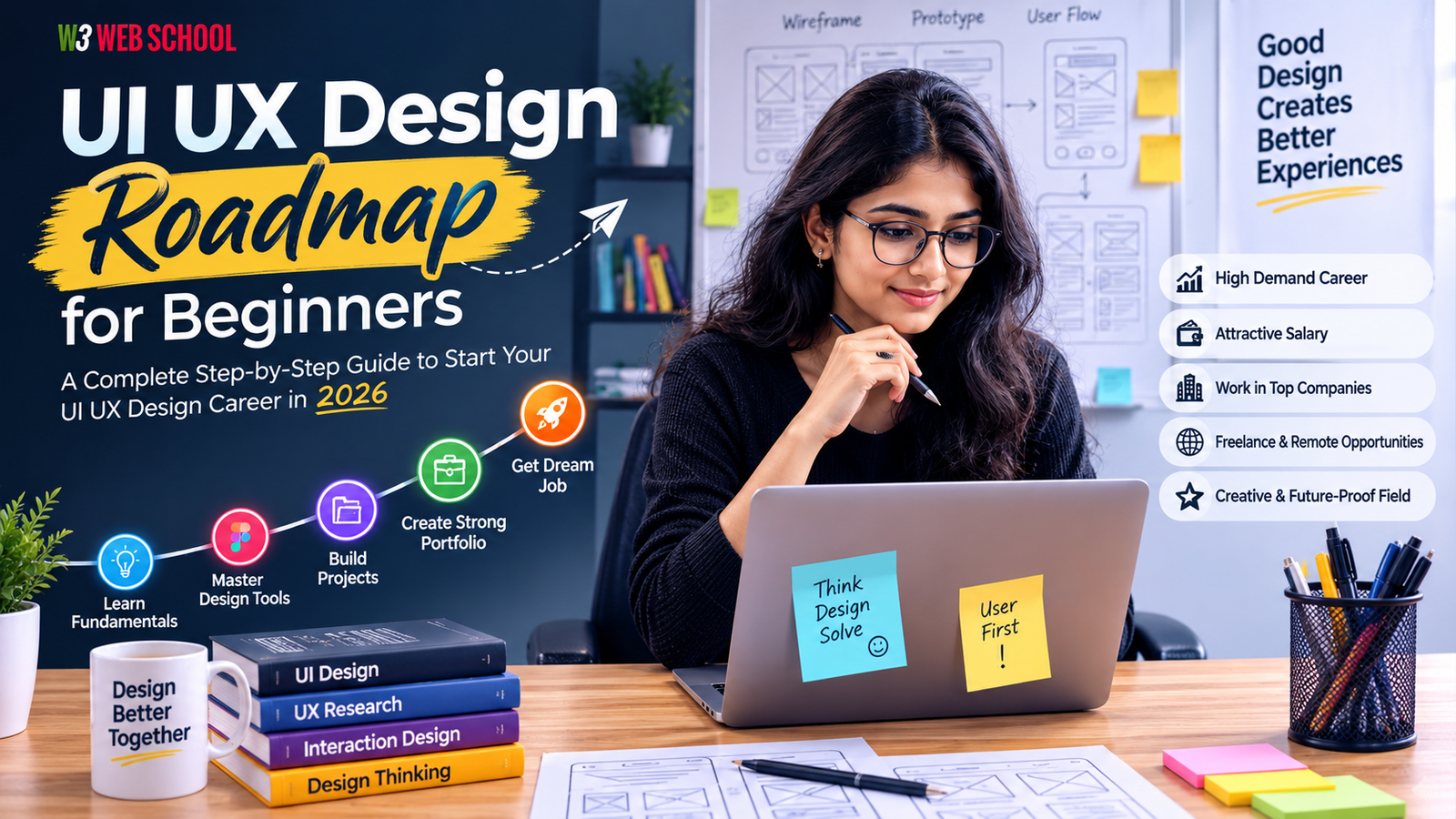
Starting a professional career in design can sometimes feel confusing when you have no idea what to learn first. A well-structured UI UX Design Roadmap assists you in learning the right skills step by step rather than wasting time on tutorials or tools. From knowing user needs to making intuitive digital experiences, each stage of the learning journey builds you for real-world projects and career opportunities.

The demand for UI UX designers continues to grow as businesses invest more in user-centered products across industries like IT, fintech, e-commerce, healthcare, and education. In 2026, companies are actively searching for designers who can combine creativity, in-depth research, and problem-solving - not just tool mastery.

In this article, you will get the complete UI UX Design Roadmap for Beginners, covering essential skills, tools, careers, portfolio tips, salary insights, and steps to become a job-ready UI UX designer with confidence.

Career Opportunity
Want to Become a Certified UI UX Designer?
Join our hands-on Industry Training Program with Live Projects.
Explore Course

What is a UI UX Design Roadmap?

A UI UX Design Roadmap is a step-by-step learning journey that helps newcomers become skilled and industry-ready UI UX design professionals. Don't just learn design tools! A proper roadmap focuses on building a strong basis first, then gradually moving towards user research, visual design, wireframing, prototyping, portfolio building, and interview preparation. This structured approach saves you time and helps you build skills that hiring managers actually look for.

Think of it as a career guide that assists you from your first design work to your first UI UX job. Whether you are a student, a working professional, or switching careers, following a well planned UI UX Design Roadmap for Beginners makes learning simpler and highly organized.
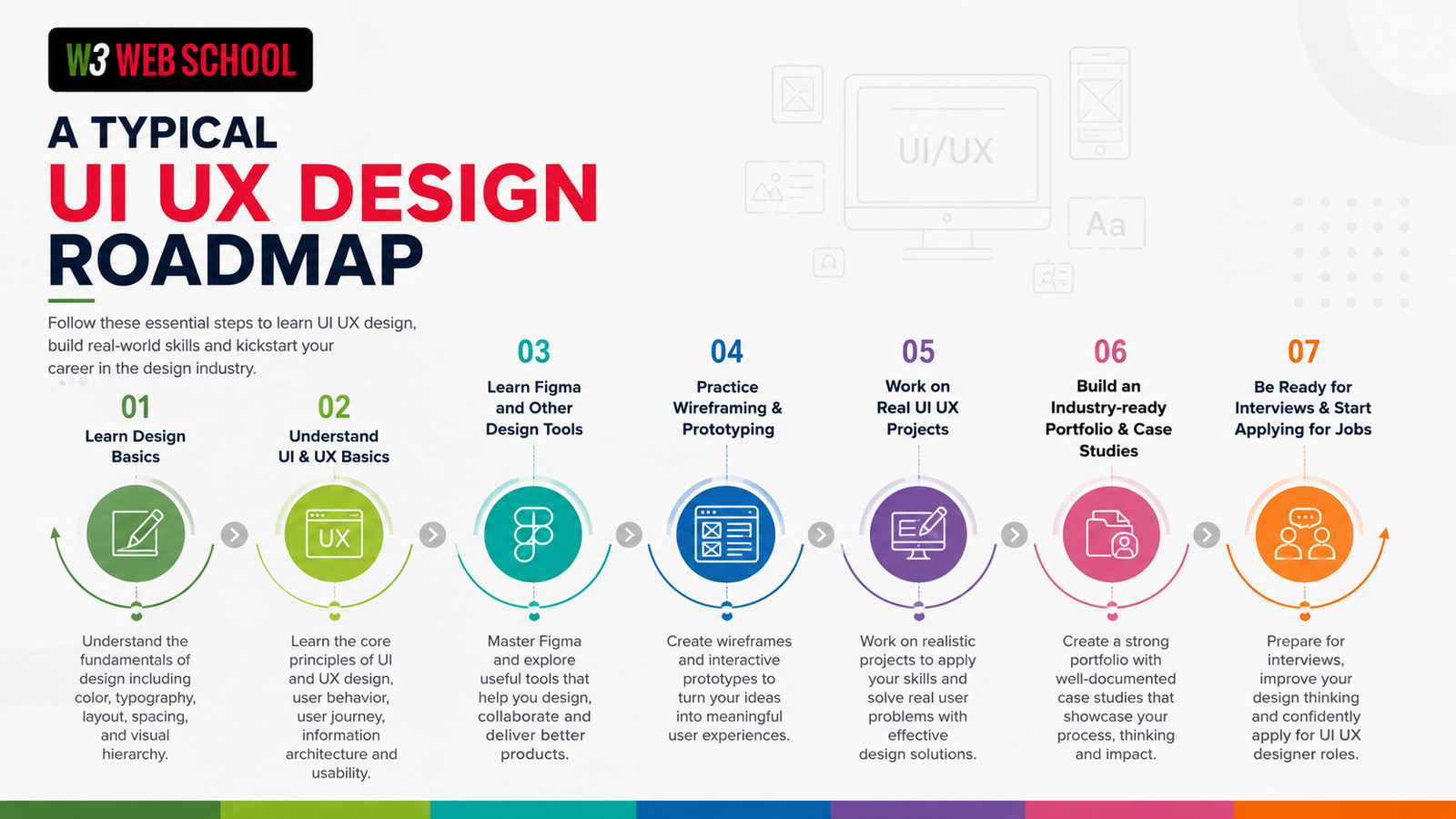
A Typical UI UX Design Roadmap

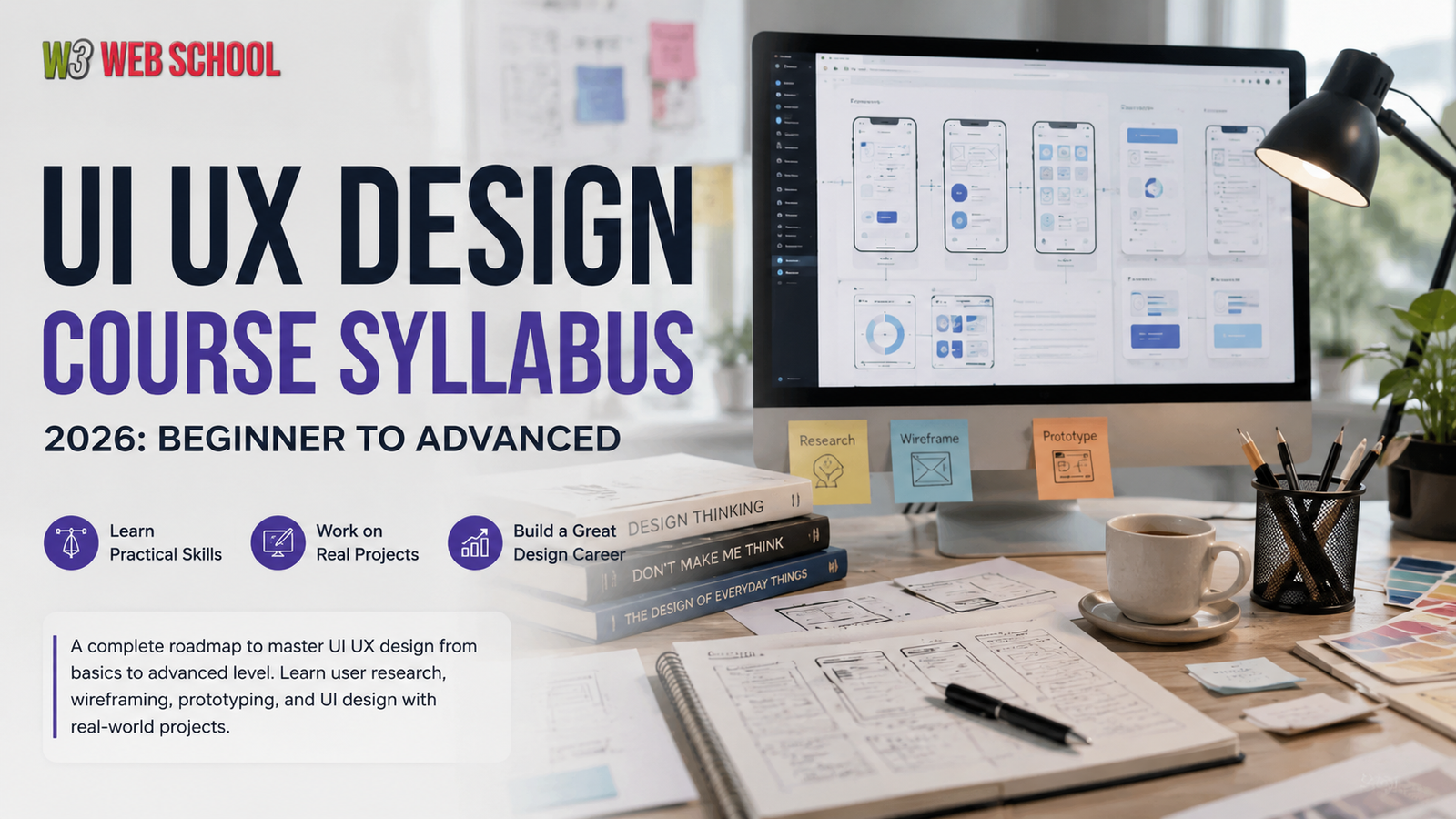
By following this UI UX designer career path, you will get both technical skills and practical exposure, making it easier to become a confident, industry-ready designer as a beginner. If you're wondering exactly what topics you should learn first, check out our detailed UI UX Design Course Syllabus.

UI vs UX Design: Understand the Difference First

Before following a UI UX Design Roadmap, it is crucial to know the difference between UI (User Interface) and UX (User Experience). However, these terms are often used together, they prioritise different parts of the design process. A successful digital product needs both an attractive interface and a smooth user experience.

UI Design UX Design
Based on the visual appearance of a product.Entirely user-experienced based.
Builds a consistent and attractive interface.Builds enjoyable to use, useful, and easy products.
Designs colors, icons, typography, buttons, and layouts.Comprehends user behaviour, user needs, and pair points.
Uses tools such as Adobe XD, Figma, and Sketch.Uses user flows, in-depth research, usability testing, and wireframes.
Objective: Design beautiful and catchy user interfaces.Objective: Solve user problems and create higher user satisfaction.

UI + UX = Better Digital Products

Imagine ordering food through a mobile app. If the app looks modern and visually appealing, that's UI Design. If you can easily find restaurants, place an order, and complete payment without confusion, that's UX Design.

In today's industry, companies prefer professionals who know both UI and UX because modern designers are expected to create visually appealing designs while keeping users at the center of every decision. That's why every UI UX Design Roadmap for Beginners starts with learning the fundamentals of both disciplines before moving on to advanced skills and tools.

If you're still exploring whether this profession is the right choice, read our guide on Is UI UX Design a Good Career? to understand future demand, career growth, and opportunities.

Quick Tip: Don't just make screens look appealing. Great UI UX designers combine creativity with user research and problem-solving to build products that people love using.

What Does a UI UX Designer Do?

A UI UX designer builds digital products that are both visually attractive and easy to access. They not only design appealing screens - they research user demands, solve usability issues, and design smooth experiences for websites, mobile applications, and software. Following a structured UI UX Design Roadmap assists you in building these skills step-by-step and becoming industry-ready.

UI UX Designer Responsibilities
  • Know user demands through research
  • Analyze competitors and behavioural patterns of users
  • Build user flows and wireframes
  • Design intuitive and appealing user interfaces
  • Make interactive prototypes
  • Conduct usability testing and improve designs
  • Collaborate with developers and other team members
  • Make sure to offer responsive and accessible user experiences
Typical UI UX Design Workflow
Research User Flow Wireframing UI Design Prototyping Testing Developer Handoff

Did You Know? According to the Design Management Institute's Design Value Index, companies that prioritize design have historically outperformed the broader market, highlighting the growing demand for skilled UI UX designers.

Mastering these responsibilities through a structured UI UX Design Roadmap for Beginners will help you build practical skills, create a strong portfolio, and prepare for real-world design roles.

Complete UI UX Design Roadmap for Beginners (Step-by-Step)
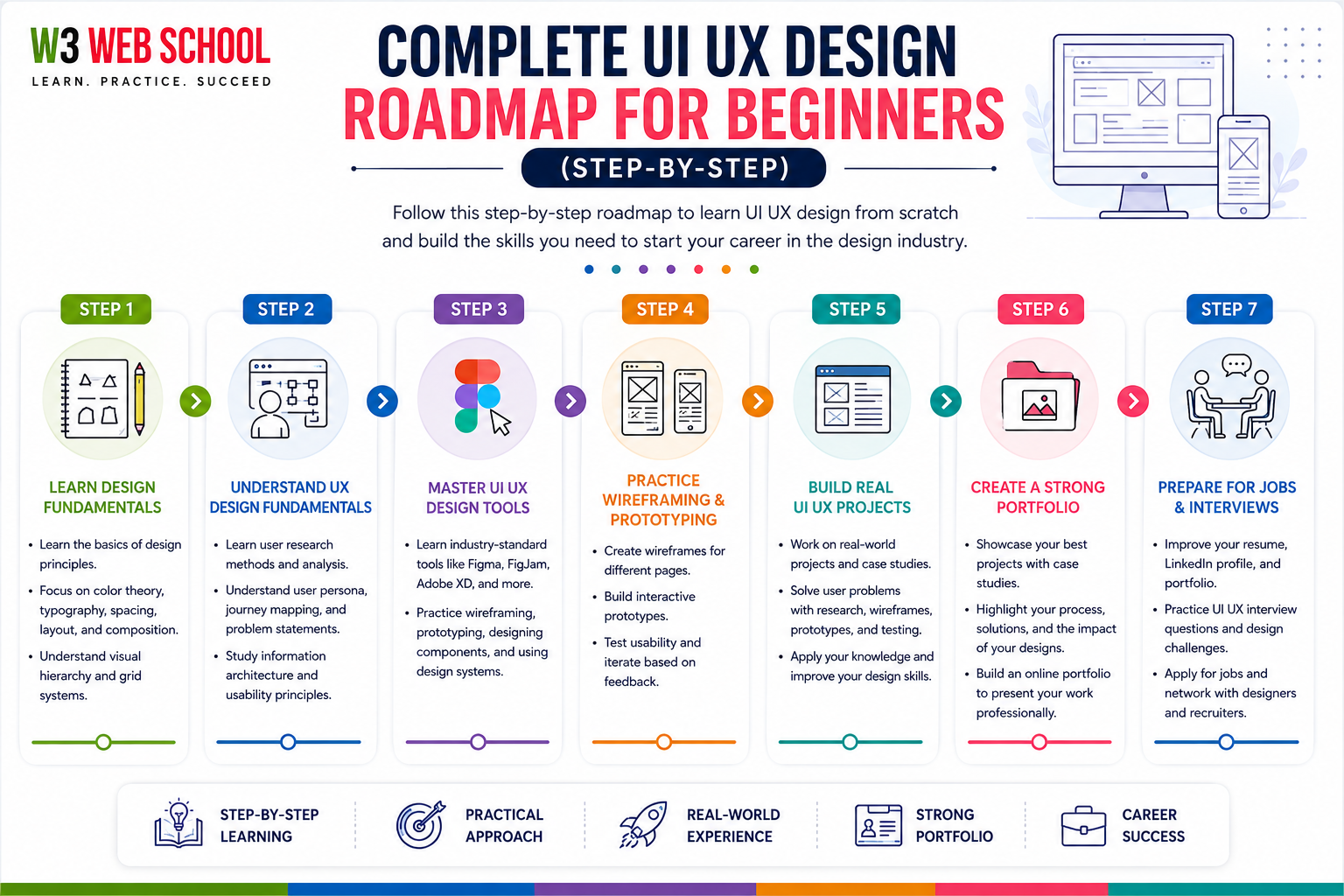
Complete UI UX Design Roadmap for beginners

If you are thinking about how to become a UI UX designer, the key is to master one skill at a time rather than just mastering everything at once. The UI UX Design Roadmap below follows the same learning journey that most training programs and professionals follow. Each step builds on the previous one, helping you gain practical skills and confidence.

Pro Tip: Focus on learning concepts first, then practice by working on real design projects. Continuous practice is preferred over just collecting certificates.

Step 1: Learn Design Fundamentals

Every successful UI UX designer starts with strong design basics. Before using tools like Figma, understand the principles that make interfaces visually appealing and easy to use.

Learn These Concepts:

  • Color Theory
  • Typography
  • Layout & Grid Systems
  • White Space
  • Visual Hierarchy
  • Contrast & Alignment
  • Design Principles (CRAP)
  • Gestalt Principles
Goal: Learn why a design works, not just how it looks.

Step 2: Understand UX Design Fundamentals

Excellent and catchy design starts with knowing users better. UX design helps you spot user issues and offer meaningful solutions.

Areas to Focus:

  • Design Thinking
  • User Journey Mapping
  • User Research
  • User Flows
  • User Personas
  • Information Architecture
  • Accessibility Fundamentals
Goal: Build products that solve real user issues.

Step 3: Master UI UX Design Tools

Once you know the fundamentals, you can start with mastering industry-led design principles and tools. Always keep in mind that tools are for executing ideas; they never replace creative design thinking skills.

ToolsPrimary Use Case
FigmaBest for UI designs and collaboration
MiroBest for UX workshops
Adobe XDWireframing and prototyping
CanvaQuick visual assets
FigJamBrainstorming and easy user flows
MazeBest for usability testing

Want to explore the software used by professional designers? Here's our complete guide to the Best UI UX Design Tools.

Step 4: Practice Wireframing & Prototyping

Start turning ideas into interactive designs.

Learn to Create:

  • Low-Fidelity Wireframes
  • High-Fidelity Wireframes
  • Clickable Prototypes
  • Mobile & Website Layouts
  • Micro Interactions
Goal: Learn to visualize user journeys before building the final design.

Step 5: Build Real UI UX Projects

Only theoretical knowledge won't give you higher job opportunities or get you hired. Use your skills and technical knowledge while working on real-client projects and solve real design problems.

Project Ideas for Beginners:

  • Food delivery app
  • Banking application
  • E-commerce website
  • Travel booking app
  • Healthcare dashboard
  • Learning platform
Goal: Build 5+ quality projects that showcase your design process and problem-solving skills.

Need project ideas? Explore these beginner-friendly UI UX Project Ideas to strengthen your portfolio.

Step 6: Create a Strong Portfolio

Your professional portfolio is preferred more highly than your resume. Hiring managers want to know your thinking process more than your designs.

Try to Cover:

  • User research
  • Problem statement
  • Final screens
  • Design decisions
  • Key learnings
Goal: Mention your complete design journey with strong and successful case studies.

Learn how to structure case studies and impress recruiters with this complete UI UX Designer Portfolio Guide.

Step 7: Prepare for Jobs & Interviews

Making beginners job- and interview-ready is the last step in the UI UX design roadmap for beginners' journey. You must not miss this vital step while entering today's job market.

Keep Focusing On:

  • UI UX Designer Resume
  • Mock interviews
  • Freelance platform links
  • LinkedIn profile
  • Design tasks and achievements
  • Network building with designers
Goal: Become confident enough to apply for internships, freelance design projects, and full-time UI UX design roles.

Quick Summary: Learning the basics → Understanding UX → Mastering Figma → Practicing wireframing → Building real projects → Strong portfolio building → Becoming interview-ready.

If you follow this well-planned UI UX Design Roadmap, you can easily build industry-ready skills and increase your chances of getting your first UI UX design job.

Essential Skills Every UI UX Designer Needs

When you are following a UI UX design roadmap, you not only learn design tools. You need to master major skills such as problem-solving skills, technical skills, and creative thinking skills to become a professional UI UX designer. Companies look for designers who have strong user understanding, create intuitive design experiences, and clearly communicate ideas.

Technical Skills

These are the major skills you will use in UI UX projects.

User Research
Design Systems
Usability Testing
Typography and Color Theory
Wireframing and Prototyping
Visual Design Principles
Responsive Web & Mobile Design
Accessibility (WCAG Basics)
Figma and Other Design Tools

Soft Skills

Technical knowledge alone is not enough. Strong soft skills assist you in working better with clients and teams.

Creativity
Effective Communication
User Empathy
Problem-Solving
Flexibility
Collaboration
Time Management
Presentation Skills
Critical Thinking
Willingness to Learn

Skill Development Roadmap

StageSkills on Focus
Beginner Design fundamentals, Color Theory, Figma, Typography
Intermediate User Research, Responsive Design, Wireframing, Prototyping
Advanced Design Systems, Usability Testing, Accessibility, Case Studies, Collaboration

Expert Tip: Beginners usually spend months learning new or advanced tools. In reality, companies hire designers who can spot user problems, discuss and make design decisions, and highlight practical projects. Build these popular skills along with your designer portfolio to speed up your UI UX career path.

Discover the most in-demand UI UX Designer Skills companies look for in 2026.

Best UI UX Tools in 2026

Picking the right tools is a crucial part of your UI UX Design Roadmap. While design principles remain the same, advanced tools assist designers in collaborating quickly, building interactive prototypes, and streamlining their workflow. You don't have to learn every tool; learning a few industry-standard platforms is enough to get started.

ToolsMain PurposeBest For
Figma
UI Design and PrototypingBeginners and Professionals
Miro
User Journey MappingUX Research
Adobe XD
Wireframing & PrototypingUI Design
Canva
Fast-loading Visual AssetsPresentations & Social Graphics
FigJam
Brainstorming and User FlowsCollaboration
Maze
Usability TestingUser Testing
Notion
Project DocumentationUX Case Studies
ChatGPT
UX Writing & Idea GenerationProductivity

Which Tool Should Beginners Learn First?

If you're just starting your UI UX Design Roadmap for Beginners, begin with Figma. It has become the industry's preferred design tool because it's easy to learn, cloud-based, and widely used by startups, agencies, and product companies. Once you're comfortable with Figma, explore tools like FigJam for brainstorming, Miro for research, and Maze for usability testing.

Expert Tip: Don't spend a lot of time learning new tools. Recruiters want to know more about your design thinking, problem-solving abilities, and professional design portfolio than the number of software tools mentioned on your resume. Master one tool perfectly, then gradually grow your toolkit as you take on more advanced projects.

UI UX Designer Salary in Kolkata

The demand for UI UX designers in Kolkata has steadily increased as startups, IT companies, digital agencies, SaaS businesses, and e-commerce brands continue investing in user-centered digital products. While salary depends on your skills, portfolio, experience, and the company you join, UI UX design remains one of the fastest-growing creative tech careers in the city.

Average UI UX Designer Salary in Kolkata

Level of ExperienceAverage Annual Salary
Fresher (0 to 1 Year)
₹2.4 to ₹3 LPA
Junior designer (1 to 3 Years)
₹3.2 to ₹4.5 LPA
Mid-level designer (3 to 5 Years)
₹4.5 to ₹6 LPA
Senior designer (5+ Years)
₹6.5 to ₹8+ LPA

Note: Salary figures are approximate and may differ based on your design portfolio, technical skills, company size, and recent hiring trends.

What Can Increase Your Salary?

If you want to get a higher package than the average salary in Kolkata, try to build in-demand, industry-ready skills rather than just mastering design software.

Create a portfolio with real-world UI UX case studies
Master tools like Figma and interactive prototyping
Learn user research, usability testing, and design systems
Gain internship or freelance experience
Improve communication and design presentation skills
Stay updated with the latest UI UX design trends

A strong portfolio, practical project experience, and a structured UI UX Design Roadmap can significantly improve your chances of securing better job opportunities and higher salary packages in Kolkata. Curious about salaries across India? Here's a detailed breakdown of the UI UX Designer Salary in India. For beginners, investing time in hands-on learning often delivers greater long-term career growth than simply collecting certificates.

Industries & Companies Hiring UI UX Designers in Kolkata

The demand for UI UX designers in Kolkata continues to grow as IT companies, startups, SaaS businesses, digital agencies, and e-commerce brands focus on creating better digital experiences. After following a structured UI UX Design Roadmap, you can explore opportunities across multiple industries, depending on your skills and portfolio.

Top Industries Hiring UI UX Designers

IndustryHow UI UX Designers Contribute
IT & Software
Designing websites, web applications, and SaaS products
E-commerce
Enhancing shopping experiences and conversion rates
EdTech
Building engaging online learning platforms and mobile apps
Digital Marketing
Designing landing pages, websites, and marketing funnels
FinTech
Creating user-friendly banking and payment applications
Healthcare
Designing patient portals and healthcare platforms
Startups & SaaS
Creating end-to-end product experiences from idea to launch

Top Companies Hiring UI UX Designers in Kolkata

Many organizations in Kolkata regularly hire UI UX professionals for web, mobile, and product design roles, including:

TCS
PwC India
Cognizant
IBM
Digital Aptech
Indus Net Technologies
Capgemini
Unified Infotech
Web Spiders Group
CodeClouds
Vyrazu Labs
Capital Numbers
Innofied Solutions
Nestasia
Websoft Consultancy
Tech Exactly

In addition to these companies, many startups and digital agencies in Sector V (Salt Lake) and New Town actively recruit UI UX designers for websites, mobile apps, SaaS products, and enterprise applications. Wondering where this profession is heading? Read about the Future of UI UX Design and upcoming industry trends.

Career Tip: Companies don't hire candidates based on certificates alone. A strong portfolio, real-world projects, and practical problem-solving skills gained through a structured UI UX Design Roadmap can significantly improve your chances of getting shortlisted for UI UX design roles in Kolkata.

Common Mistakes Beginners Make

Following a structured UI UX Design Roadmap can help you avoid common learning mistakes and become job-ready faster. Here are some of the biggest mistakes beginners should avoid:

Learning tools before design fundamentals like typography, color theory, and layouts.
Skipping user research and designing without understanding user needs.
Copying designs instead of solving real-world design problems.
Building a weak portfolio with incomplete or generic projects.
Ignoring feedback from mentors and experienced designers.
Focusing on certificates over practical skills and hands-on projects.
Giving up too early instead of practicing consistently.

Expert Tip: Great UI UX designers are known for their problem-solving skills, user-centered thinking, and strong portfolios — not the number of tools or certificates they have. Stay consistent, build real projects, and follow a clear UI UX Design Roadmap to achieve long-term success.

Expert Tips to Become Job Ready Faster

Following the UI UX Design Roadmap is just the beginning. To stand out in a competitive job market, focus on continuous learning and practical experience.

Practice designing every day, even small projects.
Build 4–6 real-world portfolio projects with detailed case studies.
Learn from feedback and keep improving your designs.
Stay updated with the latest UI UX trends and design tools.
Join design communities and network with other designers.
Optimize your LinkedIn profile and portfolio website.
Prepare for design interviews through mock challenges.

Expert Tip: Recruiters value problem-solving ability, design thinking, and a strong portfolio far more than certificates alone. Consistent practice and real project experience will help you become a confident, job-ready UI UX designer faster.

FAQs On UI UX Design Roadmap

What does a UI UX designer do?

A UI UX designer creates digital products that are visually appealing, easy to use, and user-friendly. Their responsibilities include user research, wireframing, prototyping, UI design, usability testing, and collaborating with developers to improve the overall user experience.

What skills do I need to become a UI UX designer?

The core skills you need to master include:

  • Design fundamentals & Typography
  • User research & Usability testing
  • Wireframing & Prototyping
  • Color theory & Accessibility (WCAG)
  • Responsive design & Figma
  • Communication, Creativity, Empathy & Problem-solving
How long does it take to become a UI UX designer?

With a structured UI UX Design Roadmap, most beginners can become job-ready in 6–12 months, depending on their learning pace, consistency, and practical project experience.

What tools are essential for UI UX design?

Some of the most popular UI UX design tools in 2026 include Figma, FigJam, Adobe XD, Miro, Maze, Canva, and Notion. Among these, Figma is the most widely used tool by companies worldwide.

What is the salary of a UI UX designer in Kolkata?

A fresher UI UX designer in Kolkata can typically earn ₹2.5 to ₹4.5 LPA, while experienced professionals can earn ₹6 to ₹8+ LPA, depending on their skills, portfolio, experience, and the company they join.

What is the difference between UI and UX design?

UI (User Interface) focuses on the visual elements of a product, such as colors, typography, buttons, and layouts. UX (User Experience) focuses on improving usability, user satisfaction, and the overall experience of interacting with a product.

How is UI UX design different from graphic design?

Graphic design focuses on visual communication through branding, advertisements, and marketing materials. UI UX design focuses on creating user-friendly digital experiences for websites, mobile apps, and Software by combining design with user research and usability.

What industries hire UI UX designers?

UI UX designers are hired across industries such as IT & Software, E-commerce, FinTech, Healthcare, EdTech, Digital Marketing, SaaS, Gaming, Startups, and many product-based companies.

Can I learn UI UX design without coding?

Yes. Coding is not mandatory to start a career in UI UX design. Most UI UX designers focus on research, design, and prototyping. However, having basic knowledge of HTML and CSS can help you collaborate more effectively with developers.

Is UI UX design a good career in 2026?

Yes. UI UX design continues to be one of the fastest-growing digital careers in 2026. As businesses increasingly prioritize user experience, the demand for skilled UI UX designers remains strong across startups, agencies, and large enterprises, offering excellent career growth and salary potential.

Conclusion

Following a structured UI UX Design Roadmap is the most effective way to build a successful career in UI UX design. By learning design fundamentals, mastering industry-standard tools, working on real-world projects, and creating a strong portfolio, you can develop the skills employers look for in 2026.

If you're a student, a career switcher, or a working professional, consistency and practical training will make a huge difference. Focus on solving real user problems instead of simply mastering software, and keep improving your skills through continuous practice.

Ready to Accelerate Your Career?

If you prefer guided learning with mentorship, live projects, portfolio development, and placement support, exploring a structured UI UX Design Course in Kolkata can help you become job-ready faster and gain practical industry experience.

Before choosing any training program, you can also compare the UI UX Design Course Fees in Kolkata and explore the leading UI UX Design Institutes in Kolkata to make an informed decision.

Poulami Dalal
Written By

Poulami Dalal

Digital Marketing Trainer & Content Writer, W3 Web School

Connect on LinkedIn

Poulami Dalal is a Digital Marketing Trainer and Content Writer at W3 Web School. She creates research-backed, easy-to-understand content on SEO, AI tools, digital marketing, web development, UI/UX design, and career-focused technology topics. Her work focuses on simplifying complex concepts into practical guides that help students, marketers, business owners, and professionals make informed decisions.

Before publishing, each article is researched using official product documentation, trusted industry resources, and current SEO best practices to ensure accuracy, relevance, and real-world usefulness. Her goal is to create content that is practical, trustworthy, and genuinely helpful for readers.

Editorial Policy & Quality Guarantee

Editorial Policy: Every article published on W3 Web School is reviewed for accuracy, updated periodically, and based on official documentation, trusted industry resources, and practical research before publication.