W3 Web School

🎯 Industry-Grade UI UX Design Course in Kolkata

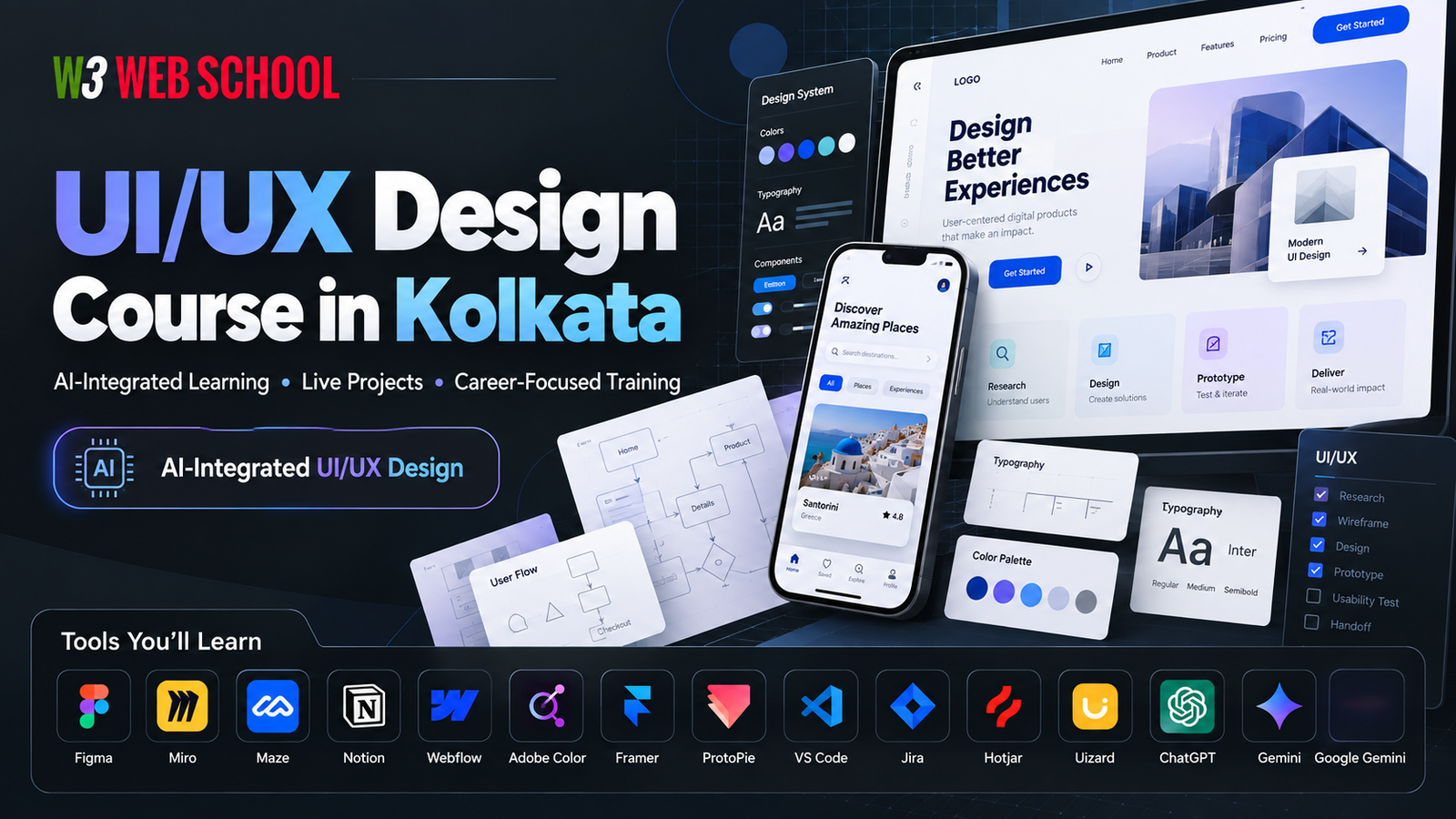
UI UX Design Course in Kolkata with Real Projects & Figma Training

Master modern design principles with our comprehensive UI UX Design Course in Kolkata. Build practical skills through real-world projects, user research, wireframing, interactive prototyping, design systems, and advanced Figma tools. Learn from expert mentors, assemble an interview-ready portfolio, and secure job placement support.

Beginner-Friendly UI/UX Learning
12+ Real Portfolio Projects
Figma, FigJam & AI Design Tools
100% Placement & Internship Assistance
2,500+ Students Trained
12+ Yrs Training Experience
150+ Hiring Partners
4.9 ★ Student Rating

Top-rated UI UX Design Course in Kolkata serving students from Dum Dum, Salt Lake, New Town, and Shyambazar.

Enroll in UI UX Course

Talk to our course advisor to learn about upcoming batches, fees, syllabus, and career guidance in Kolkata.

Why Students Choose W3 Web School

Learn UI/UX Design Through Practical Projects, Not Just Software

UI UX Design Training at W3 Web School Kolkata

A successful UI/UX designer needs more than tool knowledge. Our UI UX design training in Kolkata focuses on the complete design process - from understanding user problems to creating wireframes, interactive prototypes, responsive interfaces and portfolio-ready case studies. Every module is designed to help you build practical skills that employers look for.

2,500+ Careers Built
12+ Live Projects
100% Placement Help

Project-Based Learning

Work on real design challenges inspired by modern websites, mobile apps, and business dashboards to gain agency-grade practical experience.

3+ Case Studies Guaranteed

Industry Tools

Learn Figma, FigJam, auto-layout design systems, interactive prototyping, and AI-assisted design workflows used by top product teams.

Figma & AI Workflows

Portfolio Development

Create detailed portfolio case studies showcasing user research, wireframes, and problem-solving skills tailored for design recruiters.

Recruiter-Ready Review

Career Guidance

Receive 1-on-1 support for resume engineering, Behance/Dribbble portfolio setups, and mock interviews to prepare for UI/UX roles.

1-on-1 Mentorship

Whether you're a student, fresher, graphic designer, developer or career switcher, this UI UX Design Course in Kolkata is structured to help you build practical skills with step-by-step mentor guidance.

Job-Oriented Learning Roadmap

A Step-by-Step UI/UX Curriculum Designed for Real-World Projects

Our curriculum is designed to help you progress from UI/UX fundamentals to advanced design workflows. Instead of learning tools in isolation, you'll apply each concept through practical assignments and portfolio projects that reflect real product design scenarios.

Module 1

UI/UX Design Fundamentals

Understand the core principles of User Interface (UI) and User Experience (UX) design, visual hierarchy, typography, colour theory and layout design. Build a strong foundation before working on real projects.

Module 2

User Research & Wireframing

Learn how to understand user needs through research, create personas, user journeys, information architecture and low-fidelity wireframes that solve real usability problems.

Module 3

Figma & Interface Design

Design responsive websites and mobile app interfaces using Figma. Master Auto Layout, Components, Design Systems, grids and reusable UI elements used in modern product teams.

Module 4

Prototyping & Usability Testing

Turn static designs into interactive prototypes, conduct usability testing, collect feedback and improve user experiences through practical iterations.

Module 5

Real Projects & Portfolio Development

Work on real-world UI/UX projects across industries, document your complete design process and build professional case studies for your portfolio, Behance and job interviews.

Module 6

Career Preparation & Placement Support

Prepare for UI/UX interviews with portfolio reviews, resume building, LinkedIn optimisation, mock interviews and career guidance to confidently apply for internships and entry-level design roles.

The curriculum is updated regularly to reflect modern UI/UX practices, helping students build practical skills that align with today's digital product industry.

Practical UI UX Course in Kolkata

Build Industry-Ready Skills with Our Premier UI UX Course in Kolkata

Every concept in our top-rated UI UX Course in Kolkata is taught through hands-on practice. Instead of only watching demonstrations, you'll work on live assignments, solve real-world design challenges, receive expert mentor feedback, and gradually build the confidence needed for high-paying design roles.

Weekly Live Practice

Apply newly learned concepts in guided classroom sessions with step-by-step mentor support.

Design Assignments

Complete practical tasks after every module to strengthen your understanding and improve problem-solving skills.

Real Project Experience

Work on website and mobile app interfaces inspired by real business requirements to understand industry workflows.

Mentor Reviews

Receive regular feedback on your designs, improve your work through revisions, and learn professional design practices.

By the end of this UI UX Course in Kolkata, you'll have practical experience working through the complete UI/UX design process—from user research and wireframes to interactive prototypes and portfolio-ready case studies.

Industry-Standard Design Tools

Master the UI/UX Tools Used by Modern Design Teams

Learn the tools used by UI/UX designers to research, design, prototype and collaborate on digital products. Every tool is introduced through practical exercises so you understand when and how to use it in real projects.

Figma UI/UX Design Tool

Figma

Interface & Systems
Where Used High-fidelity UI, design systems, and team wireframing.
Why It Matters Industry standard for real-time multiplayer design handoffs.
Career Relevance Required in 95%+ of UI/UX product roles globally.
Miro UX Canvas Tool

Miro

UX Research & Mapping
Where Used User journey mapping, affinity diagramming, and discovery.
Why It Matters Aligns cross-functional stakeholders before writing code.
Career Relevance Core skill for Product Strategists and UX Researchers.
VS Code IDE

VS Code

Code Handoff
Where Used Design token validation, inspect, and HTML/CSS/JS bridge.
Why It Matters Ensures 1:1 fidelity between Figma design and code.
Career Relevance Differentiates Product Designers with Front-End skills.
Rive Vector Animation Tool

Rive

Interactive Micro-Animation
Where Used Real-time stateful animations for apps and games.
Why It Matters Tiny asset sizes with interactive code-driven triggers.
Career Relevance High-demand niche for Motion Designers & Interaction Designers.
Webflow Web Builder

Webflow

No-Code Development
Where Used Production websites, marketing landing pages, CMS systems.
Why It Matters Allows designers to launch live sites without developers.
Career Relevance Essential for Web Designers and Agency Freelancers.
Framer Interactive Prototyping

Framer

Advanced Prototyping
Where Used High-fidelity interactive sites with React-level speed.
Why It Matters Bridges visual layout directly to responsive web output.
Career Relevance Top pick for startup founding designers and portfolio builds.
ProtoPie Prototyping

ProtoPie

Logic & Sensor UX
Where Used Mobile hardware sensor integration (camera, gyro) and conditional logic.
Why It Matters Tests realistic mobile experiences without engineering.
Career Relevance Valued in automotive, IoT, and complex app design teams.
Midjourney AI Visuals

Midjourney

AI Visual Concepting
Where Used Rapid visual ideation, custom imagery, and moodboard generation.
Why It Matters Cuts visual asset creation time from days to minutes.
Career Relevance Key 2026 workflow efficiency tool for Visual Designers.
Design Systems

Design System

Scale Architecture
Where Used Enterprise token libraries, UI kits, and component governance.
Why It Matters Maintains brand consistency across multi-platform products.
Career Relevance Design System Architects command top-tier product salaries.
Notion Docs

Notion

UX Docs & Specs
Where Used Design documentation, research repos, and project roadmaps.
Why It Matters Centralized source of truth for design rationale.
Career Relevance Standard collaboration tool in modern tech startups.
Maze UX Testing

Maze

Rapid Usability Testing
Where Used Unmoderated prototype testing, mission success metrics.
Why It Matters Validates usability decisions with quantitative user data.
Career Relevance Proves design ROI with quantitative metrics.
Figma

Figma

Interface & Systems
Miro

Miro

UX Research & Mapping
VS Code

VS Code

Code Handoff
Rive

Rive

Interactive Micro-Animation
Webflow

Webflow

No-Code Development
Framer

Framer

Advanced Prototyping
Protopie

Protopie

Logic & Sensor UX
Midjourney

Midjourney

AI Visual Concepting
Design System

Design System

Scale Architecture
Notion

Notion

UX Docs & Specs
Maze

Maze

Rapid Usability Testing
Hotjar Behavior Analytics

Hotjar

Behavior & Heatmaps
Where Used Session recordings, click heatmaps, and funnel drop-off analysis.
Why It Matters Uncovers real user friction points post-launch.
Career Relevance Essential for Growth Designers and CRO specialists.
MS Clarity Analytics

MS Clarity

UX Friction Analytics
Where Used Rage-click tracking, dead-click analysis, user scroll maps.
Why It Matters Free enterprise-grade behavioral insights without performance hit.
Career Relevance Key tool for data-informed UX optimization.
Uizard AI Wireframing

Uizard

AI Sketch-to-UI
Where Used Converting hand-drawn paper sketches into editable wireframes.
Why It Matters Accelerates early-stage ideation workshops.
Career Relevance Rapid prototyping skill for fast-paced agile teams.
Uxmagic AI Tool

Uxmagic

AI Pattern Generation
Where Used Automated layout generation and UX copy suggestions.
Why It Matters Eliminates repetitive UI layout setup tasks.
Career Relevance Boosts personal design velocity significantly.
ChatGPT AI Copilot

ChatGPT

UX Writing & Research
Where Used User persona generation, survey script drafting, and microcopy.
Why It Matters Speeds up qualitative research synthesis and copy variations.
Career Relevance Mandatory AI copilot skill for modern product designers.
Claude AI Copilot

Claude AI

Deep Research & Logic
Where Used Complex product specs, accessibility audits, and UX logic trees.
Why It Matters Superior reasoning for technical design specifications.
Career Relevance High utility for Senior Designers managing enterprise logic.
Google Gemini AI

Google Gemini

Multimodal Visual AI
Where Used Visual UI feedback analysis and cross-modal competitive audits.
Why It Matters Analyzes layout screenshots with high contextual accuracy.
Career Relevance Enhances research speed across visual product assets.
Adobe Color Palette Tool

Adobe Color

Color Theory & WCAG
Where Used Palette creation, harmony engine, and WCAG contrast checks.
Why It Matters Guarantees accessible color ratios before UI production.
Career Relevance Fundamental for accessible UI visual compliance.
Lovable AI Builder

Lovable

Full-Stack App Generator
Where Used Prompt-to-functional full-stack web application builds.
Why It Matters Turns UI concepts directly into working codebases.
Career Relevance Cutting-edge tool for rapid MVP creation.
Jira Agile Tool

Jira

Agile Sprint Handoff
Where Used Sprint tracking, user stories, and engineering bug tickets.
Why It Matters Integrates design tasks into core software engineering sprints.
Career Relevance Standard workflow management software in enterprise teams.
Hotjar

Hotjar

Behavior & Heatmaps
MS Clarity

MS Clarity

UX Friction Analytics
Uizard

Uizard

AI Sketch-to-UI
Uxmagic

Uxmagic

AI Pattern Generation
ChatGPT

ChatGPT

UX Writing & Research
Claude AI

Claude AI

Deep Research & Logic
Google Gemini

Google Gemini

Multimodal Visual AI
Adobe Colours

Adobe Colours

Color Theory & WCAG
Lovable

Lovable

Full-Stack App Generator
Jira

Jira

Agile Sprint Handoff
Build a Portfolio That Reflects Your Skills

Create UI/UX Case Studies That Showcase Your Design Thinking

A strong portfolio is more than attractive screens. Throughout the course, you'll document your design process—from understanding user needs to testing and refining your solutions—so you can confidently present your work during internships and UI/UX interviews.

01

Research & Problem Discovery

Identify user needs, analyse competitors and define the problem before starting the design process.

02

Wireframes & User Flows

Plan layouts, organise information and create user flows that improve usability and navigation.

03

UI Design & Interactive Prototype

Design responsive interfaces in Figma and convert them into interactive prototypes for user testing.

04

Case Study & Portfolio Review

Present your complete design journey with mentor feedback and prepare portfolio-ready case studies for interviews.

By the end of the course, you'll have multiple portfolio projects that demonstrate your research, design process and problem-solving approach—helping you stand out during internship and entry-level UI/UX interviews.

100%
1-on-1
Startup & Agency
Career Support Beyond the Classroom

Get Career Guidance, Portfolio Reviews & Placement Assistance

Learning UI/UX design is only the first step. We also help you prepare for internships and entry-level opportunities through portfolio reviews, interview preparation and career guidance, so you can apply with greater confidence.

Top Companies Hiring Our Graduates

Step 01

Resume & LinkedIn Optimisation

Learn how to present your skills, projects and portfolio professionally for recruiters and hiring managers.

Step 02

Portfolio Review Sessions

Receive personalised mentor feedback to improve your case studies, design presentation and storytelling before interviews.

Step 03

Mock Interviews

Practice common UI/UX interview questions, design discussions and portfolio presentations in a supportive environment.

Step 04

Placement Assistance

Get guidance on internship opportunities, job applications and career planning to begin your UI/UX design journey.

Our Commitment: Our focus is to help students become interview-ready with practical skills, a professional portfolio and the confidence to apply for UI/UX roles across startups, agencies and product-based companies.

Student Success Stories

See How Our Students Turned Learning into Real Design Skills

Every learner starts from a different point. Some join as beginners, while others switch careers from graphic design, web development or marketing. With consistent practice and mentor guidance, they build portfolio projects and gain the confidence to apply for UI/UX opportunities.

Jafor Molla

Jafor Molla

Complete Beginner

Learned UI/UX fundamentals, completed portfolio case studies and confidently started applying for internship opportunities.

Rimi Mahto

Rimi Mahto

Career Switcher

Transitioned into UI/UX by mastering Figma, responsive design and user-centred thinking through real projects.

Tobassum Naaz

Tobassum Naaz

Visual Designer

Strengthened visual design, prototyping and presentation skills with regular mentor feedback and portfolio reviews.

Sanjeev Jaiswal

Sanjeev Jaiswal

Job Seeker

Built a structured portfolio, refined resume and practiced mock interviews to prepare for UI/UX hiring processes.

The journey of every student is different, but the goal remains the same—develop practical UI/UX skills, create a strong portfolio and become confident for internships and entry-level design roles.

Learn from Experienced Mentors

Learn UI/UX Design with Guidance from Industry Professionals

Our mentors focus on practical learning, constructive feedback and real-world design workflows. Every session is designed to help you understand the thinking behind good design—not just the tools used to create it.

Bholanath Hore - UI UX Lead Mentor

Bholanath Hore

UI/UX Design & Frontend Lead 5+ Yrs Industry Experience
Specialization & Focus
Design Thinking, Micro-interactions, Wireframing, User Research, and Design System Architectures.
Teaching Methodology
Project-first approach. Guides learners by breaking down production-grade briefs and conducting real-time Figma prototyping reviews.
Key Projects Handled
Led product redesigns for e-commerce dashboards, SaaS analytics portals, and cross-platform mobile apps.
Core Expertise
Figma Design Systems UX Research Prototyping HTML/CSS
Bidyut Hazra - Frontend Mentor

Bidyut Hazra

Frontend Engineering Mentor 3+ Yrs Industry Experience
Specialization & Focus
Translating complex UI/UX designs into pixel-perfect, responsive, and performance-optimized Web Applications.
Teaching Style
Hands-on code implementations. Teaches UI designers how to hand off designs cleanly and write production HTML/CSS/JS.
Key Projects Handled
Implemented responsive layouts, interactive animations, and UI component libraries for commercial web portals.
Core Expertise
HTML5 & CSS3 JavaScript (ES6+) Responsive Design UI Handoff Bootstrap/Tailwind

How Our Mentors Help You Succeed

Practical Project Guidance

Learn how experienced designers approach user research, wireframing, interface design and problem-solving through real project discussions.

Personalised Feedback

Receive individual feedback on assignments, UI screens, prototypes and portfolio case studies to improve your design decisions.

Industry Best Practices

Understand design systems, accessibility, responsive design and collaboration techniques commonly followed by modern product teams.

Career Mentoring

Get guidance on portfolio presentation, interview preparation and professional growth as you prepare for internships or entry-level UI/UX roles.

Our goal is to create a supportive learning environment where students can ask questions, receive regular feedback and steadily improve their design skills with mentor guidance.

Top UI UX Design Institute in Kolkata

Choose a Batch That Fits Your Schedule

Whether you're a student, working professional or career switcher, our premier UI UX Design Institute in Kolkata offers flexible schedules. Our classroom sessions are designed to balance structured learning with regular hands-on practice.

Option 1: Weekday Batch

Ideal for students and freshers who prefer consistent weekday learning with guided practical sessions at our Kolkata campus.

Option 2: Weekend Batch

Designed for working professionals and college students who want to learn without affecting their regular schedule.

Option 3: Flexible Learning Support

Missed a class? Get mentor guidance and learning support to stay on track with your coursework and practical assignments.

Fast-Track Track

Quick-paced program designed for fast-track learning
₹30,000 + 18% GST
Flexible installment plans available
Next Batch Starts: Upcoming Weekday Batch
Batch Schedule: Weekday Intensive Classes
Seat Availability: Only 3 Seats Left
Course Highlights:
  • UI/UX Design Fundamentals & Core Concepts
  • Hands-on Figma Prototyping & Wireframing
  • Practical Capstone Projects for Portfolio
  • Essential Resume & Portfolio Review
  • Job Assistance & Interview Prep
Reserve Seat Now Download Detailed Syllabus
Book your seat with token amount

Fee Information & Payment Offers

Course fees at our UI UX Design Institute in Kolkata may vary depending on the selected learning mode and available offers. Speak with our course advisor for the latest fee structure, upcoming batch dates and payment options.

Book a Free Career Counselling Session
Easy Installment Facilities
Limited Batch Size for 1-on-1 Focus
100% Placement Guidance

Need help choosing the right batch? As a trusted UI UX Design Institute in Kolkata, our team will help you understand the curriculum, learning roadmap and career opportunities before you enrol.

Designed for Different Learning Goals

Is This UI/UX Design Course Right for You?

Whether you're starting your career or planning a career switch, this UI UX design course in Kolkata is designed to help you build practical skills through guided learning, real projects and portfolio development.

Students

Build a strong design foundation while preparing for internships and entry-level UI/UX opportunities after graduation.

Freshers

Learn industry-standard tools, complete portfolio projects and gain the confidence to apply for your first UI/UX role.

Graphic Designers

Expand your visual design skills by learning user experience, wireframing, prototyping and design systems.

Web Designers & Developers

Improve user experience, interface design and collaboration skills to create more user-friendly digital products.

Working Professionals

Upgrade your skills with weekend or flexible learning options while continuing your current job.

Career Switchers

Start a structured learning journey with mentor support, practical projects and career guidance to transition into UI/UX design.

If you're willing to learn, practice consistently and build a professional portfolio, this course provides a structured path to develop practical UI/UX design skills.

Career Path After Course Completion

Explore Career Opportunities in UI, UX & Product Design

UI/UX design skills are used across startups, software companies, digital agencies and product-based businesses. With practical project experience and a well-structured portfolio, you can apply for a variety of entry-level design roles.

  • UI Designer

    High Hiring Demand

    Create visually engaging, responsive and user-friendly interfaces for websites, mobile apps and digital products.

    Key Skills: Figma, Design Systems, Typography, Auto-Layout, Micro-Interactions
    Portfolio Focus: High-fidelity App UI, Web Dashboards, Style Guides
    Growth Path: UI Designer → Senior Visual Designer → Art Director
  • UX Designer

    Core Industry Need

    Research user needs, improve user journeys and design experiences that make digital products easier to use.

    Key Skills: Wireframing, User Mapping, Usability Testing, Information Architecture
    Portfolio Focus: UX Case Studies, User Journey Maps, Interactive Prototypes
    Growth Path: UX Designer → Lead UX Specialist → Head of Experience
  • Product Designer

    Top Tier Compensation

    Work on end-to-end product experiences by combining user research, interface design, prototyping and problem-solving.

    Key Skills: Full-stack UI/UX, Product Strategy, Metric Auditing, Stakeholder Mgmt
    Portfolio Focus: End-to-end Product Case Studies with ROI & Metric Impact
    Growth Path: Product Designer → Lead Product Designer → CPO
  • Interaction Designer

    High Creative Scope

    Design user flows, interactive elements and micro-interactions that improve the overall user experience.

    Key Skills: Advanced Prototyping, Motion Design, Micro-Interactions, Smart Animate
    Portfolio Focus: Interactive Motion Demos, Mobile App Experience Flow
    Growth Path: Interaction Designer → Motion UX Specialist → Design Lead
  • UX Researcher

    High Enterprise Need

    Collect user insights through interviews, surveys and usability testing to help teams make informed design decisions.

    Key Skills: User Interviews, A/B Testing, Competitor Analysis, Analytics
    Portfolio Focus: Research Strategy Documents, Usability Audit Reports
    Growth Path: UX Researcher → Senior Research Strategist → Insights Lead
  • Freelance UI/UX Designer

    Independent Pathway

    Build websites, mobile app interfaces and product designs for clients while growing your own design portfolio.

    Key Skills: Client Acquisition, Scope Management, Full-stack UI/UX, Pitching
    Portfolio Focus: Diverse Client Projects, E-commerce Platforms, SaaS Interfaces
    Growth Path: Freelancer → Design Consultant → Agency Owner

Visit Our UI UX Design Training Institute in Kolkata

Kickstart your career with our classroom-based UI UX Design Course in Kolkata. Our campus is centrally located and highly accessible via public transport for students coming from Dum Dum, Nagerbazar, Lake Town, Salt Lake, New Town, Rajarhat, Ultadanga, and Sealdah.

Main Campus Location

W3 Web School

Campus Address
214/1 Dum Dum Road, Near Hanuman Mandir,
Kolkata, West Bengal 700074
Learning Mode In-Class Live Practical Training / Online Hybrid
How to Reach Just a few minutes from Dum Dum Metro Station, Railway Station, and major Auto/Bus routes.

Frequently Asked Questions (FAQ)

Choosing the right UI UX design course in Kolkata is an important decision. Below are answers to the questions students most frequently ask about our curriculum, practical training, portfolio development, career support, fees, batches and placement assistance.

1. Is this UI UX Design Course suitable for beginners?

Yes, this UI UX Design course is completely suitable for beginners.

The course starts with the fundamentals of UI and UX design before moving to advanced topics like Figma, wireframing, prototyping, design systems and portfolio development. No prior design experience is required.

2. Do I need coding knowledge to learn UI/UX design?

No, coding knowledge is not required to learn UI/UX design.

You can start learning UI/UX without coding. This course focuses on user research, interface design, prototyping and usability. However, you'll also learn how to collaborate effectively with developers.

3. Which tools will I learn during the course?

You will gain hands-on experience with top industry tools including Figma, FigJam, Adobe XD, Miro, and AI design assistants.

You'll gain practical experience with Figma, FigJam, Adobe XD, Miro and AI-assisted design tools. These tools are widely used for designing websites, mobile apps and digital products.

4. Will I build a portfolio during the course?

Yes, portfolio building is a core outcome of this training.

You'll complete practical assignments and real-world projects that are converted into portfolio-ready case studies to help you prepare for internships and entry-level UI/UX interviews.

5. How many projects will I complete?

You will work on multiple end-to-end practical UI/UX projects.

You'll work on multiple UI/UX projects across different industries, helping you gain experience in solving real design problems while building a professional portfolio.

6. Is this an online or classroom course?

We offer classroom training in Kolkata along with flexible learning support.

We offer classroom training in Kolkata along with learning support designed to help students practice consistently. Contact our team for the latest batch formats and schedules.

7. Will I receive a certificate after completing the course?

Yes, you will receive an industry-recognized certificate upon course completion.

Students who successfully complete the course receive a course completion certificate that can be added to their resume and professional profiles.

8. Is internship or placement assistance available?

Yes, comprehensive internship and placement assistance is provided.

We provide placement assistance that includes portfolio reviews, resume guidance, mock interviews and career support to help students prepare for UI/UX opportunities.

9. Can working professionals join this course?

Yes, flexible batch timings are designed specifically for working professionals.

Weekend and flexible batch options are suitable for working professionals who want to upgrade their skills without leaving their current job.

10. How long does it take to become job-ready?

Job readiness depends on practice, but regular project work accelerates the timeline significantly.

The learning journey is different for every student. With regular practice, project work and portfolio development, you'll be better prepared for internships and entry-level UI/UX roles.

11. Is UI/UX Design a good career in Kolkata?

Yes, UI/UX design is a high-demand career path in Kolkata.

As startups, software companies, agencies and product-based businesses continue to grow, the demand for designers who can create user-friendly digital experiences is also increasing.

12. What is the difference between UI and UX design?

UI focuses on visuals and interface aesthetics, while UX focuses on overall user experience and research.

UI Design focuses on the visual interface of a product, while UX Design focuses on improving the overall user experience through research, usability and problem-solving. Both skills work together in modern digital products.

13. Will I learn Figma from the beginning?

Yes, Figma training starts from absolute scratch.

The course begins with the basics of Figma and gradually covers Auto Layout, Components, Design Systems, responsive layouts and interactive prototyping.

14. Can I join this course after Class 12 or graduation?

Yes, students after 12th or graduation are fully eligible to join.

Students, graduates and freshers can join this course if they want to build practical UI/UX design skills and prepare for internships or entry-level careers.

15. Can graphic designers or web designers join this course?

Absolutely, it is an ideal skill upgrade for graphic and web designers.

This course helps designers expand their skills by learning user research, wireframing, prototyping, usability and modern product design workflows.

16. What kind of career support will I receive?

Career support includes portfolio reviews, CV creation, LinkedIn profiling, and mock interviews.

You'll receive guidance on portfolio development, resume writing, LinkedIn profile optimisation, mock interviews and interview preparation to help you enter the UI/UX industry with confidence.

17. How are practical classes conducted?

Classes follow a hands-on learning methodology with active mentor feedback.

Each module combines concept-based learning with hands-on assignments, mentor feedback and project work so you can apply what you learn instead of only watching demonstrations.

18. Where is W3 Web School located?

W3 Web School is centrally located in Kolkata near Dum Dum Road.

Our UI UX Design training centre is located in Kolkata and is easily accessible for students from Dum Dum, Salt Lake, New Town, Shyambazar, Lake Town, Ultadanga and nearby areas.

19. Why should I choose W3 Web School for UI/UX training?

W3 Web School focuses on practical client projects, 1-on-1 mentorship, and job readiness.

We focus on practical learning through real projects, portfolio development, mentor guidance and career preparation, helping students develop skills that can be applied in real design environments.

20. How can I enrol in the UI UX Design Course in Kolkata?

You can enroll by booking a free demo class or counseling session on WhatsApp/Call.

You can book a free counselling session or demo class to understand the curriculum, upcoming batches, course fees and learning roadmap before completing your admission.

🛡️ Trusted by 150+ Top Hiring Partners
Only 4 Seats Left for Upcoming Batch

Take the First Step Toward Your UI/UX Career

Book a 1-on-1 counseling session or reserve a Free Demo Class with our senior UI/UX mentors.

Claim Free Demo Class
100% Placement & Portfolio Support Guaranteed