W3 Web School

Career Updates

Data Analytics Institute in Dum Dum, Kolkata

Data Analytics Course in Kolkata with Excel, SQL, Python & Power BI

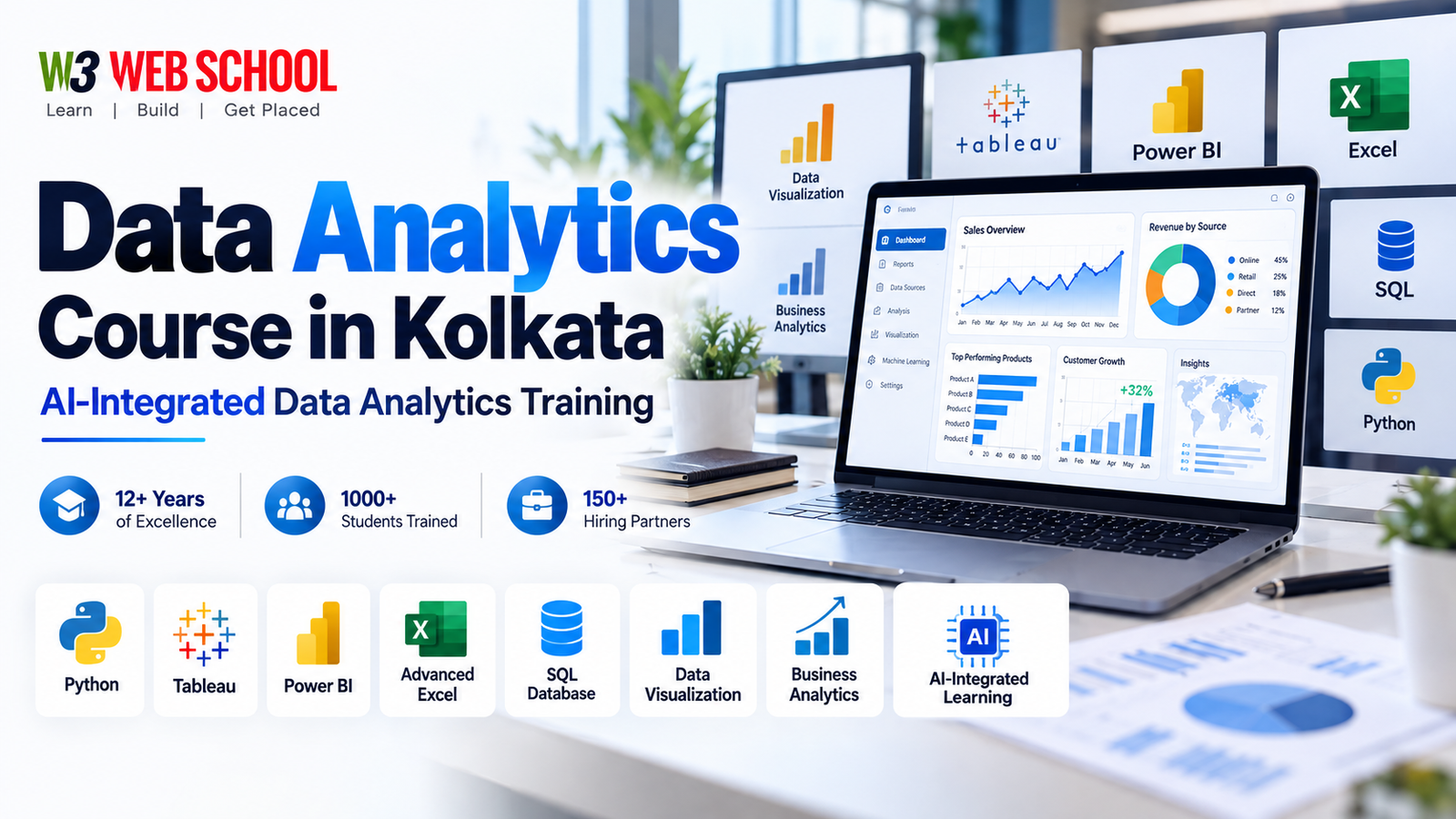
Join our Data Analytics Course in Kolkata at Dum Dum and learn to clean, analyse and present business data with Advanced Excel, SQL, Python, Power BI and Tableau. No coding background is needed. You work on real datasets, build 6 dashboard and analysis projects in 6 months and get placement assistance.

W3 Web School student Soumen
W3 Web School student Sujal
W3 Web School student Abhishek
W3 Web School student Suman
420+ Google reviews Teaching in Kolkata since 2012
Course Duration 6 Months Weekday & weekend batches
Course Fees ₹50,000 + GST EMI options available
Practical Work 6 Data Projects Dashboards, SQL & Python
Learning Format Classroom & Online English, Hindi & Bengali

Free 1-hour demo class

Book Your Free Data Analytics Demo

Share your details. A counsellor will call you about the course, fees and batches, and fix a demo time that suits you.

Your details stay with W3 Web School. We only call or WhatsApp you about the course.

Our hiring partners

Our Corporate Hiring Network

These are some of the agencies and businesses in the W3 Web School hiring network. When data analyst, MIS or reporting openings come up, our placement team shares them with eligible students of the Data Analytics Course. This is placement assistance, not a job guarantee.

Promotedge
Techsu
Techmagnate
FAV
ARC
Marvel Box
Thatware LLP
ColorStack
ShipSmith
Vatalks
Data Analytics Course in Kolkata at W3 Web School

Data Analytics Course in Kolkata: What You Will Learn

W3 Web School's 6-month Data Analytics Course in Kolkata teaches you how to turn raw business data into answers people can act on. You learn to clean data in Advanced Excel, query databases with SQL, analyse larger datasets in Python, and present the results in Power BI and Tableau dashboards.

The course is built for beginners and non-IT graduates as well as working professionals in sales, finance and MIS. You do not need coding experience: Python and SQL are taught from the first line. Classes run in the classroom at Dum Dum and online, in English, Hindi and Bengali.

You finish with 6 projects on real datasets, including sales, customer, marketing and HR data, that you can show in data analyst and MIS interviews. Interested in websites and apps instead? See our Full Stack Web Development Course in Kolkata.

Data Analytics Course Fees in Kolkata

Course fee₹50,000 + GST
PaymentUPI, net banking and monthly EMI where applicable. Ask the counsellor for the current instalment plan.
Duration6 months
ModeClassroom (Dum Dum) and Online
BatchesWeekday and weekend batches, subject to availability
LanguageEnglish, Hindi and Bengali
Next batchCall +91 78901 49401 for the latest batch date
CertificateW3 Web School certificate, verifiable online

Refunds follow a conditional 7-day policy. Read the full refund policy before enrolling.

Data Analytics Course Syllabus

The syllabus has 9 modules. You start with analytics basics, Excel and statistics, move on to SQL and Python, build dashboards in Power BI and Tableau, and finish with AI tools, a capstone project and interview preparation. Click any module for the full topic list.

LearnExcel, statistics, SQL and Python
PractisePower BI and Tableau dashboards
Apply6 projects on real datasets
Module 01

Data Analytics Foundations

What data analysts do, the types of data they work with and how a business question becomes an analysis.

Topics

  • The analytics process from question to insight
  • Types of data and common data sources
  • Descriptive, diagnostic and predictive analytics

Also covered

  • Roles: data analyst, business analyst, MIS executive
  • Asking the right business questions
Module 02

Advanced Excel

The tool most Kolkata analyst and MIS jobs still test first.

Topics

  • Cleaning and validating data
  • Lookup, logical and text functions (XLOOKUP, IF, INDEX-MATCH)
  • Pivot tables and pivot charts

Also covered

  • Power Query basics
  • Excel dashboards for daily MIS reports
Module 03

Statistics for Analysis

The maths you need to read data correctly, explained without heavy theory.

Topics

  • Mean, median, spread and outliers
  • Distributions and sampling
  • Correlation and simple trend analysis

Also covered

  • A/B test basics
  • Avoiding misleading charts and averages
Module 04

SQL for Data Analysis

Pull exactly the data you need from company databases.

Topics

  • SELECT, WHERE, ORDER BY and GROUP BY
  • Joins across multiple tables
  • Aggregations, CASE and subqueries

Also covered

  • Window functions basics
  • Writing clean, readable queries
Module 05

Python for Data Analysis

Automate cleaning and analysis on data too large or messy for Excel.

Topics

  • Python basics for analysts
  • Pandas for cleaning, filtering and grouping
  • NumPy basics

Also covered

  • Charts with Matplotlib and Seaborn
  • Working in Jupyter Notebook
Module 06

Power BI

Build interactive dashboards that managers open every morning.

Topics

  • Connecting data and Power Query
  • Data modelling and relationships
  • DAX measures and calculated columns

Also covered

  • Slicers, drill-through and report design
  • Publishing and sharing reports
Module 07

Tableau

Create visual stories and dashboards in the second most-asked BI tool.

Topics

  • Connecting data in Tableau
  • Charts, filters and calculated fields
  • Dashboards and stories

Also covered

  • Tableau Public portfolio
  • Choosing Tableau or Power BI for a job
Module 08

AI Tools for Analysts

Use AI to work faster while checking every answer yourself.

Topics

  • ChatGPT and Gemini for formulas, SQL and Python help
  • Summarising data and drafting insights
  • Copilot-style features in Excel and Power BI

Also covered

  • Checking AI output for errors
  • Data privacy when using AI
Module 09

Projects, Portfolio & Interviews

Bring every tool together and get ready for analyst interviews.

Topics

  • End-to-end capstone on a business dataset
  • Presenting insights to non-technical people
  • Portfolio on GitHub and Tableau Public

Also covered

  • SQL and Excel interview tests
  • Resume, LinkedIn and mock interviews

Topics and practical activities may be adapted to the batch. For the latest detailed class plan, contact the academic team.

Data Analytics Tools You Will Learn

Excel and SQL are the two skills almost every analyst job in Kolkata asks for, so you use them throughout the course. Python handles data that is too big or messy for spreadsheets, Power BI and Tableau turn your analysis into dashboards, and ChatGPT and Gemini help you write formulas and code faster, which you then check yourself.

Advanced ExcelAdvanced Excel
SQLSQL
PythonPython
Power BIPower BI
Tableau
StatisticsStatistics
ChatGPTChatGPT
Google GeminiGoogle Gemini

6 Data Analytics Projects for Your Portfolio

Recruiters shortlist analysts who can show their work. Every project below starts from a messy dataset, gets trainer feedback and ends as a dashboard, notebook or report in your portfolio.

AskDefine the business question
CleanFix missing, duplicate and messy data
AnalyseExcel, SQL or Python
PresentDashboard and clear recommendations
01
Project 01

Sales Performance Dashboard

Clean a year of sales data in Excel and build a Power BI dashboard that shows revenue, top products and month-on-month trends.

You will create
Excel CleaningPower QueryPower BIKPI Cards
Portfolio value

A dashboard you can open in an interview and explain in two minutes.

02
Project 02

Customer Data Analysis with SQL

Query a multi-table customer database to find repeat buyers, average order value and the regions that bring the most revenue.

You will create
JoinsGroup BySubqueriesFindings Sheet
Portfolio value

SQL queries that prove you can pull answers from real databases.

03
Project 03

Marketing Campaign Analysis

Use Python and Pandas to compare campaign results, spot what worked and chart the cost per lead for each channel.

You will create
PandasMatplotlibInsightsRecommendations
Portfolio value

A Jupyter notebook that shows clean, readable Python analysis.

04
Project 04

HR Attrition Story in Tableau

Explore employee data to see why people leave, then present the patterns as an interactive Tableau story.

You will create
TableauCalculated FieldsDashboardStory
Portfolio value

A Tableau Public link you can share with recruiters.

05
Project 05

Daily MIS Report Automation

Turn a manual daily report into a refreshable Excel and Power Query workflow that updates in minutes.

You will create
Power QueryPivot TablesAutomationMIS Format
Portfolio value

Shows you can save a team hours of repeated work, a common MIS task.

06
Project 06

Capstone Business Case

Take a business dataset from question to recommendation using SQL, Python and a Power BI or Tableau dashboard.

You will create
Problem StatementSQL + PythonDashboardPresentation
Portfolio value

A complete case study that ties every tool together.

What Students Say About W3 Web School

These are Google reviews from students across our courses at the Dum Dum campus. Each one links to the original review.

View all 420+ reviews on Google
Debosmita GangulyDigital Marketing student, Local Guide, Google review 2026

I have just finished my course of digital marketing from W3 Web School. I also got a job through this institution's placement. Ankit sir is a very good, knowledgeable teacher. He always solved every query I had.

See this review on Google
Papai DeyDigital Marketing student, Google review 2026

I would like to sincerely thank my mentors, Sahil Sir, Ankit Sir and Bhola Sir, for their excellent guidance and support throughout the course. They explained every topic in a very simple and practical way.

See this review on Google
Biku MaharanaW3 Web School student, Google review 2026

The classes are well structured and very easy to understand. What I appreciate most is the support after the classes: whenever we practise, the trainers are always there to guide and help us.

See this review on Google
Purnima GoswamiDigital Marketing student, Google review 2026

The trainers explain concepts clearly, focus on practical learning through live projects, and cover industry-relevant tools. The supportive environment, doubt-clearing sessions and career guidance make it a good choice.

See this review on Google


About the institute

Data Analytics Institute in Kolkata: About W3 Web School

W3 Web School is an IT training institute in Kolkata, with its campus at Dum Dum. We have been teaching since 2012. Our Data Analytics Course is a 6-month programme for beginners, non-IT graduates and working professionals who want to analyse business data with Excel, SQL, Python, Power BI and Tableau.

Teaching since
2012
Course
6 months, ₹50,000 + GST
Registrations
ISO 9001:2015 certified, MSME registered (UDYAM-WB-14-0025805)
Campus
2nd Floor, 214/1 Dum Dum Road, Near Dum Dum Phari, Kolkata 700074
Class modes
Classroom and online, on weekday and weekend batches
Certificate
W3 Web School certificate, verifiable online
Refunds
Conditional 7-day policy. Read the refund policy

Want to check the institute before you join? Book a free demo class or visit the Dum Dum campus and meet the team in person.

Why W3 Web School

Why Choose W3 Web School for Data Analytics in Kolkata? Training Since 2012

Our 6-month Data Analytics Course combines classroom or online learning with 6 projects on real datasets, so you leave with job-ready analysis skills and dashboards you can show to employers.

Beginner & Non-IT Friendly

Python and SQL are taught from the first line, with plenty of practice, so B.Com, BBA, BA and B.Sc graduates can follow every class.

Excel to AI, in Order

Each tool builds on the last: Excel, statistics, SQL, Python, then Power BI and Tableau, so you always know why you are learning it.

Real Business Datasets

Practise on sales, customer, marketing, HR and MIS data with the same mess you will find at work: blanks, duplicates and wrong formats.

Both Power BI and Tableau

Learn the two BI tools Kolkata job posts ask for most, so you can apply to either kind of role.

Career & Placement Assistance

Get help with your analyst resume, portfolio and mock interviews. This is assistance, not a job guarantee. See placement support.

Interview-Style Practice

Solve the kind of SQL and Excel tests used in analyst interviews, and practise explaining your dashboards to non-technical people.

Who can join

Who Can Join Our Data Analytics Course in Kolkata?

No coding or statistics background needed. Basic computer skills are enough.

The course suits anyone who wants to work with numbers and dashboards: students, non-IT graduates, MIS and finance staff, career switchers and business owners.

Career & placement support

Placement Assistance for Data Analytics Students

Our career team helps you present your dashboards and projects and prepare for data analyst, MIS and business analyst interviews and test tasks.

Analyst Resume

Build an ATS-friendly resume that lists your Excel, SQL, Python and BI skills and the projects you completed.

Portfolio on GitHub & Tableau Public

Publish your notebooks, SQL work and dashboards online so recruiters can open them before the interview.

LinkedIn Profile

Set up a LinkedIn profile with your projects and skills, so recruiters searching for data analysts can find you.

Technical Mock Interviews

Practise SQL queries, Excel tasks and case questions like the ones used in analyst interview rounds.

Career Counselling

Choose a direction: data analyst, business analyst, MIS or reporting, or Power BI developer.

Opening Updates

When relevant analyst and MIS openings come up in our hiring network, the placement team shares them with eligible students.

Placement disclaimer: Placement assistance helps you prepare for relevant job opportunities. Hiring depends on your skills, projects, eligibility and employer requirements. A job is not guaranteed.

Data analytics careers

Data Analyst Jobs and Career Paths in Kolkata

Companies in IT, banking, retail and healthcare all report on data every day, so analyst and MIS roles exist in almost every sector. Most people start as a junior analyst or MIS executive and grow into data analyst, business analyst or Power BI developer roles.

First job

Roles for Beginners

  • Junior Data Analyst
  • MIS Executive
  • Reporting Analyst
  • Data Analyst Trainee
  • Excel & MIS Analyst
  • Business Analyst Trainee
With 2 to 4 years of work

Specialist Data Roles

  • Data Analyst
  • Business Analyst
  • Power BI Developer
  • BI Analyst
  • Product Analyst
  • Senior Data Analyst
Who hires analysts

Where Data Analysts Work

  • IT services & consulting firms
  • Banking, finance & insurance
  • E-commerce & retail
  • Healthcare & pharma
  • Logistics & manufacturing
  • In-house MIS & reporting teams

These roles show where data analytics skills are used. They are not guaranteed outcomes. The role you get depends on your projects, your tool skills and what the employer needs.

Pay and certification

Data Analyst Salary in Kolkata for Freshers and Beyond

Analyst pay in Kolkata varies a lot between small firms and large IT and consulting companies. Salary surveys and live job posts give a realistic picture. Use them to judge offers, not as a prediction of your own salary after the course.

What data analysts are paid in Kolkata

RoleData pointPay
Junior Data AnalystEarly career, PayScale average₹3.83 lakh a year
Data Analyst (Power BI)Early career, PayScale average₹4.98 lakh a year
Data AnalystAverage from Indeed job posts₹23,787 a month
Junior Data AnalystKolkata job post₹15,000 – 30,000 a month
Data Analyst2–3 years, Barrackpore job post₹25,000 – 35,000 a month
Senior Data AnalystKolkata job post₹40,000 – 50,000 a month

Sources: PayScale junior analyst, PayScale Power BI, Indeed, and job posts on Qureos, Jobhai and Qureos. Figures were checked in November 2026 and change over time.

What moves a data analyst's pay up

  • Strong SQL: joins, aggregations and window functions are the most tested skill in analyst interviews.
  • Power BI or Tableau dashboards with proper data models, not just charts dropped on a page.
  • Python for analysis, which opens roles beyond MIS and reporting.
  • Business sense: explaining what the numbers mean and what the team should do next.

Certifications you can attempt

You receive a W3 Web School certificate when you finish. The course also covers the tools tested in these vendor exams:

  • Microsoft Certified: Power BI Data Analyst Associate (exam PL-300)
  • Tableau Certified Data Analyst (Tableau, a Salesforce company)
  • Microsoft Office Specialist: Excel Expert

These exams are run by Microsoft and Tableau and their testing partners, not by W3 Web School. Check the provider's site for the current format and fee.

Please note: W3 Web School offers placement assistance, not a guaranteed job or salary. Your pay depends on your skills, your projects and the employer.

Visit Our Data Analytics Institute in Dum Dum, Kolkata

Thinking about a data analytics course in Kolkata? Visit the Dum Dum centre, sit in on a demo and ask how classes run. We will take you through the 9-module syllabus, show the dashboards students build in Power BI and Tableau, and share the next weekday and weekend batch timings.

Location 2nd Floor, 214/1 Dum Dum Road, Near Dum Dum Phari, Kolkata 700074
Contact us +91 78901 49401
Opening hours Mon to Fri 10 AM to 7:30 PM, Sat 10 AM to 7 PM, Sun 10 AM to 3:30 PM
Find the campus Need directions? Use the button to open W3 Web School on Google Maps; it will guide you to Dum Dum Phari from wherever you are.
Getting here

Travelling to the analytics classes

Most students come by metro to Dum Dum station and finish the trip by road. Pick your starting point below.

From Salt Lake

Sector V

  1. Take a Green Line train bound for Howrah Maidan.
  2. Transfer at Esplanade to a Dakshineswar-bound Blue Line train.
  3. Exit at Dum Dum; Dum Dum Phari is a short auto, e-rickshaw or cab ride.
From central Kolkata

Esplanade

  1. Take a Dakshineswar-bound Blue Line train.
  2. Exit at Dum Dum station.
  3. From the station, head to 2nd Floor, 214/1 Dum Dum Road by auto, e-rickshaw or cab.
From Howrah

Howrah Metro

  1. Take a Green Line train bound for Salt Lake Sector V.
  2. Transfer at Esplanade to a Dakshineswar-bound Blue Line train.
  3. Exit at Dum Dum and use local transport to reach Dum Dum Phari.

Travel tip: Evening traffic near Dum Dum Phari can slow the last stretch. Allow a few extra minutes and follow Google Maps directions to the door.

Living outside Kolkata or far from Dum Dum? Give us a call. Ask about online data analytics batches, or plan a campus visit around a demo class. Call the team: +91 78901 49401

Data Analytics Course in Kolkata: FAQs

₹50,000 + 18% GST covers the full 6-month course. EMI is available where applicable; ring +91 78901 49401 for today's fee and payment options.