W3 Web School

CAREER UPDATES
Practical Graphic Design Training for Barrackpore Learners

Graphic Design Course in Barrackpore with Live Projects Learn Photoshop, Illustrator, Figma & Build Your Portfolio

Looking for a Graphic Design Course in Barrackpore? Build practical design skills with W3 Web School through guided assignments, hands-on projects, and portfolio development. Learn to use industry-relevant tools such as Adobe Photoshop, Illustrator, Adobe Firefly, Adobe Express, Canva, and Figma to create visual content for brands, social media, advertisements, and digital campaigns. Students from Barrackpore and nearby areas can contact our team to confirm current batch schedules, fees, learning options, and travel details for our training centre in Dum Dum, Kolkata.

12+ Years of Excellence
1500+ Students Trained
150+ Hiring Partners
Real-World Design Projects
Portfolio Building Assistance
100% Placement Assistance
7890149401
Training Centre: Dum Dum, Kolkata
Mon–Sat | 10 AM – 7 PM
Get Instant Course Details

Enquire About the Graphic Design Course

Request the latest syllabus, course fees, upcoming batch timings, learning options, and career guidance before enrolling.

Your information is 100% safe with us. Zero spam guaranteed.
Duration
6 Months
Flexible Batches
Course Fees
₹50,000
Easy EMI Options
Placement
Placement Assistance
150+ Hiring Partners
Next Batch
Ask for Schedule
Upcoming Batch Details
Google Rating
4.9 / 5.0
★★★★★ (500+)
OUR PLACEMENT NETWORK

Explore Graphic Design Career Opportunities for Barrackpore Learners

Looking for a Graphic Design Course in Barrackpore? W3 Web School helps aspiring designers strengthen their design fundamentals, brand identity skills, social media creative skills, and practical project experience. Build a portfolio that demonstrates your work and prepare to explore relevant opportunities with creative agencies, IT companies, e-commerce brands, and media teams. Placement assistance may help you prepare for applications; selection depends on your skills, portfolio, interviews, and each employer’s requirements.

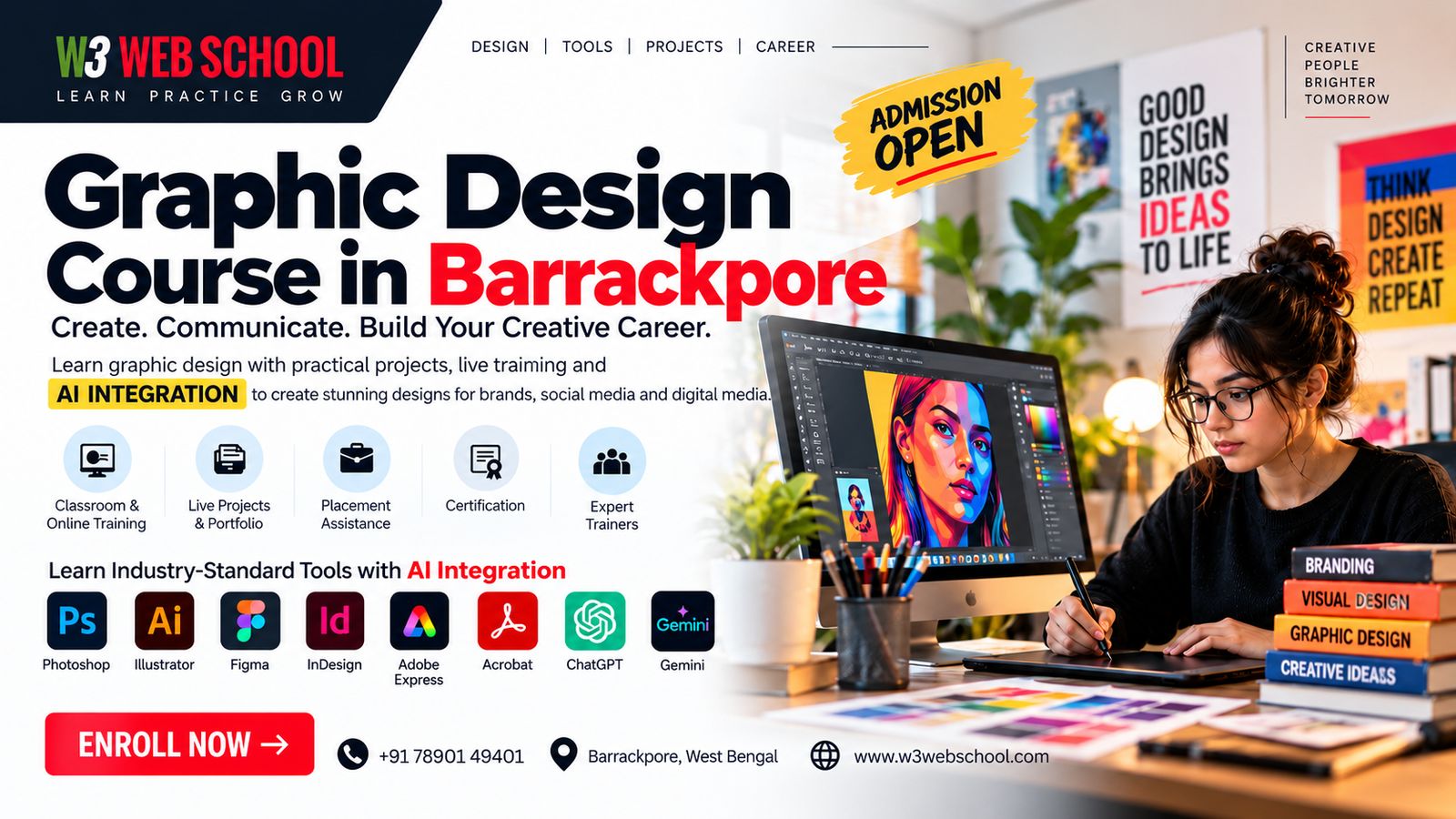
Graphic Design Course in Barrackpore banner featuring graphic design tools and portfolio training at W3 Web School

Graphic Design Course in Barrackpore – Practical Training & Design Projects

Looking for a Graphic Design Course in Barrackpore? W3 Web School helps learners build design skills step by step, from the basics of visual communication to practical work for brands, social media and marketing. Our training centre is in Dum Dum, Kolkata. Contact the team to check current classroom and online options that may suit learners travelling from Barrackpore.

Good design does more than look attractive: it helps people notice a message and understand it quickly. During training, you can practise how colour, typography, spacing, imagery and layout work together across websites, advertisements, packaging, social media and print materials.

Hands-on Practical Projects
Creative Tools Modern Design Workflows
Portfolio Portfolio Development

The course is relevant for students, graduates, working professionals and aspiring freelancers who want to learn by making real design pieces. Practice briefs can include a brand identity, social media post, digital advertisement, brochure or campaign graphic. You will learn to move from an initial brief and visual references to a considered layout and a finished design.

Lessons combine design fundamentals, software practice and guided projects. Depending on the module, you may use Adobe Photoshop, Adobe Illustrator, Adobe Express, Canva and Figma to prepare artwork for different formats. Trainers can help you review your work and understand what to improve. Ask W3 Web School for the latest syllabus, fees, batch timings and available learning options.

Want to get started? Contact us for current batch details, course fees and a conversation about whether the course fits your goals.

Start with the fundamentals of visual communication, then practise them through software exercises and guided projects. The modules below outline the core topics; contact our team for the latest syllabus and batch schedule.

  • What is Graphic Design?
  • History and Evolution of Graphic Design
  • Types of Graphic Design: Print, Digital, Branding, etc.
  • The Role of a Graphic Designer
  • Overview of Graphic Design Tools
  • The Elements of Design: Line, Shape, Color, Texture, and Space
  • Principles of Design: Balance, Contrast, Emphasis, Proportion, and Rhythm
  • Visual Hierarchy: Guiding the Viewer’s Eye
  • The Rule of Thirds and Grid Systems
  • The Anatomy of Typography: Serif vs. Sans-Serif, Baseline, Kerning, Leading
  • Font Pairing: Choosing Complementary Fonts
  • Readability and Legibility in Design
  • Typography for Branding and Communication
  • The Color Wheel and Color Schemes
  • Emotional Impact of Colors
  • Using Color for Branding and Marketing
  • Creating Harmony and Contrast with Colors
  • Overview of Design Software: Adobe Photoshop, Adobe Illustrator, Adobe Express, CorelDRAW, & Figma
  • Introduction to Canva and Procreate for Beginners
  • File Formats: JPEG, PNG, SVG, PDF, & When to Use Them
  • Exporting and Preparing Designs for Print and Digital Use
  • Understanding Brand Identity: Logos, Colors, & Fonts
  • Designing Logos and Taglines
  • Creating Brand Guidelines for Consistency
  • Case Studies of Iconic Brand Designs
  • Grid Systems for Print and Web Design
  • Designing Flyers, Brochures, and Magazines
  • Composition Techniques for Balance and Flow
  • Working with Text and Images
  • Importance of a Design Portfolio
  • Structuring and Presenting Your Work
  • Case Studies: Highlighting Your Design Process
  • Collaborative Workflows for Teams
  • Creating an Online Portfolio
  • End-to-End Project Development
  • Research, Ideation, and Execution
  • Final Presentation to Mentors or Peers
  • Receiving and Implementing Feedback

Explore design software for image editing, vector artwork, social media graphics, interface layouts and packaging mock-ups. The right tool depends on the task, so the course focuses on practical choices as well as how to prepare and export finished files.

Canva graphic design tool Canva
Adobe Photoshop graphic design tool Photoshop
Adobe Illustrator graphic design tool Illustrator
Figma design tool Figma
Adobe Express design tool Adobe Express
ChatGPT tool for brainstorming design concepts and creative copy ChatGPT
Google Gemini tool for creative research and idea development Google Gemini
Affinity graphic design application Affinity
ProtoPie prototyping tool ProtoPie
Pacdora packaging design tool Pacdora

Practice the kinds of design briefs businesses often need, such as brand assets, social media campaigns, print materials and promotional graphics. Each project gives you a chance to apply the lesson, review your choices and add selected work to your portfolio.

◉
Project 01

Brand Identity Design

Learn how to create a complete visual identity for a business— from logo concepts to colour palettes, typography and brand stationery.

You'll Create
Logo Design Business Card Letterhead Brand Guidelines Social Media Branding
↗
Project 02

Social Media Campaign

Design creative assets for platforms like Instagram, Facebook and LinkedIn while understanding layout, branding and audience engagement.

You'll Create
Instagram Posts Carousel Designs Facebook Banners Promotional Creatives Story Templates
▣
Project 03

Print Design Projects

Develop print-ready artwork used by businesses for offline marketing and promotional campaigns.

You'll Create
Brochures Flyers Posters Catalogues Event Banners
◈
Project 04

Product Packaging Design

Understand how packaging combines branding, typography and layout to create attractive product presentations.

You'll Create
Product Labels Box Packaging Food Packaging Cosmetic Packaging Mockup Presentations
◇
Project 05

Marketing & Advertising

Work on campaign-based visuals that businesses commonly require for online and offline promotions.

You'll Create
Display Ads Web Banners Promotional Posters Offer Creatives Festival Campaign Designs
▣
Project 06

Portfolio Presentation

Organise your best projects into a clean, professional portfolio that demonstrates your skills to recruiters, clients and creative agencies.

Your Portfolio Will Include
Branding Projects Print Designs Social Media Designs Packaging Designs Marketing Creatives Case Studies
4.9
★ ★ ★ ★ ★
Student feedback
★View all Google Reviews
CT

Chandan Tiwari

W3 Web School Review
★ ★ ★ ★ ★

"I completed the Web Design Course at W3 Web School, and it was a great experience. The Trainers were very helpful. After finishing the course, I got placed with their support. I'm really thankful to Shaheel Sir, Bhola Sir, Bidyut Sir and the team. Highly recommend W3 Web School to anyone looking to start a career in Web Design Course. Thank You."

RD

Riya Dutta

W3 Web School Review
★ ★ ★ ★ ★

"It was my good experience and a great journey with W3webschool. My sir has given a good lesson on php development during my training period and has given me the opportunity to achieve my goal and I got a job from W3 Web School."

RC

Rideep Choudhury

W3 Web School Review
★ ★ ★ ★ ★

"My experience with W3 Web School has been very great. It has been a great learning experience for me. Their way of teaching and the way of making things understandable to you has helped me to gain knowledge. With the help of their support, I have gained the confidence to face the interviews and can now land a job for myself."

PM

Priya Mukherjee

W3 Web School Review
★ ★ ★ ★ ★

"It has been a great experience at W3webschool. Saheel sir's teaching techniques are very good. Under his guidance, it has become easy for me to understand different dimensions of digital marketing. He has encouraged us throughout the classes to practice repeatedly."

From First Draft to Confident Design Decisions Graphic Design Training for Barrackpore Learners

Considering a Graphic Design Course in Barrackpore? Strong design is more than making an image look attractive; it helps a message reach the right audience. W3 Web School helps learners explore layout, typography, colour, image selection and everyday design workflows through guided practice. Our training centre is in Dum Dum, Kolkata, so contact us to confirm the current learning options, batch timings and travel details before enrolling.

Train Your Eye for Visual Balance

Build a sharper design eye by practising visual hierarchy, alignment, contrast, spacing and colour choices. Understand why a layout works, what distracts the viewer, and how small refinements improve clarity.

Choose the Right Tool for the Task

Practise image editing in Photoshop, vector artwork in Illustrator, interface layouts in Figma, and quick campaign assets in Canva or Adobe Express. Learn where each tool fits into a real design workflow.

Improve Through Helpful Design Feedback

Get support in reviewing your drafts, spotting unclear visual choices and making purposeful revisions. Discussing the reason behind each change can help you develop judgement, not just follow steps.

Work Through Realistic Creative Briefs

Turn sample business requirements into event posters, product promotions, brochures or social media creatives. Each brief gives you a chance to think about the audience, message, format and final presentation.

Prepare to Present Your Work Professionally

Get guidance on organising your CV, selecting portfolio pieces and explaining your design decisions in interviews. Job opportunities depend on your skills, portfolio, role requirements and available openings.

Make Your Portfolio Tell the Story

Build a portfolio that shows variety as well as thought: include different design formats and brief notes about the goal, your approach, changes made and final result.

Want to Make a More Informed Course Decision?

Ask About Course & Batches

Is Graphic Design the Right Next Step? For Learners in Barrackpore

Graphic design may suit you if you enjoy solving visual problems, arranging information clearly, or turning an idea into an image people can understand. These learning paths show how the skills can fit different goals. W3 Web School's in-person training centre is in Dum Dum, Kolkata, so learners from Barrackpore should contact us to confirm the current batch schedule and available training mode before enrolling.

Students After 12th

If you have finished school and want a creative skill, begin with the building blocks: colour, type, layout and image selection. Small poster and social-post exercises can help you discover which kind of design work interests you.

Career Switchers

Moving from another field? Your previous experience can help you understand an audience or an industry brief. Learn how designers organise information, choose visual styles and explain the choices behind a finished design.

Working Professionals

For people already working in marketing, sales, education or communications, design skills can make presentations, campaign assets and everyday visual content clearer. Discuss your schedule with the team before choosing a batch.

Creative Individuals

Enjoy illustration, photography, colour or visual storytelling? Structured design practice can help you move beyond experimenting and create work with a clear purpose, audience and visual hierarchy.

Freelancers

Freelance work often starts with a brief and a deadline. Practise creating deliverables for different formats, preparing files correctly and handling feedback—useful habits when presenting design work to a prospective client.

Business Owners

If you run a shop, service or small business, understanding layout, image choice and brand consistency can help you plan better promotional material and brief a designer more clearly. Training details and suitable batch options can be discussed before admission.

Career Planning & Job Readiness

Build Your Next Step After a Graphic Design Course in Barrackpore

Moving from design practice to paid work takes more than knowing the software. Learners can use focused career guidance to understand entry-level roles, prepare stronger applications and get familiar with common workplace expectations. Support can help you prepare, but hiring decisions depend on your skills, work samples and each employer’s requirements.

Choose Roles That Fit Your Skills

Compare roles such as junior graphic designer, visual content designer and production artist, then shortlist openings that match your current strengths and interests.

Read Job Descriptions Carefully

Learn to identify the software, deliverables, file formats and experience level mentioned in a vacancy so you can decide whether an application is a sensible match.

Make Applications More Relevant

Tailor your resume and introductory message to the role, highlighting the design work and software experience that are most relevant instead of sending the same application everywhere.

Track Applications & Follow-ups

Keep a simple record of the companies you contact, application dates, responses and next steps. A clear follow-up routine makes the job search easier to manage.

Prepare for Design Test Tasks

Practise working to a short deadline, checking artwork dimensions, choosing suitable export formats and following the instructions supplied with a sample task.

Understand Client Handover Basics

For freelance or client-facing work, learn the value of clear file names, organised source files, agreed deliverables, revision notes and realistic deadlines.

DESIGN CAREER OPTIONS

Where Can Graphic Design Skills Take You in Barrackpore?

Graphic design work varies from creating everyday campaign artwork to building a brand identity or preparing files for print. The right starting point depends on your interests, design fundamentals, portfolio and the roles employers are hiring for. Students from Barrackpore can explore these career directions while checking current course and training options with W3 Web School; the in-person centre is in Dum Dum, Kolkata.

Graphic Designer

Translate a brief into posters, banners, advertisements and campaign artwork. The day-to-day work often includes arranging type and imagery, refining layouts and exporting files for different formats.

Social Media Designer

Produce social posts, story creatives, carousel graphics and platform-sized campaign assets. Consistent visual style and clear communication matter as much as making each post attractive.

Brand Identity Designer

Build a recognisable visual identity through logo concepts, colour palettes, typography choices and basic brand guidelines that can be followed across different materials.

Packaging Designer

Arrange label information, product visuals and artwork while keeping the design readable and suitable for production. Knowledge of packaging layouts and print specifications can be valuable.

Print Designer

Prepare brochures, menus, flyers and catalogues for production. Check dimensions, bleed, image resolution, colour settings and exported PDFs before sending files to a printer.

E-commerce Creative Designer

Design product thumbnails, offer banners and listing graphics for online stores. Keep key product details readable and follow each marketplace’s image and layout requirements.

Freelance Graphic Designer

Take on client briefs, agree on deliverables, share drafts, manage revisions and hand over final files. Freelance work also calls for clear communication and reliable deadline management.

Graphic Designer

Translate a brief into posters, banners, advertisements and campaign artwork. The day-to-day work often includes arranging type and imagery, refining layouts and exporting files for different formats.

Social Media Designer

Produce social posts, story creatives, carousel graphics and platform-sized campaign assets. Consistent visual style and clear communication matter as much as making each post attractive.

Brand Identity Designer

Build a recognisable visual identity through logo concepts, colour palettes, typography choices and basic brand guidelines that can be followed across different materials.

Packaging Designer

Arrange label information, product visuals and artwork while keeping the design readable and suitable for production. Knowledge of packaging layouts and print specifications can be valuable.

Print Designer

Prepare brochures, menus, flyers and catalogues for production. Check dimensions, bleed, image resolution, colour settings and exported PDFs before sending files to a printer.

E-commerce Creative Designer

Design product thumbnails, offer banners and listing graphics for online stores. Keep key product details readable and follow each marketplace’s image and layout requirements.

Freelance Graphic Designer

Take on client briefs, agree on deliverables, share drafts, manage revisions and hand over final files. Freelance work also calls for clear communication and reliable deadline management.

Graphic Design Training

Meet the People Behind Better Design Decisions

Exploring a Graphic Design Course in Barrackpore? Get to know the design mentors at W3 Web School and the different strengths they bring—from brand identity and print layouts to commercial artwork and digital creative production. In-person training is based at the Dum Dum, Kolkata centre; contact the team to confirm current batches and available training options before enrolling.

Bholanath Hore - Lead Graphic Design Mentor at W3 Web School 6+ Yrs Exp

Bholanath Hore

Lead Graphic Design Mentor
Branding Specialist • Visual Communication Expert
View LinkedIn Profile

Bholanath focuses on the thinking behind a strong visual identity: how a logo fits a brand, how typography supports a message, and how artwork holds together across print formats. Guided exercises help learners move from an early concept to a considered, presentable design.

Adobe Photoshop Adobe Illustrator Adobe Express CorelDRAW Figma
Logo Design Brand Identity Print & Packaging Typography Creative Direction
  • Brief-to-Concept Exercises
  • Logo Critique & Refinement
  • Print-Ready Artwork Checks
  • Portfolio Walkthroughs
Rajesh Baidya - Senior Visual and UI Specialist at W3 Web School 5+ Yrs Exp

Rajesh Baidya

Senior Visual & UI Specialist
Digital Design Specialist • Creative Production Expert
View LinkedIn Profile

Rajesh works across commercial visuals, social media artwork, vector illustrations and digital publishing. His sessions emphasise how to adapt a design to different sizes and placements, keep visual hierarchy clear, and prepare clean files for delivery.

Adobe Photoshop Adobe Illustrator Figma Canva Adobe Firefly
Social Media Design Ad Creatives Product Packaging Vector Artwork Pre-Press Setup
  • Multi-Format Creative Tasks
  • Ad Layout Variations
  • Export & File Checks
  • Design Test Practice

Considering a Graphic Design Course in Barrackpore?

Compare the course details before planning your classes. W3 Web School's in-person training centre is at 214/1 Dum Dum Road, Kolkata—not in Barrackpore. Learners travelling from Barrackpore can contact our team to confirm available batches, the current course schedule and the training options available to them. The course covers visual composition, typography, colour, image editing and brand communication through practical design work.

Kolkata Training Centre

W3 Web School

Training Centre
214/1 Dum Dum Road, Near Hanuman Mandir,
Kolkata, West Bengal 700074
Before You Visit Ask about the next batch, class timings, current fees and whether your preferred training mode is available.
What You Can Discuss Syllabus, software practice, design assignments, portfolio work and the skills covered in the current course.

Planning Your Classes from Barrackpore

If you live in Barrackpore, check the practical details before enrolling: the course timetable, class frequency, total duration, fees, and the amount of time you can set aside for practice between sessions. Graphic design improves with regular work, so ask how assignments are reviewed and what kind of finished pieces you can develop during the course. Our team can explain the currently available options and help you decide whether the travel to the Dum Dum centre fits your schedule.

Training topics may include visual hierarchy, typography, colour selection, image retouching, logo concepts, brand consistency, social media artwork and print-ready layouts. The exact software coverage and class plan should be confirmed with the team for the current batch.

Campus address: 214/1 Dum Dum Road, near Hanuman Mandir, Kolkata – 700074. W3 Web School does not list this address as a Barrackpore branch. Please confirm batch availability and visit arrangements before travelling.

Nearby Areas Learners May Enquire From

Barrackpore
Titagarh
Khardaha
Sodepur
Agarpara
Shyamnagar
Ichapore
Palta
Naihati
North Barrackpore
Got Questions?

Graphic Design Course in Barrackpore: Frequently Asked Questions

W3 Web School’s listed in-person training centre is at 214/1 Dum Dum Road, near Hanuman Mandir, Kolkata – 700074, not in Barrackpore. If you are travelling from Barrackpore, contact the team before visiting to confirm the current batch schedule and whether a suitable training mode is available.
Fees can vary by course plan, duration and the facilities included. Ask the admissions team for the current total fee, payment schedule, software requirements and any applicable instalment options before enrolling, so you can compare the full cost rather than only the headline price.
Yes, beginners can start with the basics. The important first steps are learning how layout, colour, typography, spacing and visual hierarchy work together. Regular practice and willingness to revise your work matter more than arriving with a polished artistic style.
Practice can cover logo concepts, brand identity, social media posts, promotional creatives, brochures, flyers, packaging labels and print layouts. These different formats help you learn how to adapt a design to its purpose, audience and final output.
The course information supplied for W3 Web School lists a standard duration of around 6 months. Your actual timetable may depend on the selected batch and pace of learning, so confirm the latest start date, weekly class schedule and completion plan with admissions.
The course content lists tools such as Adobe Photoshop, Adobe Illustrator, Adobe Express, Figma and Canva. Ask for the latest syllabus to check which applications are covered in your chosen batch and whether you will need access to paid software outside class.
Device arrangements can depend on the batch and training format. Before admission, ask whether computers are available during class, whether you should bring a laptop, and what operating-system or software requirements apply. That helps you plan your learning setup in advance.
A useful beginner portfolio might include a logo and brand-colour system, a social media campaign, a poster, a brochure layout and a packaging or label concept. Show the brief, your design choices and the final artwork so a reviewer can understand how you approached the task—not just see the finished image.
The course information includes career support such as resume guidance, portfolio reviews and mock interview practice. These can help you present your work more clearly when applying for suitable roles. Interviews and job offers still depend on your skills, portfolio and each employer’s selection process.
No training provider can responsibly promise that every learner will receive a job. W3 Web School describes placement assistance and career preparation; the result depends on your practice, work quality, communication, interview performance and available openings.
You can use course projects to start building samples for services such as social media graphics, flyers, business cards or basic brand assets. Finding clients, setting prices and managing revisions take additional practice, so begin with a clear portfolio and realistic project scope.
Suitable schedules may depend on current batch availability. Tell the admissions team your work hours and preferred days, then confirm the exact class timings before paying a fee. Do not assume a weekend or evening batch is running until the team confirms it.
W3 Web School promotes a free demo session for prospective learners. Contact the team to confirm the available date and format, and use the session to ask about teaching style, practice time, syllabus, fees and the kind of feedback you will receive.
Yes—request the current module list and ask which topics are taught in class versus assigned for practice. Check that it covers the areas you need, such as image editing, vector artwork, typography, branding, print preparation and digital creatives.
Start with an online enquiry or contact the admissions team to ask about the next batch, fees and training format. If you plan to visit in person, the listed centre is 214/1 Dum Dum Road, near Hanuman Mandir, Kolkata – 700074; confirm the appointment and route before travelling from Barrackpore.
Ask the admissions team to confirm the certificate awarded for your selected course, including its exact title and the completion requirements. You should also keep copies of your strongest projects, because a portfolio gives employers concrete examples of what you can create.
The supplied course information mentions options such as UPI, net banking and monthly instalments where applicable. Confirm the payment schedule, any extra charges, refund or cancellation conditions, and the amount due before you reserve a place.