
W3webschool Blog

Top 10 AI Data Analysis Tools to Master in 2026

Top 10 AI Data Analysis Tools to Master in 2026

Poulami Dalal
Poulami Dalal
Digital Marketing Trainer & Content Writer
9 Min Read
•
Updated October 2026
SHARE:

Data analysis is changing fast. In the past, analysts spent hours cleaning spreadsheets, writing formulas, building dashboards, and searching for patterns. According to Grand View Research, the Indian data analytics market is projected to grow at a CAGR rate of 36.1% from 2026 to 2033. Today, AI data analysis tools can help automate many of these tasks and let users ask questions about data in plain English.

But having multiple tools does not necessarily make choosing the right one easier. Some are built for business intelligence, some are best for spreadsheets, while others are designed for advanced statistical analysis, predictive analysis, or marketing data.

In this article, I have compared 10 of the best practical AI data analysis tools for 2026 based on ease of use, visualization, automation, business applications, marketing use cases, and learning value.

The goal is simple: to help you understand which tool fits your specific type of work.

What Are AI Data Analysis Tools?

AI data analysis tools are software platforms that use artificial intelligence, natural language processing, machine learning, or generative AI to help users understand and analyse data.

Instead of manually creating every formula or query, users can ask questions about their data in plain English. For example, you can use these tools to explore questions such as:

What can you ask an AI data analysis tool?
  • Which marketing channel generated the most leads?
  • Why did sales fall last month?
  • Which products have the highest profit margin?
  • Are there unusual changes in this dataset?
  • Can you forecast sales for the next three months?

Based on the data and the capabilities of the platform, the software can help clean datasets, calculate metrics, create charts, identify patterns, and explain findings. This can reduce repetitive work and make data easier to explore.

For example, ChatGPT can analyse uploaded CSV and spreadsheet files and help create tables, charts, and code-backed analysis. The results should still be checked against the original data before using them to make important decisions.

Key Takeaway

AI data analysis tools help users move from raw data to useful insights using natural-language questions, automated analysis, visualisations, and data-driven explanations.

How Do AI Data Analysis Tools Work?

Most modern AI-based data analysis software follows a similar workflow:

  • 01
    Connect or upload data: CSV files, Excel workbooks, databases, dashboards, or connected business sources.
  • 02
    Understand the dataset: AI identifies columns, relationships, trends, missing values, and other useful signals.
  • 03
    Ask questions: Users describe the analysis they need using natural language.
  • 04
    Generate analysis: The system may create formulas, queries, code, statistical models, or visualizations.
  • 05
    Explain the outcome: Findings are converted into charts, summaries, reports, or recommendations.
  • 06
    Validate: A human should check important results before using them for business decisions.

The final stage matters. AI can boost up analysis, but answer quality still depends on the data quality, asked questions, and the business type.

Quick Comparison Table: Best AI Data Analysis Tools for Data Management

Compare these 10 AI data analysis tools by their primary use case, key capabilities, and the type of user they suit.

AI Data Analysis ToolBest ForKey CapabilityIdeal Users
Power BIBusiness IntelligenceInteractive dashboards, reporting, data modelling, and Copilot-assisted analysisBusiness analysts, reporting teams, and Microsoft users
CamelAIAI-Assisted ExplorationConversational analytical workflows, AI agents, and data explorationTeams experimenting with AI-driven analytical workflows
Julius AISpreadsheet AnalysisNatural-language data analysis, charts, statistics, and forecastingStudents, researchers, and business professionals
Tableau AIData VisualizationInteractive dashboards, Tableau Pulse insights, and conversational analyticsData analysts, BI teams, and enterprise users
DomoBusiness AnalyticsBusiness data integration, executive dashboards, and AI-assisted workflowsBusiness leaders, operations teams, and enterprises
DatabricksEnterprise Data & AILarge-scale data engineering, machine learning, and Genie conversational analyticsData engineers, data scientists, and enterprise analytics teams
ThoughtSpotConversational AnalyticsNatural-language business queries, Spotter AI Analyst, and self-service BIBusiness users and enterprise analytics teams
ChatGPTFlexible Data AnalysisUploaded-file analysis, charts, data exploration, and code-backed analysisStudents, marketers, researchers, and analysts
Zoho AnalyticsBI & ReportingDashboards, business reporting, forecasting, and Zia-assisted analyticsSmall and medium businesses and business teams
KNIMEVisual Data WorkflowsData preparation, low-code analytics, machine learning, and workflow automationData practitioners, analysts, and technical teams

Note: AI features, integrations, and availability may vary by subscription, product version, and data source. Check the provider's current documentation for the latest details.

10 Best AI Data Analysis Tools for 2026

1. Power BI

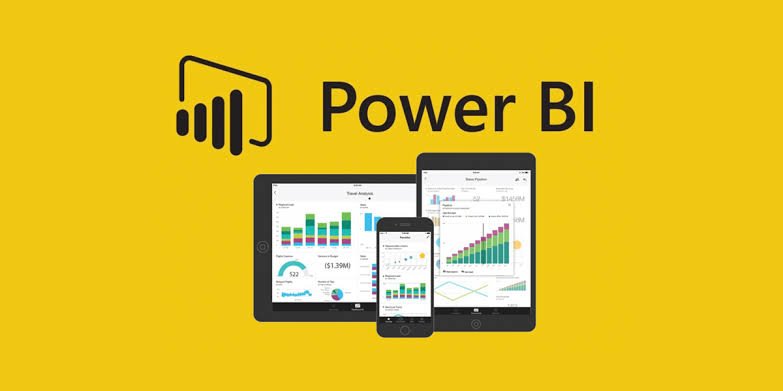
Microsoft Power BI AI data analysis and business intelligence dashboard
Best for: Business intelligence, interactive dashboards, reporting, and business data analysis.

Microsoft Power BI is the most commonly used business intelligence platform, and its Copilot features make it highly relevant to AI-powered analytics. Copilot can assist users explore data conversationally, make report summaries, work with semantic models, and generate DAX queries for specific analytical tasks.

Pros

  • Deep microsoft ecosystem integration
  • Advanced data analytics
  • Cost effective
  • Monthly updates
  • User-friendly interface
  • Updates and innovation
  • High security
  • AI and Copilot integration
  • Mobile and paginated reports
  • Interactive data visualization
  • Data transformation and modeling

Cons

  • Steep learning curve
  • Lacks collaboration features

Pricing

A free plan is offered along with paid pricing plans for better data analysis.

  • Power BI Pro plan starts at $10 per user/month
  • Power BI Premium plan starts at $20 per user/month

2. CamelAI

Best for: AI-assisted data exploration, automated analytical workflows, and users looking for conversational approaches to data analysis.

CamelAI is another popular choice for people searching for the demanding category of AI-powered analytical agents. It does not focus on traditional dashboard building and more on using AI-driven workflows to make analytical tasks simpler to approach.

Pros

  • AI-first workflow
  • Best for experimentation
  • Role-Playing framework
  • Automation
  • Modern AI approach
  • Multi-Agent workforce
  • Synthetic data generation
  • Multiple tools integration
  • Retrieval augmented generation
  • Local LLM support

Cons

  • High Token Cost & Latency
  • Integration Bugs
  • Session Degradation
  • Steep Learning Curve
  • API Dependency

Pricing

CamelAI offers a free plan along with its hosted paid plans.

  • camelRun plan starts from $0.01 per hour
  • Stream by camelAI starts from $5 per month
  • Starter Plan from $10 per month
  • Pro Plan from $40 per month

3. Julius AI

Julius AI data analysis platform for spreadsheets, charts, and statistics
Best for: Spreadsheet analysis, data visualization, statistics, forecasting, and natural-language data exploration.

Julius AI is built around a simple idea: users can ask questions about their data in plain English. It can analyse files, create charts, clean and manipulate datasets, perform statistical analysis, and build predictive models without requiring users to write every piece of code themselves.

Pros

  • Chat with your data
  • Automatic visualizations
  • Data cleaning
  • Statistical analysis
  • Beginner-friendly workflow

Cons

  • Strict Free Tier Limits
  • No Live Database Access on Lower Tiers
  • Prompt Dependence
  • Accuracy Gaps
  • Pricing Fluctuations

Pricing

Free plan is available with paid pricing plans.

  • The Plus plan starts at $20 monthly
  • The Pro plan starts at $45 monthly
  • The Max plan starts at $200 monthly
  • The Business plan starts at $450 monthly

4. Tableau AI

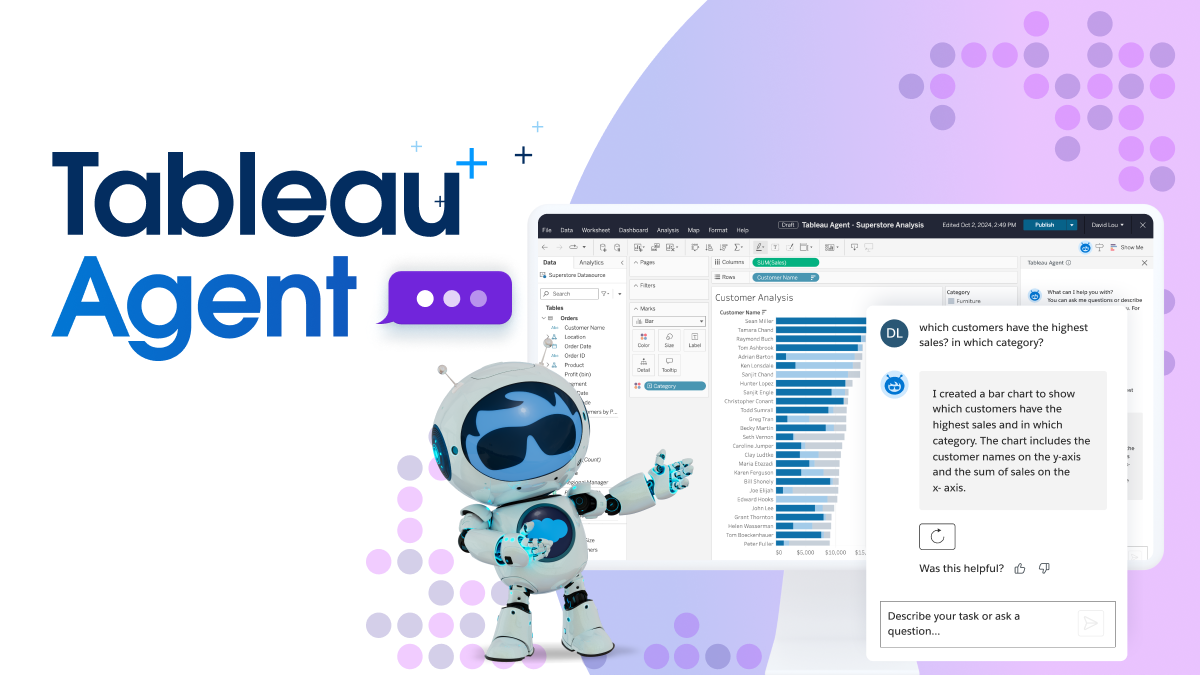
Tableau AI data visualization and business intelligence dashboard
Best for: Advanced data visualization, business intelligence, dashboards, and AI-assisted insight discovery.

Tableau combines its established visualization platform with AI capabilities such as Tableau Agent and Tableau Pulse. Tableau Pulse can surface insights around metrics, while Tableau Agent in Pulse allows users to ask questions about groups of metrics using conversational AI.

Pros

  • Powerful visualization
  • Tableau Agent
  • Tableau Pulse
  • Tableau Catalog Integration
  • Tableau Prep Integration
  • Tableau MCP
  • Administrator Activation

Cons

  • High Pricing
  • Lacks control on background processes
  • Accuracy risks
  • Steep Learning Curve on advance options

Pricing

Tableau AI offers paid pricing plans.

  • Tableau Standard plan starts at $15 a month
  • Tableau Enterprise plan starts at $35 a month
  • Tableau Cloud+ plan offers custom pricing
  • Tableau+ Bundle plan offers custom pricing

5. Domo

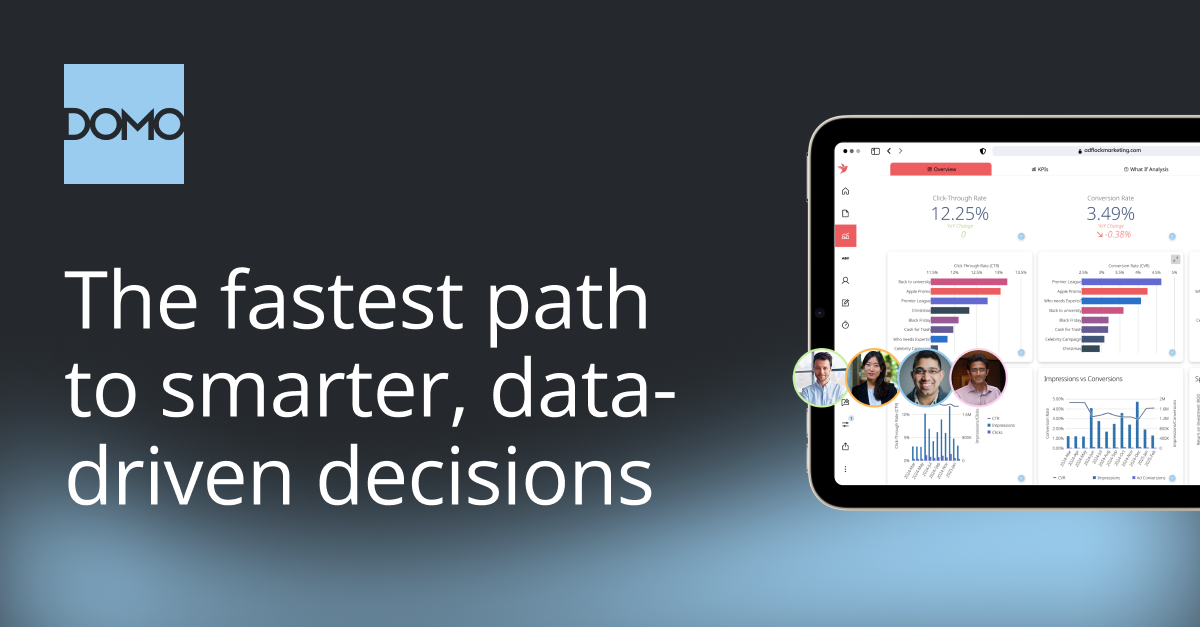
Domo AI business intelligence and executive analytics dashboard
Best for: Business intelligence, executive dashboards, business data integration, and AI-assisted decision-making.

Domo is designed around bringing business data, analytics, dashboards, and AI into one environment. It is particularly useful for organizations that want to connect data from different departments and make that information accessible through business dashboards and analytical workflows.

Pros

  • Data Integration & Connectors
  • Data Transformation
  • Executive dashboards
  • Domo AI & Data Science
  • Workflows & Automation
  • Consumption-Based Pricing
  • Embedded Analytics & Distribution

Cons

  • High Cost & Credit Pricing
  • Steep Learning Curve
  • Integration & Custom App Hurdles
  • Performance Lag
  • Criticized Customer Support

Pricing

Domo offers a 30-day free trial along with custom pricing plans.

6. Databricks

Databricks AI data platform for enterprise analytics and machine learning
Best for: Enterprise-scale data engineering, AI, machine learning, data science, and advanced analytics.

Databricks is considerably more than a dashboard tool. Its AI/BI platform combines business intelligence with governed data, dashboards, and conversational AI experiences. Databricks Genie allows users to ask questions about organizational data in natural language, while Genie Agents can be configured around trusted data, metrics, and business rules.

Pros

  • Enterprise-scale data platform
  • Genie natural-language analytics
  • Governed AI/BI
  • Data science + AI + BI
  • Custom AI agents
  • Lakeflow
  • Unified Workspace and Notebooks

Cons

  • Steep learning curve
  • Startup latency
  • Higher consumption costs

Pricing

Databricks comes with free pricing and also offers paid plans.

  • Data Engineering plan starts with $0.15
  • Data Warehousing plan starts with $0.22
  • Interactive Workloads plan starts at $0.40
  • Genie plan starts at $0.07

7. ThoughtSpot

ThoughtSpot Spotter AI Analyst conversational business analytics
Best for: Conversational analytics, self-service BI, enterprise search, and AI-powered business information.

ThoughtSpot focuses heavily on making analytics conversational. Its Spotter AI Analyst allows users to ask questions about business data in natural language, while newer capabilities include forecasting, correlation analysis, query-on-query analysis, and research-style analytical workflows.

Pros

  • Spotter AI Analyst
  • Conversational analytics
  • Advanced analysis
  • Governed insights
  • Flexible LLM selection
  • Self-service BI

Cons

  • Non-Intuitive Natural Language Search
  • Strong Semantic Layer dependency
  • Embedding limitations
  • Additional Per-Query fees

Pricing

Three paid pricing plans are available.

  • Essentials plan starts at $25 per month
  • Pro plan starts at $50 per month
  • Enterprise plan is custom pricing based

8. ChatGPT

ChatGPT AI data analysis of uploaded spreadsheets, CSV files, and charts
Best for: Flexible data analysis, spreadsheet exploration, visualization, data cleaning, research, and learning.

ChatGPT is one of the most flexible AI Data Analysis Tools for individual users and professionals. It can analyse uploaded spreadsheets and CSV files, answer questions about datasets, create tables and charts, and perform code-backed analysis.

Pros

  • Natural-language analysis
  • Code-backed analysis
  • Charts and visualizations
  • Flexible file support
  • Learning assistant

Cons

  • Outdated Information
  • Code Errors
  • Robotic Tone
  • Data Security Risks
  • Copyright Concerns

Pricing

The paid plans are:

  • The Pro plan starts at $100/ month
  • The Go plan starts at $8/ month
  • The Plus plan starts at $20/ month

9. Zoho Analytics

Zoho Analytics AI business intelligence dashboards and reporting
Best for: Business intelligence, dashboards, reporting, forecasting, and AI-assisted analytics for businesses.

Zoho Analytics combines traditional BI capabilities with AI-assisted analysis. Its Zia assistant helps users interact with business data using natural-language questions and supports analytical workflows designed for business teams.

Pros

  • AI-assisted business analytics
  • Dashboard creation
  • Strong ecosystem
  • Business-friendly workflow
  • Suitable for SMB analytics

Cons

  • Steep learning Curve
  • Scheduled batch refreshes
  • Complex multi-dataset combination
  • Cluttered dashboard layout

Pricing

Free plan is available along with paid pricing plans.

  • The Basic plan starts at $20 a month
  • The Standard plan starts at $50 a month
  • The Premium plan starts at $125 a month

10. KNIME

KNIME visual data analytics workflow and machine learning platform
Best for: Data preparation, machine learning, low-code data science, visual workflows, and automation.

KNIME is different from conversational-first tools such as ChatGPT or Julius. Its strength is visual workflow building. Users can create repeatable data pipelines for cleaning, transforming, analysing, modelling, and visualizing data.

Pros

  • Visual data workflows
  • Strong data preparation
  • Machine learning support
  • Automation
  • Good learning value
  • Scripting & Code Extensibility
  • Automation & Deployment
  • K-AI Assistant

Cons

  • Slow Loop Execution
  • Storage Limitations
  • High Memory and RAM Usage
  • UI Navigation Constraints
  • Slow Script Integration

Pricing

KNIME offers a free pricing plan for individual desktop use. It also offers paid cloud plans for teams.

How to Choose the Right AI Data Analysis Tool?

Do not choose a tool only because it is popular. Start with the problem you need to solve.

  • For learning

    Start with ChatGPT, Gemini in Sheets, or Julius.

  • For dashboards

    Consider Power BI, Tableau, Zoho Analytics, or Polymer.

  • For marketing

    Rows, ChatGPT, Power BI, Tableau, and Akkio can fit different reporting and analysis workflows.

  • For advanced workflows

    KNIME is worth learning.

  • For spreadsheet-heavy work

    Gemini, Julius, Rows, and ChatGPT are practical choices.

Also check for data privacy, accuracy, integrations, export options, collaboration features, pricing, and whether the tool can handle the size and complexity of your datasets.

AI Data Analysis Tools for Marketing

Marketing is one of the strongest use cases for AI analytics because marketers often work with data from many platforms.

A single campaign can involve Google Ads, Meta Ads, Google Analytics, CRM data, email campaigns, landing pages, and sales records.

AI can help answer questions such as:

  • Which campaign produces the lowest cost per lead?
  • Which channel has the best conversion rate?
  • Which audience segment generates the highest revenue?
  • Where did traffic drop?
  • Which campaigns deserve more budget?

The important point is that AI should support the marketer, not blindly make the decision. A strong analyst checks tracking quality, attribution, sample size, seasonality, and business context before acting.

FAQs on AI Data Analysis Tools

Conclusion

AI Data Analysis Tools are becoming an essential part of modern data workflows. The main advantage is not just that AI can create a chart or answer a spreadsheet question. The bigger transformation is that more people can shift from raw data to useful questions and insights without spending all their time on repetitive technical tasks.

For beginners, the smartest approach is not to learn ten platforms at once. Start with one tool, understand spreadsheets and basic statistics, learn how to ask good analytical questions, and then move into Power BI, Tableau, SQL, Python, or advanced workflow platforms as your needs grow.

If your goal is to build professional data analytics skills rather than only use AI tools, structured training can make that learning path much easier. Explore W3 Web School’s Data Analytics Course in Kolkata to learn how data analysis, visualization, practical tools, and industry-focused skills fit together.

The future belongs not to people who simply use AI, but to professionals who understand the data behind the answer.

Poulami Dalal - Digital Marketing Trainer and Content Writer
Written By

Poulami Dalal

Digital Marketing Trainer & Content Writer, W3 Web School

LinkedIn

Poulami Dalal is a Digital Marketing Trainer and Content Writer at W3 Web School. She creates research-backed, easy-to-understand content on SEO, AI tools, digital marketing, web development, UI/UX design, and career-focused technology topics. Her work focuses on simplifying complex concepts into practical guides that help students, marketers, business owners, and professionals make informed decisions.

Before publishing, each article is researched using official product documentation, trusted industry resources, and current SEO best practices to ensure accuracy, relevance, and real-world usefulness. Her goal is to create content that is practical, trustworthy, and genuinely helpful for readers.

Editorial Policy & Quality Guarantee

Editorial Policy: Every article published on W3 Web School is reviewed for accuracy, updated periodically, and based on official documentation, trusted industry resources, and practical research before publication.