W3 Web School

Career Updates
Video Editing Training for Barrackpore Learners

Video Editing Course in Barrackpore with AI-Assisted Editing, Portfolio Projects & Career Guidance

Build practical editing skills with Adobe Premiere Pro, After Effects and CapCut. Practise shaping footage into clear, engaging videos, explore AI-assisted editing workflows and develop sample work for your portfolio. W3 Web School’s in-person training centre is at 214/1 Dum Dum Road, Kolkata. If you’re based in Barrackpore or nearby North 24 Parganas, contact our team to confirm current batches and available learning options before enrolling.

12+ Years of Training
150+ Hiring Partners
AI-Assisted Workflows
Career & Placement Assistance
7890149401
Dum Dum, Kolkata
Mon–Sat | 10 AM – 7 PM
Ask About the Next Batch

Book a Free 1-Hour Demo Class

Explore the syllabus, editing tools, fees and career-support options before enrolling.

Your details are completely safe with us.
Duration
3 / 6 Months
Flexible Batches
3-Month Track
₹50k₹30,000+18% GST
Confirm the current offer
6-Month Track
₹70k₹50,000+18% GST
Advanced track
Placement
Career Support
150+ Hiring Partners
Rating
4.9 / 5.0
★★★★★(400+)
CAREER SUPPORT & INDUSTRY NETWORK

Explore Our Creative Industry Network for Career Pathways

If you’re exploring a Video Editing Course in Barrackpore, look for practical editing exercises, portfolio development and clear career guidance—not just software demonstrations. At W3 Web School, learners can build familiarity with Adobe Premiere Pro, After Effects, Photoshop and CapCut, and practise workflows relevant to social-media videos, digital campaigns and post-production. The logos below feature organisations in our broader hiring and industry network; they do not guarantee placement with any specific employer. W3 Web School’s in-person training centre is in Dum Dum, Kolkata. Barrackpore learners should enquire about current online options, batches and career-support details.

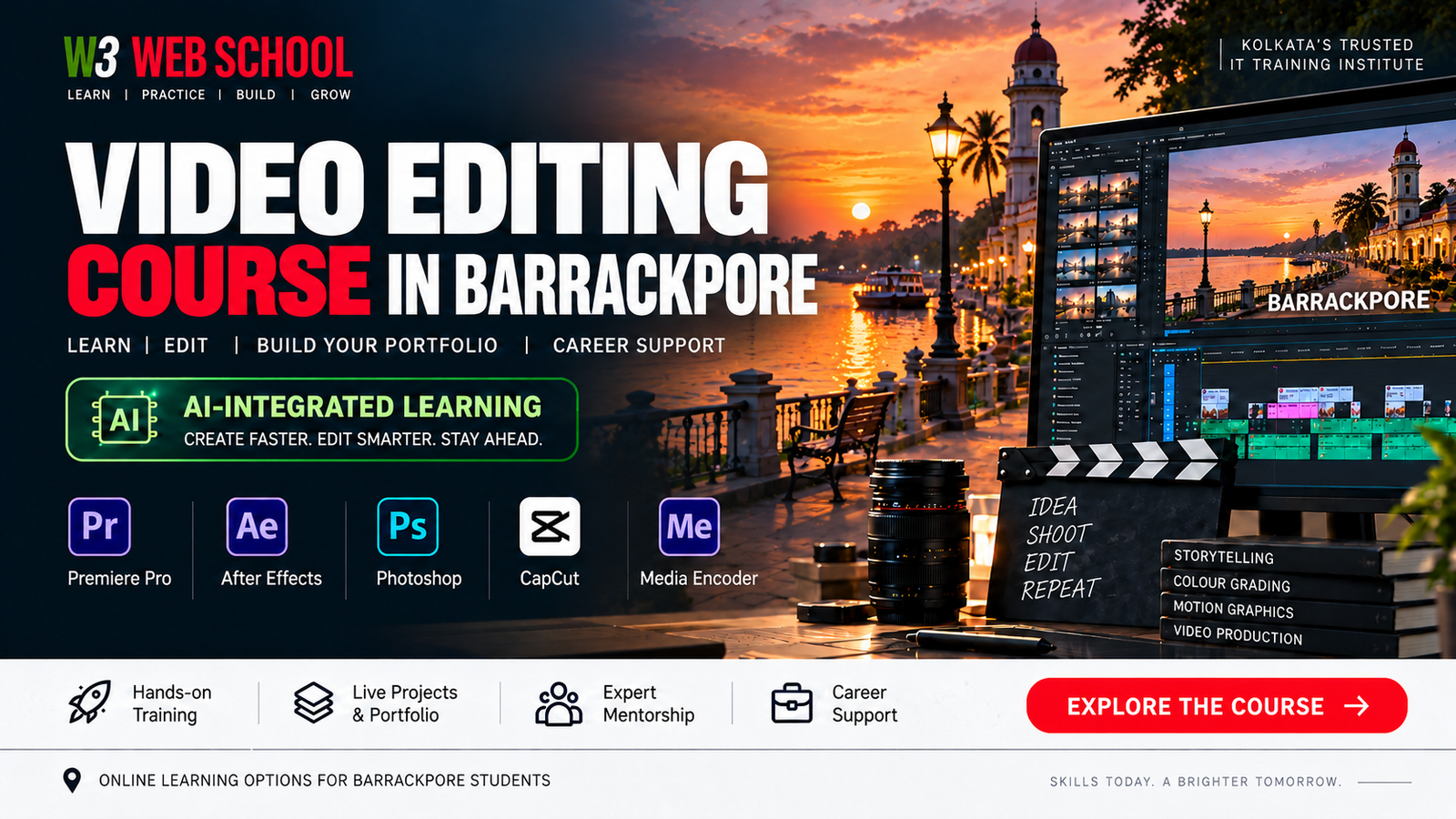
Video Editing Course in Barrackpore – W3 Web School course banner

Video Editing Course in Barrackpore: Curriculum, Tools & Practical Projects

Looking for a Video Editing Course in Barrackpore? Follow a structured learning path for beginners and aspiring creators with practice in Adobe Premiere Pro, After Effects, Photoshop and CapCut. Work on sample formats such as YouTube videos, Instagram Reels, promotional edits and interview videos, then organise selected work into a portfolio that demonstrates your skills.

Learn the editing workflow step by step: organise footage, choose usable takes, refine cuts and pacing, clean up audio, add titles and motion graphics, adjust colour, and export videos for the right platform. W3 Web School’s in-person training centre is at 214/1 Dum Dum Road, Near Hanuman Mandir, Kolkata – 700074. Learners from Barrackpore should contact the team to confirm current batches and whether an online learning option is available.

For wider industry context, Mordor Intelligence estimates the global video-editing market at USD 3.75 billion in 2026 and forecasts USD 4.99 billion by 2031. Separately, the U.S. Bureau of Labor Statistics projects 3% employment growth for film and video editors and camera operators combined from 2025 to 2035. These figures describe global market estimates and the U.S. job outlook—not a guarantee of local vacancies or employment outcomes in Barrackpore.

USD 3.75B Projected Video Editing Market — 2026
USD 4.99B Projected Market — 2031
3% U.S. Employment Outlook: Editors & Camera Operators, 2025–2035

The course may suit freshers, students, working professionals, career switchers, content creators and people exploring freelance editing. Compare the available duration, syllabus, batch format and practical assignments with your goals, and confirm the latest details with the admissions team before enrolling.

Learn video editing step by step through practical modules covering professional editing workflows, Premiere Pro, motion graphics, colour grading, audio, social media videos, AI-assisted workflows, portfolio development and career preparation.

What You’ll Learn
  • Understanding the professional video editing workflow
  • Types of video content and industry editing styles
  • File management and project organisation best practices
  • Core editing terminology and industry basics
Practical Assignment

Organise raw footage and create your first edited video sequence.

Career Relevance

Builds the file organisation and project-management habits used in entry-level editing workflows across studios, agencies and content teams.

What You’ll Learn
  • Interface and customized workspace management
  • Timeline editing and sequence construction
  • Cutting, trimming, and precision sequencing
  • Transitions, basic effects, and working with audio/video tracks
Practical Assignment

Edit a complete YouTube-style video from raw multi-take footage.

Career Relevance

Masters the industry's primary video editing platform, opening doors to content agency and digital marketing roles.

What You’ll Learn
  • Multi-camera editing and live camera switching
  • Speed ramping, time remapping, and keyframing motion
  • Masking techniques and professional custom transitions
  • Advanced editing workflows for high-end post-production
Practical Assignment

Create a cinematic promotional video utilizing multi-cam cuts and dynamic speed ramps.

Career Relevance

Prepares you for high-paying commercial, event, and film editing projects requiring complex timeline control.

What You’ll Learn
  • Motion graphics fundamentals and keyframe animation
  • Animated typography and kinetic text design
  • Logo animation, lower thirds, and callout graphics
  • Basic visual effects (VFX) and compositing techniques
Practical Assignment

Design a custom animated intro and outro suite for a YouTube channel.

Career Relevance

Adds Motion Graphics capability to your skill set—a high-demand requirement for modern media agencies.

What You’ll Learn
  • Colour balancing and exposure correction fundamentals
  • White balance adjustments and skin tone isolation
  • Working with LUTs (Look-Up Tables) and professional colour workflows
  • Cinematic colour grading for film and commercial looks
Practical Assignment

Transform flat raw footage into a professional cinematic sequence using professional colour correction and grading techniques.

Career Relevance

Builds specialised colour grading skills useful for film trailers, music videos, advertisements, and branded content.

What You’ll Learn
  • Multi-track audio synchronisation and dialogue cleanup
  • Noise reduction, de-reverberation, and vocal enhancement
  • Background music selection, ducking, and sound balancing
  • Equalization (EQ), compression, and loudness mixing
Practical Assignment

Edit, enhance, and mix dialogue with sound effects for an interview or podcast episode.

Career Relevance

Ensures professional audio quality, a critical requirement for broadcast media and podcast production houses.

What You’ll Learn
  • Instagram Reels and YouTube Shorts editing workflows
  • Vertical video framing (9:16) and retention-focused pacing
  • Trending transitions, sound triggers, and visual hooks
  • Subtitle creation and social media platform optimization
Practical Assignment

Create 3 high-engagement vertical short-form videos with auto-captions and trending effects.

Career Relevance

High-demand skill set for social media agencies, D2C brands, influencers, and content creators.

What You’ll Learn
  • Business presentation videos and corporate communications
  • Product promotion videos and e-commerce ads
  • Brand storytelling principles and narrative structure
  • Client-based editing workflows and revision cycles
Practical Assignment

Edit a professional promotional commercial video following a formal business client brief.

Career Relevance

Prepares you for high-value corporate retainers, advertising agency jobs, and commercial video projects.

What You’ll Learn
  • AI-assisted editing tools and text-based editing
  • Automatic captions and speech-to-text generation
  • Smart scene detection, auto-reframing, and AI voice enhancement
  • Workflow optimisation for faster, high-volume content production
Practical Assignment

Utilize AI tools such as Adobe AI Features and CapCut AI to edit projects faster without compromising quality.

Career Relevance

Future-proofs your editing career by helping you work efficiently with modern AI-assisted production workflows.

What You’ll Learn
  • Building a professional Video Editing portfolio
  • Curating and selecting your best multi-genre projects
  • Presenting work professionally on Behance, YouTube, or web platforms
  • Creating client-ready video samples and a high-impact showreel
Practical Assignment

Compile and publish a complete portfolio containing a 60-second showreel and multiple project case studies.

Career Relevance

Serves as your key proof-of-work asset required to secure job interviews and freelance client contracts.

What You’ll Learn
  • Mastering export settings in Adobe Media Encoder
  • Understanding resolution, frame rates, and codecs (H.264, ProRes)
  • Platform-specific exports (YouTube, Instagram, Broadcast TV)
  • Client delivery processes, cloud handoff, and project backup management
Practical Assignment

Export master video files optimized for YouTube, Instagram, corporate clients, and commercial playback.

Career Relevance

Ensures technically accurate project deliverables with correct formats, codecs, resolution, and platform specifications.

What You’ll Learn
  • Professional resume preparation and LinkedIn profile optimization
  • Portfolio presentation and technical interview preparation
  • Freelancing basics, client communication, and pricing strategies
  • Career guidance and placement assistance; ask about eligibility and current opportunities
Practical Assignment

Complete a mock interview and portfolio review presentation with 1-on-1 mentor feedback.

Career Relevance

Helps you prepare for job applications, internships and freelance briefs. Outcomes depend on your skills, portfolio, interview performance and employer or client requirements.

Gain hands-on exposure to the editing, design, AI and production tools used across modern video editing workflows, content creation and post-production.

Adobe Premiere Pro Adobe Premiere Pro
Adobe After Effects Adobe After Effects
Adobe Photoshop Adobe Photoshop
CapCut video editing tool CapCut
Adobe Media Encoder Adobe Media Encoder
ChatGPT AI tool ChatGPT
Google Gemini AI tool Google Gemini

Build practical editing experience through real-world project formats covering commercial content, YouTube, short-form video, corporate work, weddings, podcasts and product promotions.

01
Project 01

Commercial Brand Advertisement

Learn how to edit promotional videos for businesses by combining footage, transitions, text animations, music, and brand elements into a high-converting marketing video.

Tools

Adobe Premiere Pro
02
Project 02

YouTube Video Editing

Edit long-form YouTube videos using professional editing techniques, clean transitions, audio balancing, subtitles, and engaging storytelling to maximize retention.

Tools
Adobe Premiere Pro
03
Project 03

Instagram Reels & Shorts

Create fast-paced vertical videos with captions, motion effects, trending transitions, and platform-friendly editing styles for Instagram, YouTube Shorts, and Facebook.

Tools
Adobe Premiere Pro CapCut
04
Project 04

Corporate & Business Videos

Work on professional business presentations, company profile videos, training content, and promotional videos that reflect real client requirements.

Tools
Adobe Premiere Pro
05
Project 05

Wedding & Event Highlights

Learn how to edit cinematic wedding highlights and event videos using colour grading, smooth transitions, background music, and emotional storytelling techniques.

Tools
Adobe Premiere Pro
06
Project 06

Podcast & Interview Editing

Edit interviews and podcasts by improving audio quality, synchronising video, adding lower thirds, removing unnecessary pauses, and exporting for multi-platforms.

Tools
Adobe Premiere Pro
07
Project 07

Product Promotion Videos

Create short promotional videos suitable for e-commerce brands, startups, and social campaigns using motion graphics, text animation, and professional editing.

Tools
Adobe Premiere Pro After Effects
4.9
★ ★ ★ ★ ★
Student feedback
★ View All Reviews on Google
AG

Annesha Ghosh

Student Review
★ ★ ★ ★ ★

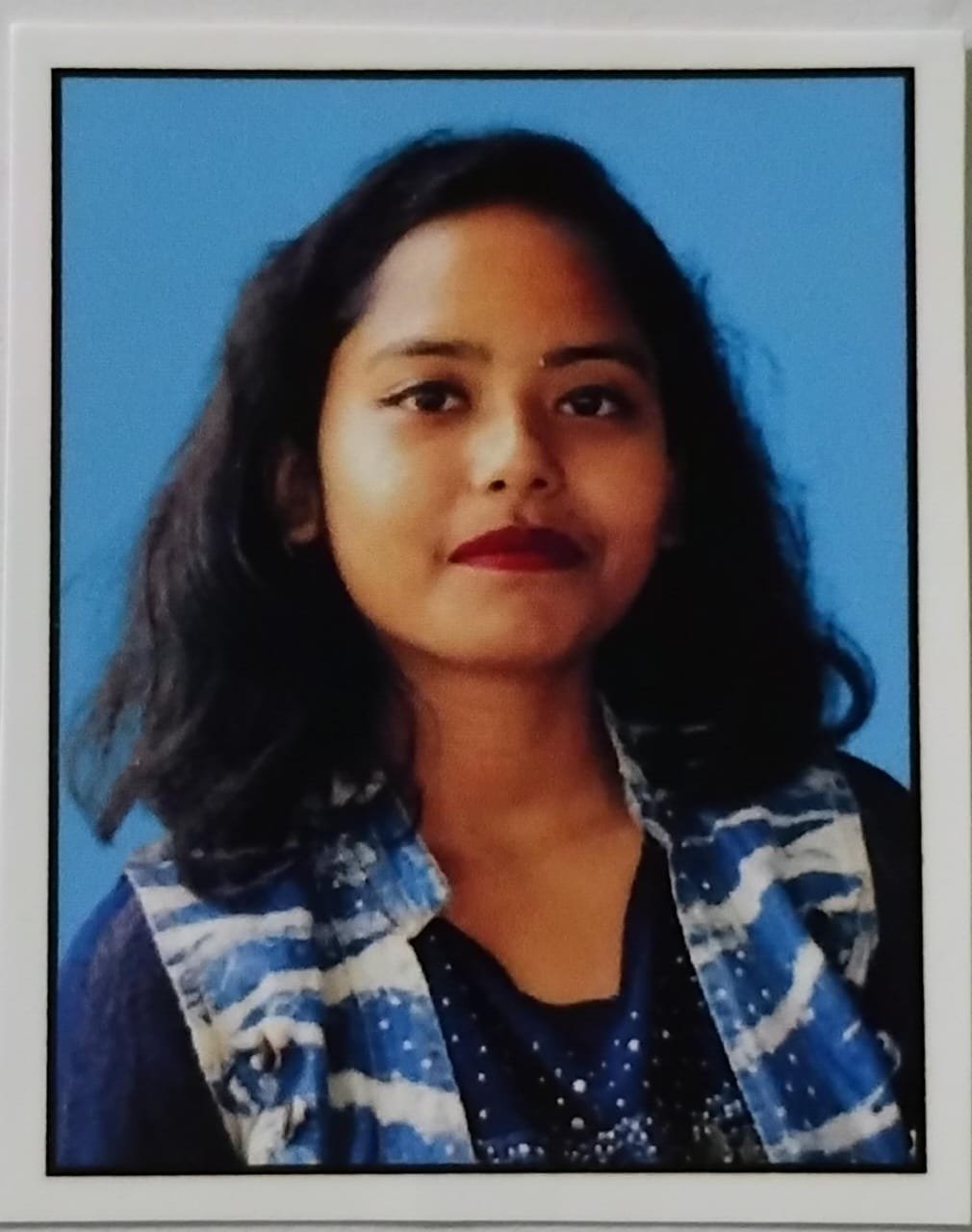
“Before joining W3 Web School, I had very little practical knowledge of video editing. The course was structured in a way that made every topic easy to understand, even for beginners. I particularly enjoyed working on real editing projects because they helped me apply what I learned in class. The mentors were approachable, explained concepts patiently, and provided useful feedback after every assignment. By the end of the course, I had built a portfolio that gave me much more confidence while applying my skills to real projects.”

PG

Priya Gupta

Student Review
★ ★ ★ ★ ★

“I was looking for a course that focused on practical learning rather than only software demonstrations, and this training matched my expectations. The hands-on assignments, classroom practice, and mentor support helped me improve steadily throughout the course. I also appreciated the guidance on portfolio creation and interview preparation, which made the learning experience more career-focused. I would recommend this course to anyone who wants to build strong video editing skills.”

NB

Nisha Biswas

Student Review
★ ★ ★ ★ ★

“The best part of the course was the project-based learning approach. Instead of simply learning editing tools, we worked on different types of videos, including social media content and promotional projects. This practical training helped me understand professional editing workflows much better. The learning environment was friendly, and every doubt was answered with patience. I completed the course with greater confidence in my editing abilities.”

MA

Mehboob Ali

Student Review
★ ★ ★ ★ ★

“I wanted to learn video editing for freelance projects and content creation. The course provided a good balance between technical knowledge and practical training. Working on different editing assignments helped me understand how live projects are managed from start to finish. The mentors were supportive throughout the learning journey, and the overall classroom experience was engaging and motivating.”

WHY W3 WEB SCHOOL

Why Choose W3 Web School for a Video Editing Course in Barrackpore

Choosing a video editing course involves more than learning software. Look for guided practice, feedback on your edits, and projects you can include in a portfolio. If you are comparing a Video Editing Course in Barrackpore, W3 Web School can help you understand the curriculum, software covered and career-preparation support. Our in-person training centre is at 214/1 Dum Dum Road, Kolkata – 700074; contact the team to confirm current batch timings and available learning options before enrolling.

Project-Based Editing Practice

Practise editing through guided tasks for YouTube videos, Instagram Reels, promotional ads and corporate content. Each project helps you apply concepts and review the choices behind your edit.

Learn with Mentor Guidance

Get help understanding cuts, pacing, transitions, audio and visual storytelling. Feedback on practice work can help you spot improvements and build a more consistent editing workflow.

Portfolio & Career Guidance

Organise selected edits into a portfolio and prepare to explain your process to prospective clients or employers. Career guidance may cover resumes, interviews and entry-level, internship or freelance pathways; outcomes depend on individual skills and opportunities.

Practise with Editing Software

Explore editing workflows using Adobe Premiere Pro, After Effects, Photoshop, CapCut and relevant AI-assisted tools. Confirm the current syllabus and software availability with the team before joining.

Premiere Pro After Effects Photoshop CapCut AI Tools

Projects for Multiple Video Formats

Practise structuring edits for YouTube, short-form social videos, product promotions, interviews and commercial content, with attention to pacing, audio clarity and the intended audience.

Feedback and Doubt Support

Ask questions, review project decisions and get guidance as you practise. Contact W3 Web School to confirm current batch sizes, feedback arrangements and support available for your chosen learning format.

Exploring a Video Editing Course in Barrackpore?

Talk to Our Counselor
WHO CAN JOIN

Who Can Join the Video Editing Course in Barrackpore

Considering a Video Editing Course in Barrackpore? This course may suit beginners, students, creators and professionals who want to learn editing for YouTube videos, Instagram Reels, business content or freelance projects. W3 Web School’s in-person training centre is at 214/1 Dum Dum Road, Kolkata – 700074. Contact the team to confirm current batches and available learning options before enrolling.

01

Beginners

Start with editing basics such as importing footage, trimming clips, adding titles and exporting a finished video. No previous editing experience is needed.

02

College Students

Practise editing assignments and build sample work that you can show when applying for internships, entry-level creative roles or media projects.

03

YouTubers

Learn to organise footage, improve pacing, combine B-roll, clean up audio and shape longer YouTube videos into clear, engaging stories.

04

Instagram Creators

Practise vertical 9:16 editing, subtitles, hooks, music timing and pacing for Instagram Reels, YouTube Shorts and other short-form videos.

05

Freelancers

Create portfolio samples and learn how to follow a client brief, manage revisions, export deliverables and communicate about freelance editing work.

06

Working Professionals

Explore editing for presentations, product demos, training content and social media while keeping your existing role. Confirm batch timings with the team.

07

Digital Marketers

Add video to your marketing skills by practising promotional edits, social ad creatives, branded content and campaign-ready versions in different formats.

08

Career Switchers

Develop foundational editing skills and a portfolio of practice projects as you explore video editor, content production or post-production career paths.

CAREER & PLACEMENT SUPPORT

Placement Assistance for Video Editing Course in Barrackpore Prepare with Confidence

For learners exploring a Video Editing Course in Barrackpore, career preparation matters alongside editing skills. W3 Web School helps learners organise practical projects into a showreel, prepare for interviews and explore relevant internships, junior editing roles or freelance work. Our in-person training centre is at 214/1 Dum Dum Road, Near Hanuman Mandir, Kolkata – 700074. Contact the team to confirm current batches and available learning options. Placement assistance is guidance, not a job guarantee.

01

Resume Building

Build a clear resume that highlights the editing tools covered in your training, practical projects, showreel link and skills relevant to video editing roles.

02

Interview Preparation

Practise explaining your editing workflow, timeline choices, transitions, sound, colour correction and project decisions so you can discuss your work more confidently.

03

Portfolio Review

Get feedback on storytelling, pacing, shot selection, transitions, audio balance and visual consistency. Use the feedback to improve your showreel and explain the choices behind each edit.

04

Career Guidance

Explore possible paths such as junior video editor, social media video editor, content-team editor or freelancer, based on your interests, skills and portfolio.

05

Job & Internship Alerts

Learn how to look for relevant internships and junior editing openings when opportunities are available. Review each listing’s requirements, location and terms before applying.

06

Hiring Partners

Learn how to present your showreel to production teams, digital agencies, brands and content teams. Hiring needs and openings vary by employer, so prepare a portfolio that demonstrates your skills clearly.

CAREER OPTIONS AFTER VIDEO EDITING TRAINING

Career Opportunities After a Video Editing Course in Barrackpore

A Video Editing Course in Barrackpore can be a starting point for exploring roles in digital media, advertising, corporate communication, content creation and freelance editing. Your options will depend on your practical skills, portfolio and experience. W3 Web School’s in-person training centre is at 214/1 Dum Dum Road, Kolkata – 700074. Contact the team to confirm current batches and available learning options.

01

Professional Video Editor

Edit interviews, product demos, explainers, ads and event footage. Practise organising clips, refining pacing, improving audio, applying colour correction and exporting videos for their intended platforms.

02

YouTube Video Editor

Help creators shape long-form videos, vlogs, podcasts and tutorials. Practise clear cuts, storytelling, captions and consistent audio so viewers can follow the content easily.

03

Social Media Video Editor

Create vertical videos for Instagram Reels, YouTube Shorts and other social platforms. Practise concise storytelling, captions, opening hooks and platform-specific aspect ratios.

04

Motion Graphics Designer

Create animated titles, lower thirds, logo reveals and simple visual effects. This path can suit learners who enjoy combining video editing with animation and visual design.

05

Corporate Video Editor

Produce company profile videos, training materials, product demos and presentations. Learn to follow brand guidelines, keep project files organised and deliver videos in the required formats.

06

Freelance Video Editor

Offer editing services to creators, businesses or agencies. Build a focused showreel, agree on deliverables and deadlines, and communicate clearly about feedback and revisions.

07

Content Creator

Plan and produce your own videos, from editing through publishing. Combine footage, sound, titles and suitable formats to develop a consistent style for your audience.

1 / 5
Expert Video Editing Faculty

Meet Your Mentor for a Video Editing Course in Barrackpore

Considering a Video Editing Course in Barrackpore? Explore the mentor profile and learn about the practical editing workflows, software skills, and portfolio-focused guidance covered at W3 Web School. The in-person training centre is at 214/1 Dum Dum Road, Kolkata – 700074; contact the team to confirm current batches and available learning options.

Rajesh Baidya

Senior Video Editing Trainer & Content Strategist

Verified Industry Expert
Professional Video EditingDigital Content ProductionProject-Based Mentorship

Rajesh Baidya brings practical industry experience in professional video editing and digital content production. He guides students through real editing workflows, helping them develop strong technical skills, creative thinking, and project-based experience. His teaching approach focuses on hands-on practice, portfolio development, and preparing students for competitive industry requirements.

Software Proficiency
Adobe Premiere ProAdobe After EffectsCapCut Pro
Core Specializations
Motion GraphicsYouTube EditingSocial Media Reels & Ads
Mentorship Approach & Outcomes
Practical editing techniques
Real project workflows
Portfolio development
Industry best practices
Interview & Client prep
Professional quality standards

Looking for a Video Editing Course in Barrackpore?

Searching for a Video Editing Course in Barrackpore? W3 Web School’s in-person training centre is at 214/1 Dum Dum Road, Kolkata – 700074. Learners from Barrackpore can enquire about practical classes, project work, Adobe Premiere Pro, After Effects, motion graphics and short-form video editing. Contact our team to confirm current batches, available learning options and visit arrangements before travelling.

Video Editing Training Hub

W3 Web School

Training Centre
214/1 Dum Dum Road, Near Hanuman Mandir ,
Kolkata , West Bengal 700074
Learning Mode Classroom training at our Kolkata centre / Practical projects / Ask about online learning support
How to Reach Travelling from Barrackpore? Use the map directions to our Dum Dum Road centre in Kolkata and contact us before travelling to confirm your visit and the current batch schedule.

Video Editing Course Enquiries from Barrackpore

If you are comparing options for a Video Editing Course in Barrackpore, you can contact W3 Web School to discuss the course and available learning options. Our in-person training centre is at 214/1 Dum Dum Road, Kolkata – 700074; we do not operate a separate Barrackpore campus. Please confirm the current timetable, travel arrangements and whether online learning support is available before enrolling. Practical topics may include editing workflows, motion graphics, colour grading, storytelling and short-form video production.

Students Visit Our Campus From

Barrackpore
Titagarh
Khardaha
Sodepur
Panihati
Shyamnagar
Naihati
Belgharia
Madhyamgram
Barasat
Dum Dum
Lake Town
Baranagar
Shyambazar
Salt Lake
New Town
VIDEO EDITING COURSE FAQ

FAQs About Our Video Editing Course in Barrackpore

Answers to common questions about learning video editing, software, practical projects, career preparation and admissions. If you are searching for a Video Editing Course in Barrackpore, note that W3 Web School’s in-person training centre is at 214/1 Dum Dum Road, Kolkata – 700074. Contact the team to confirm current batches and available learning options before travelling.

When comparing a Video Editing Course in Barrackpore, look for hands-on practice, feedback on projects, portfolio development and career-preparation support—not just software demonstrations. W3 Web School provides video editing training at its Dum Dum Road centre in Kolkata, rather than at a separate Barrackpore campus. Contact the team to confirm current batches and available learning options before travelling.
Yes. Beginners can start with timeline editing, cutting and trimming clips, transitions, audio synchronisation, titles, colour correction and export settings. With guided practice, these fundamentals can lead into more advanced editing and motion graphics. Progress depends on the time you spend practising and completing projects.
The course content highlights Adobe Premiere Pro for video editing, Adobe After Effects for motion graphics and visual effects, and CapCut for short-form content. Ask the admissions team to confirm the software included in the current batch and whether any additional tools are covered.
Video is used in social media, advertising, e-commerce, education and corporate communication, so editing skills can be relevant across several types of work. Depending on your skills and portfolio, you can explore roles with content teams, agencies or production companies, as well as freelance projects. Opportunities vary with current hiring needs, experience and the quality of your work.
Practice assignments may include YouTube videos, vlogs, Instagram Reels and Shorts, promotional advertisements, corporate videos, podcast edits and short cinematic sequences. Confirm the current syllabus with the institute, and aim to keep finished projects in a portfolio or showreel that demonstrates your editing decisions and technical ability.
There is no fixed timeline for everyone. Learning the software basics is only the first step; job readiness also depends on regular practice, feedback, completing varied projects and presenting your work clearly. Ask the institute about course duration, assignment expectations and how portfolio reviews are handled rather than relying on a guaranteed number of months.
No job outcome should be assumed to be guaranteed. W3 Web School describes placement assistance such as resume and showreel preparation, portfolio feedback, mock interviews and career guidance. Hiring decisions depend on your skills, applications, interview performance and employer requirements. Ask the team to explain the exact assistance available for the current batch.
Yes, freelance video editing can be done remotely when you have suitable equipment, reliable delivery processes and a portfolio that demonstrates your skills. You can look for clients through professional networks, social platforms or freelance marketplaces. Work and income are not guaranteed; they depend on client demand, communication, pricing and the quality and consistency of your delivery.
There is no single salary that applies to every beginner. Pay varies with the role, employer, location, editing and motion-graphics skills, portfolio and interview performance. To understand current expectations, compare recent video editor job listings in Kolkata and check the responsibilities and experience each employer asks for. Freelance earnings can vary substantially from month to month.
YouTube tutorials can be a useful and low-cost way to learn individual techniques. Structured classroom training may add a planned sequence, access to a trainer for questions, feedback on assignments and help building a portfolio. The right option depends on your learning style, schedule and budget; confirm the actual training mode and support before enrolling.
Check the trainer’s practical experience, the balance of theory and practice, software access, the type of assignments, individual project feedback, portfolio outcomes, batch schedule and total fees. Ask what placement assistance means in practice and review the terms before paying. If you plan to attend in person, confirm the centre address and travel arrangements first.
W3 Web School’s in-person training centre is at 214/1 Dum Dum Road, Near Hanuman Mandir, Kolkata – 700074. If you are travelling from Barrackpore, contact the team before visiting to confirm whether a demo or counselling slot is available, along with timings and the best route. You can call 7890149401 for enquiries.
Yes. Editing skills can help creators and marketers shape stories, improve pacing, add captions, balance audio and prepare videos in platform-appropriate formats. These skills may be useful for Reels, Shorts, YouTube videos, promotional content and campaign creatives. Results still depend on the content, audience and how consistently the skills are applied.
Review the syllabus, software covered, hands-on practice, trainer feedback, schedule, fees and the support available after training. W3 Web School’s in-person centre is in Dum Dum, Kolkata; it does not represent a separate Barrackpore campus. Contact the team to check current batches and confirm whether the available learning format suits your location and schedule.
Call or WhatsApp 7890149401 to ask about current batch timings, course structure, fees, software coverage, training mode and demo or counselling availability. Confirm these details with the admissions team before making travel plans or paying fees.
✓ Need help choosing a batch? Contact our team to confirm course fees, batch timings, training mode and demo or counselling availability before travelling from Barrackpore.