W3 Web School

Rated Top-Tier in Kolkata
AI-Integrated Curriculum

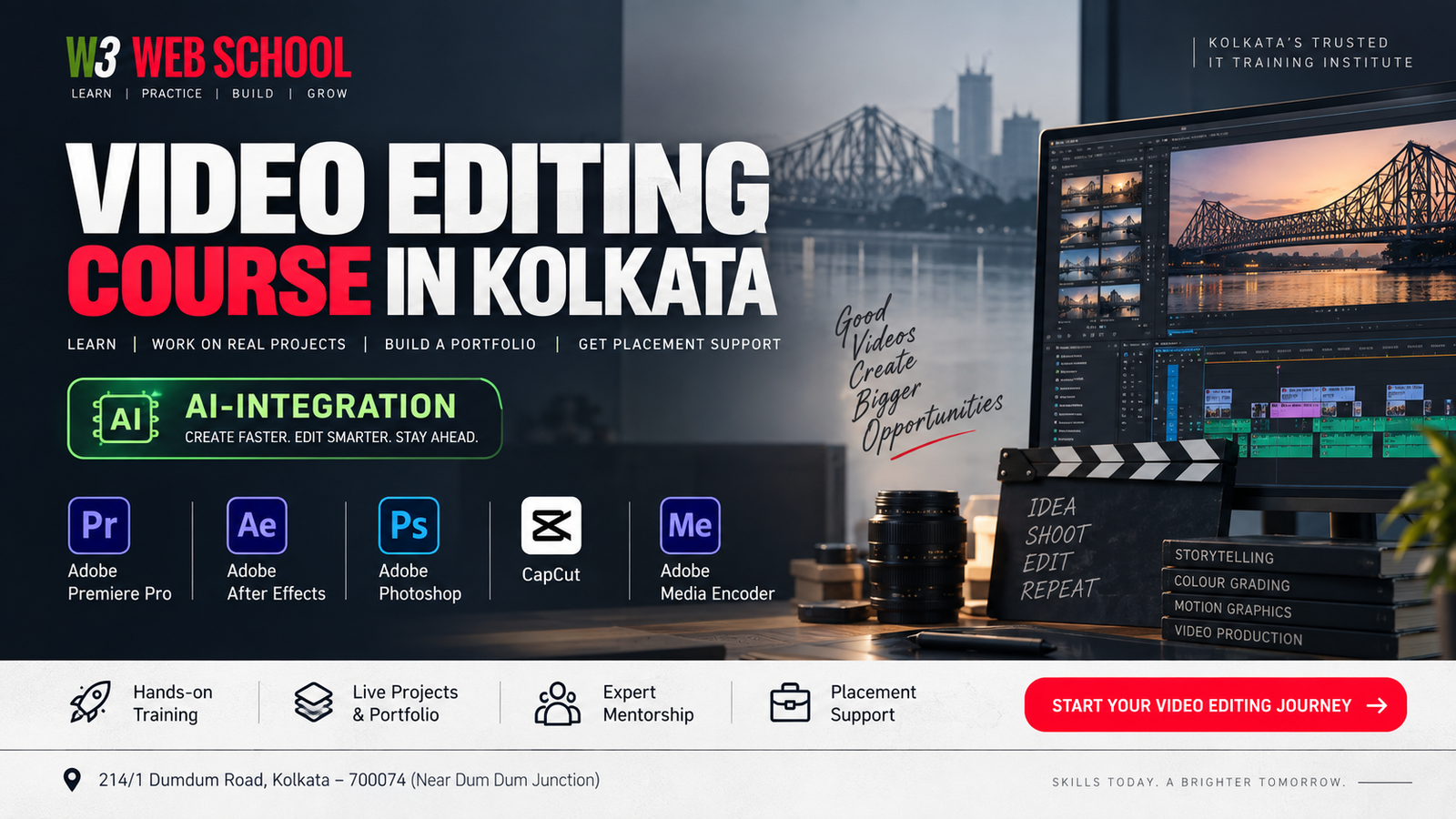
Video Editing Course in Kolkata with Live Projects & Dedicated Placement Support

Master industry-standard tools including Premiere Pro, After Effects, DaVinci Resolve, and AI tools. Build a professional portfolio with real-world YouTube, Instagram, and corporate media workflows under expert mentorship.

100% Practical & Beginner Friendly
Real Client Projects & Portfolio
Mock Interviews & Career Support
Pro Software & Workflow Guidance
20,000+
Students Trained
150+
Hiring Partners
12+ Yrs
Industry Legacy
4.9
Google Rating

Book Free Career Counselling

Get course details, fee structure & demo slots instantly.

100% Privacy Guaranteed

Your details are safe with us. Used only for demo class & syllabus updates. Zero spam.

Adobe Premiere Pro
After Effects
DaVinci Resolve
Reels & Short-Form Media
AI Video Editing
WHY CHOOSE W3 WEB SCHOOL

Learn Video Editing with Practical Training That Prepares You for Real Opportunities

Choosing the right institute is about more than learning software. You need practical experience, expert guidance, and a portfolio that shows what you can do. At W3 Web School, our Video Editing Course in Kolkata focuses on hands-on learning, industry-standard tools, and career-oriented training to help you build skills with confidence.

Learn from Industry Mentors

Train under experienced mentors who explain editing techniques in a simple, practical way. Get regular feedback, solve doubts instantly, and improve with every project you complete.

Portfolio & Placement Assistance

Build a professional portfolio, prepare for interviews, and receive career guidance to help you apply for internships, jobs, and freelance opportunities after completing the course.

Learn Industry-Standard Software

Get practical training in tools used by professionals across different industries:

Premiere Pro After Effects DaVinci AI Tools

Real Projects That Build Confidence

Create videos for different formats, including YouTube, Instagram Reels, product promotions, interviews, and commercial content to strengthen your practical skills.

Small Batches, Personal Attention

Small classroom batches allow trainers to focus on every student. Receive individual guidance, project reviews, and continuous support throughout your learning journey.

Trusted by Students Across Kolkata
Practical Classroom Training
Live Editing Projects
Portfolio Development
Interview Preparation
Placement Assistance
AI-Powered Editing Tools
WHAT YOU'LL LEARN

Master the Skills That Companies, Creators & Clients Look For

A professional video editor does much more than cut and join clips. In our Video Editing Course in Kolkata, you'll learn how to edit engaging videos, improve visual quality, add motion graphics, manage audio, and create a portfolio using industry-standard software. Every skill is taught through practical projects to help you become confident and job-ready.

Professional Video Editing

Learn how to organize footage, edit smoothly, use transitions, manage timelines, and create professional videos for YouTube editing, businesses, and social media.

Premiere Pro

Motion Graphics & Visual Effects

Create animated titles, logo reveals, lower thirds, and simple visual effects that make videos more engaging and professional.

After Effects

Colour Correction & Colour Grading

Understand how to improve lighting, balance colours, and give your videos a clean, consistent, and cinematic look.

DaVinci Resolve

Audio Editing & Sound Enhancement

Edit voice recordings, remove background noise, balance audio levels, and add background music to create better viewing experiences.

Audio Sync Noise Reduction Sound Mixing

Social Media Video Editing

Create engaging content for YouTube Shorts, Instagram Reels, Facebook, and other social platforms using platform-specific editing techniques.

Reels Shorts Promo Videos

AI-Powered Video Editing

Explore modern AI Video Editing tools that help speed up editing, generate subtitles, improve workflow, and save time without compromising quality.

AI Captions Smart Editing

Portfolio Development

Build a professional portfolio by working on real editing projects that showcase your creativity, technical skills, and editing style for interviews.

Brand Ads Corporate Videos

Export, Delivery & Client Workflow

Learn the correct export settings, video formats, codecs, and delivery methods for YouTube, social media, clients, and commercial projects.

Export Settings Codecs
INDUSTRY SOFTWARE YOU'LL LEARN
Adobe Premiere Pro Adobe After Effects DaVinci Resolve Adobe Photoshop CapCut Adobe Media Encoder

Why These Skills Matter

By the end of the course, you'll have the practical skills to edit videos confidently, create a professional portfolio, and work on projects for businesses, content creators, digital marketing agencies, production houses, or your own freelance clients. Our goal is to help you become industry-ready through hands-on practice, not just software training.

LEARNING ROADMAP

Your Step-by-Step Journey to Becoming a Professional Video Editor

Learning video editing is not just about mastering software—it's about building practical skills and creating a portfolio that reflects your abilities. Our step-by-step learning approach in the Video Editing Course in Kolkata helps you progress from fundamentals to advanced techniques through guided practice, live projects, and mentor support.

Step 1

Build Strong Editing Fundamentals

Understand editing workspace, timeline management, cutting, trimming, transitions, file organization, and core principles.

Timeline Cut & Trim File Management
Step 2

Learn Industry-Standard Software

Hands-on training with professional tools used in digital agencies, production houses, and content teams.

Premiere Pro After Effects DaVinci CapCut
Step 3

Practice on Real Editing Projects

Apply learning on real-world projects to improve creative and technical confidence in professional workflows.

YouTube Reels Promo Ads Short Films
Step 4

Build a Professional Portfolio

Create a portfolio showing your style, technical knowledge, and project experience for jobs and clients.

Brand Ads Social Videos Showcase
Step 5

Prepare for Interviews & Freelancing

Present work professionally, build resumes, prepare for interviews, and learn client communication tips.

Resume Portfolio Review Freelancing
Step 6

Start Your Career with Confidence

Graduate with practical experience and explore placement opportunities for jobs, internships, or freelancing.

Placement Internships Jobs
CAREER OPPORTUNITIES
Video Editor YouTube Video Editor Social Media Video Editor Content Creator Freelance Video Editor Motion Graphics Designer

What You'll Achieve by the End of the Course

Build a Professional Portfolio
Edit with Industry Software
Complete Client-Style Projects
Learn Modern AI-Assisted Editing
Gain Interview & Career Preparation
Ready for Jobs & Freelancing
LIVE PROJECTS & PORTFOLIO

Build a Portfolio That Reflects Your Skills, Not Just a Certificate

The best way to learn video editing is by working on real projects. Throughout the Video Editing Course in Kolkata, you'll edit diverse Live Projects to master professional workflows, boost creativity, and build a showcase Portfolio for job interviews and freelancing.

YouTube Video Editing

Edit long-form YouTube videos using professional editing techniques, clean transitions, audio balancing, subtitles, and engaging storytelling to maximize retention.

Adobe Premiere Pro

Instagram Reels & Shorts

Create fast-paced vertical videos with captions, motion effects, trending transitions, and platform-friendly editing styles for Instagram, YouTube Shorts, and Facebook.

Premiere Pro CapCut

Corporate & Business Videos

Work on professional business presentations, company profile videos, training content, and promotional videos that reflect real client requirements.

Premiere Pro

Wedding & Event Highlights

Learn how to edit cinematic wedding highlights and event videos using colour grading, smooth transitions, background music, and emotional storytelling techniques.

Premiere Pro DaVinci Resolve

Podcast & Interview Editing

Edit interviews and podcasts by improving audio quality, synchronising video, adding lower thirds, removing unnecessary pauses, and exporting for multi-platforms.

Premiere Pro

Product Promotion Videos

Create short promotional videos suitable for e-commerce brands, startups, and social campaigns using motion graphics, text animation, and professional editing.

Premiere Pro After Effects

What Your Portfolio May Include

Commercial Advertisement Video YouTube Long-Form Video Instagram Reel / Short Video Corporate Presentation Video Wedding Highlight Edit Product Promotion Video Podcast or Interview Edit Motion Graphics Showcase

Why Building a Portfolio Matters

Today, employers and freelance clients often look at your work before they look at your resume. A well-organised portfolio helps you demonstrate your editing style, technical skills, and creative thinking. Throughout the course, our mentors guide you in improving your projects so you can confidently present your work during interviews, internships, or client discussions.

Portfolio Outcomes

Showcase Your Practical Editing Skills
Gain Confidence Through Real Project Experience
Build a Portfolio for Jobs & Freelancing
Learn Industry-Standard Editing Workflows
Improve Your Creative & Technical Abilities
TOOLS & SOFTWARE YOU'LL MASTER

Learn the Industry-Standard Software Used by Professional Video Editors

Professional video editing is about choosing the right tool for the right project. In W3 Web School's Video Editing Course in Kolkata, gain practical experience with software used by agencies, media houses, YouTube creators, and businesses through real-world workflows.

Pr
Timeline Editing & Cutting

Adobe Premiere Pro

Master professional video editing from start to finish. Learn timeline editing, transitions, multicam editing, captions, audio synchronisation, and exporting videos for YouTube, social media, and commercial projects.

YouTube Videos Corporate Videos Advertisements Long-Form Content
Ae
Motion Graphics & VFX

Adobe After Effects

Create animated titles, logo animations, motion graphics, lower thirds, visual effects, and engaging video elements that make your content more professional and visually appealing.

Motion Graphics Text Animation Intro Videos Visual Effects
Colour Grading

DaVinci Resolve

Learn professional colour correction and cinematic colour grading techniques to improve the overall look and visual consistency of your videos.

Colour Grading Film Look Wedding Videos Commercials
Social Short-Form

CapCut

Edit fast-paced short-form videos for Instagram Reels, YouTube Shorts, Facebook, and other social media platforms using modern editing techniques.

Reels & Shorts Social Content Mobile Editing
Ps
Thumbnail & Asset Design

Adobe Photoshop

Design thumbnails, create graphics, edit images, and prepare visual assets that support your video content across different digital platforms.

YouTube Thumbnails Social Graphics Video Assets
Me
Export & Encoding

Adobe Media Encoder

Understand professional export settings, codecs, resolutions, and delivery formats to produce high-quality videos for clients and online platforms.

Video Export Multiple Formats Client Delivery Workflow

Modern Skills You'll Also Learn

AI-Assisted Video Editing File & Project Organisation Multi-Platform Export Settings Audio Sync & Sound Enhancement Motion Graphics Basics Social Media Editing Workflow Professional Editing Workflow Portfolio Management

Why Learning Multiple Tools Matters

Different projects require different workflows. While Adobe Premiere Pro is widely used for professional editing, After Effects is ideal for motion graphics, DaVinci Resolve is trusted for colour grading, and CapCut is popular for short-form social media content. Learning how these tools work together helps you handle a wider range of editing projects with confidence and prepares you for jobs, freelance work, or content creation.

Software Covered: Premiere Pro • After Effects • DaVinci Resolve • CapCut • Photoshop • Media Encoder

What You'll Be Ready To Create

YouTube Videos
Instagram Reels & Shorts
Brand Advertisements
Corporate Videos
Product Promotion Videos
Wedding Highlight Films
Interview & Podcast Videos
Social Media Campaigns
COURSE CURRICULUM

A Practical Curriculum Designed to Help You Become a Job-Ready Video Editor

Our curriculum is carefully structured to help you learn step by step. You'll begin with the fundamentals of video editing and gradually move towards advanced editing techniques, motion graphics, colour grading, AI-powered workflows, and portfolio development through practical, project-based learning.

01

Introduction to Video Editing

Beginner Week 1
Pr
What You'll Learn
  • Understanding the professional video editing workflow
  • Types of video content and industry editing styles
  • File management and project organisation best practices
  • Core editing terminology and industry basics
Practical Assignment

Organise raw footage and create your first edited video sequence.

Career Relevance

Builds essential asset management habits required for entry-level editing roles and studio environments in Kolkata.

02

Adobe Premiere Pro Essentials

Beginner Week 2
Pr
What You'll Learn
  • Interface and customized workspace management
  • Timeline editing and sequence construction
  • Cutting, trimming, and precision sequencing
  • Transitions, basic effects, and working with audio/video tracks
Practical Assignment

Edit a complete YouTube-style video from raw multi-take footage.

Career Relevance

Masters the industry's primary video editing platform, opening doors to content agency and digital marketing roles.

03

Advanced Video Editing Techniques

Intermediate Week 3
Pr
What You'll Learn
  • Multi-camera editing and live camera switching
  • Speed ramping, time remapping, and keyframing motion
  • Masking techniques and professional custom transitions
  • Advanced editing workflows for high-end post-production
Practical Assignment

Create a cinematic promotional video utilizing multi-cam cuts and dynamic speed ramps.

Career Relevance

Prepares you for high-paying commercial, event, and film editing projects requiring complex timeline control.

04

Motion Graphics & Animation

Intermediate Week 4-5
Ae
What You'll Learn
  • Motion graphics fundamentals and keyframe animation
  • Animated typography and kinetic text design
  • Logo animation, lower thirds, and callout graphics
  • Basic visual effects (VFX) and compositing techniques
Practical Assignment

Design a custom animated intro and outro suite for a YouTube channel.

Career Relevance

Adds Motion Graphics capability to your skill set—a high-demand requirement for modern media agencies.

05

Colour Correction & Colour Grading

Intermediate Week 6
DaVinci
What You'll Learn
  • Colour balancing and exposure correction fundamentals
  • White balance adjustments and skin tone isolation
  • Working with LUTs (Look-Up Tables) and node graphs
  • Cinematic colour grading for film and commercial looks
Practical Assignment

Transform flat raw footage into a professional cinematic sequence in DaVinci Resolve.

Career Relevance

Qualifies you to handle specialized Colourist tasks for film trailers, music videos, and luxury brand ads.

06

Audio Editing & Sound Enhancement

Beginner Week 7
Pr Audio
What You'll Learn
  • Multi-track audio synchronisation and dialogue cleanup
  • Noise reduction, de-reverberation, and vocal enhancement
  • Background music selection, ducking, and sound balancing
  • Equalization (EQ), compression, and loudness mixing
Practical Assignment

Edit, enhance, and mix dialogue with sound effects for an interview or podcast episode.

Career Relevance

Ensures professional audio quality, a critical requirement for broadcast media and podcast production houses.

07

Social Media Video Editing

Beginner Week 8
Pr CapCut
What You'll Learn
  • Instagram Reels and YouTube Shorts editing workflows
  • Vertical video framing (9:16) and retention-focused pacing
  • Trending transitions, sound triggers, and visual hooks
  • Subtitle creation and social media platform optimization
Practical Assignment

Create 3 high-engagement vertical short-form videos with auto-captions and trending effects.

Career Relevance

High-demand skill set for social media agencies, D2C brands, influencers, and content creators.

08

Corporate & Commercial Video Editing

Advanced Week 9
Pr
What You'll Learn
  • Business presentation videos and corporate communications
  • Product promotion videos and e-commerce ads
  • Brand storytelling principles and narrative structure
  • Client-based editing workflows and revision cycles
Practical Assignment

Edit a professional promotional commercial video following a formal business client brief.

Career Relevance

Prepares you for high-value corporate retainers, advertising agency jobs, and commercial video projects.

09

AI-Powered Video Editing Workflow

Advanced Week 10
AI Tools
What You'll Learn
  • AI-assisted editing tools and text-based editing
  • Automatic captions and speech-to-text generation
  • Smart scene detection, auto-reframing, and AI voice enhancement
  • Workflow optimisation for faster, high-volume content production
Practical Assignment

Utilize AI tools (Adobe AI Features & CapCut AI) to edit a project 3x faster without compromising quality.

Career Relevance

Future-proofs your editing career, giving you a competitive edge over traditional video editors.

10

Portfolio Development

Advanced Week 11
Portfolio
What You'll Learn
  • Building a professional Video Editing portfolio
  • Curating and selecting your best multi-genre projects
  • Presenting work professionally on Behance, YouTube, or web platforms
  • Creating client-ready video samples and a high-impact showreel
Practical Assignment

Compile and publish a complete portfolio containing a 60-second showreel and multiple project case studies.

Career Relevance

Serves as your key proof-of-work asset required to secure job interviews and freelance client contracts.

11

Export & Professional Delivery

Advanced Week 12
Encoder
What You'll Learn
  • Mastering export settings in Adobe Media Encoder
  • Understanding resolution, frame rates, and codecs (H.264, ProRes)
  • Platform-specific exports (YouTube, Instagram, Broadcast TV)
  • Client delivery processes, cloud handoff, and project backup management
Practical Assignment

Export master video files optimized for YouTube, Instagram, corporate clients, and commercial playback.

Career Relevance

Guarantees technically flawless project deliverables without playback bugs or colour shifts.

12

Career Preparation & Placement Support

Placement Week 12+
Careers
What You'll Learn
  • Professional resume preparation and LinkedIn profile optimization
  • Portfolio presentation and technical interview preparation
  • Freelancing basics, client communication, and pricing strategies
  • Direct placement assistance and career guidance in Kolkata
Practical Assignment

Complete a mock interview and portfolio review presentation with 1-on-1 mentor feedback.

Career Relevance

Transitions your learning directly into full-time employment, internships, or active freelance editing contracts.

By the End of This Course, You'll Be Able To

  • Edit professional videos with confidence using industry-standard tools
  • Create YouTube videos, Instagram Reels, and commercial advertisements
  • Add dynamic motion graphics, lower thirds, and animated visual effects
  • Perform professional colour correction and cinematic colour grading
  • Improve audio quality, dialogue clarity, and multi-track sound mixing
  • Use AI-powered editing tools to deliver projects significantly faster
  • Build a strong portfolio for job interviews and freelance client pitching
  • Apply for internships, full-time roles, and freelance projects with confidence

Why This Curriculum Stands Out

Unlike a traditional syllabus that only lists topics, this curriculum is designed around learning outcomes, practical assignments, and real-world applications.

  • Step-by-Step Progression: Every module builds logically on the previous one.
  • Practical Focus: Learn through continuous hands-on assignments and client briefs.
  • Mentor Guidance: Get 1-on-1 feedback on your edits, showreel, and assignments.
  • Portfolio-Driven: Graduate with a complete, job-ready portfolio and showreel.
By the end of the curriculum, students complete practical assignments, build a professional Portfolio and Showreel, and gain the confidence to apply for jobs, internships, or freelance projects through our dedicated Placement Assistance program in Kolkata.
CAREER OPPORTUNITIES

Turn Your Video Editing Skills into a Professional Career

Video editing is a high-demand skill across industries. From digital marketing agencies and production houses to YouTube creators, startups, and corporate brands, skilled editors are essential. After completing our Video Editing Course in Kolkata and building a strong portfolio, you can confidently apply for internships, entry-level Video Editor Jobs, or freelance projects.

YouTube Video Editor

Edit long-form videos, vlogs, podcasts, and tutorials. Focus on storytelling, pacing, hook design, and audience retention.

YouTubers Educators Influencers

Social Media Video Editor

Create high-performing short-form videos for Instagram Reels, YouTube Shorts, and TikTok using platform-specific formats.

Brands Startups Agencies

Motion Graphics Designer

Design animated titles, logo animations, lower thirds, and visual effects that elevate promotional videos and digital campaigns.

After Effects Motion Graphics Animation

Corporate Video Editor

Edit company profile videos, training materials, product demos, and business presentations for structured organizations.

Businesses Corporate Teams EdTech

Freelance Video Editor

Offer Video Editing services globally, manage independent client projects, and scale your income through direct retainers.

Freelancing Remote Projects Global Clients

Content Creator

Build your personal media brand or support creator studios through end-to-end shoot, edit, and publication workflows.

Personal Brand AI Workflows Multi-Platform

Skills That Help You Grow Faster

  • Professional Video Editing
  • Motion Graphics & Visual FX
  • Colour Correction & Grading
  • Audio Editing & Dialogue Sync
  • Social Media Content Editing
  • AI-Assisted Editing Workflow
  • Client Communication & Pitching
  • Industry Portfolio Presentation
Industries That Hire Video Editors
Digital Marketing Agencies Advertising Agencies Production Houses Media & Entertainment E-commerce Brands Startups Corporate Organisations YouTube & Content Teams Educational Platforms Event & Wedding Studios
CAREER SUPPORT

Placement Assistance That Helps You Prepare with Confidence

Our Video Editing Course in Kolkata guides you through every stage of career preparation—from portfolio creation to interview prep—so you feel confident applying for internships, full-time roles, and freelance projects.

College Students Fresh Graduates Job Seekers Working Professionals Freelancers & Creators

How Support Works

1 Portfolio Review
2 Resume Preparation
3 Mock Interview
4 Communication Guidance
5 Job Applications
6 Placement Assistance

Resume Building

Create a clear, professional resume highlighting your software expertise, practical projects, and technical skills.

Interview Preparation

Practice technical questions and mock interviews to articulate your editing workflow and present work with confidence.

Portfolio Review

Receive direct mentor feedback on storytelling, pacing, and visual transitions to ensure your showreel stands out.

Career Guidance

Get 1-on-1 counseling to map your career path—whether joining an agency, studio, content team, or freelancing.

Job & Internship Alerts

Eligible students get direct notifications on verified job openings and internship opportunities across our network.

Hiring Partners

Gain exposure to professional editing workflows, media studios, and digital agencies active in Kolkata.

Our Focus Is to Help You Become Job-Ready: Placement assistance and career support are provided to eligible students upon meeting project standards and course requirements. Final employment depends on individual attendance, practical performance, portfolio quality, interview skills, and employer requirements.

MEET YOUR TRAINER

Learn from Mentors with Practical Industry Experience

Receive direct, hands-on guidance from industry professionals. Our Video Editing Course in Kolkata combines practical project workflows with personalized mentor feedback to help you build job-ready skills.

Students Learn

Practical editing techniques
Real project workflows
Portfolio development
Industry best practices
Interview preparation
Professional editing standards
STUDENT SUCCESS STORIES

Hear What Our Students Say About Their Learning Experience

Real experiences from our students who built strong technical skills, mastered industry editing tools, and created job-ready portfolios through our Video Editing Course in Kolkata.

Google Rating Summary Based on Verified Google Reviews
4.9/5
⭐⭐⭐⭐⭐
COURSE DETAILS

Everything You Need to Know Before You Enrol

Get complete clarity on duration, batch schedules, certification, and our step-by-step admission process for the top-rated Video Editing Course in Kolkata.

Course Duration
3 Months / 6 Months
Regular & Intensive tracks
Learning Mode
Offline Video Editing Course
100% Practical lab classes
Class Type
Small Batches
1-on-1 Personalized attention
Eligibility
10th Pass / Open to All
No prior editing required
Certification
ISO Verified Certificate
Industry-recognized credential
Demo Class
1 Free Live Trial Class
Experience training before joining
Batch Options
Weekday & Weekend
Flexible morning/evening slots
Language
Bengali, Hindi, English
Comfortable medium of instruction

Admission Process

Simple 5-step journey to launch your creative career

1

Book Free Counselling

Connect with our course advisors to discuss career goals and syllabus details.

2

Attend Free Demo Class

Sit in a live lab session to experience our practical teaching methodology firsthand.

3

Choose Your Batch

Select a weekday or weekend timing that aligns with your daily schedule.

4

Complete Admission

Submit basic documentation and lock your seat with flexible fee payment plans.

5

Start Practical Learning

Begin live hands-on projects, portfolio creation, and placement assistance guidance.

Need help choosing the right batch?

Visit us: 214/1 Dumdum Road, Kolkata – 700074 (Near Dum Dum Junction)

COMMON QUESTIONS

Frequently Asked Questions About Our Video Editing Course in Kolkata

Everything Students Want to Know Before Joining W3 Web School. Choosing the right video editing course is an important career decision. Below are answers to the questions that students, parents, freshers, content creators, freelancers, and working professionals ask before taking admission.

01

The best video editing course helps you build real editing skills instead of only teaching software syntax. Check whether the institute offers practical assignments, portfolio development, live editing projects, placement assistance, and training on industry tools like Adobe Premiere Pro, After Effects, and DaVinci Resolve. A course that prepares you for interviews and real client work offers far better career value.

02

Yes, absolutely. Most successful video editors started as complete beginners. Our structured training begins with core fundamentals such as timeline editing, cutting, trimming, transitions, audio synchronization, color correction, and exporting before moving to advanced motion graphics and cinematic editing. With step-by-step mentor guidance, complete beginners build professional confidence quickly.

03

You will get hands-on mastery on industry-standard tools: Adobe Premiere Pro (for core editing), Adobe After Effects (for visual effects & motion graphics), and DaVinci Resolve (for advanced cinematic color grading). Additionally, you'll learn AI-powered video editing workflows to edit 3x faster and stay competitive.

04

Yes, demand is at an all-time high. Businesses, digital marketing agencies, YouTube creators, e-commerce brands, and production houses are heavily investing in short-form and long-form video content. Skilled editors who build a strong portfolio have high opportunities for both full-time creative jobs and lucrative freelancing projects.

05

You will work on diverse live assignments including YouTube Vlogs & Documentaries, Instagram Reels & Shorts, High-Converting Commercial Ads, Corporate Videos, Wedding Teasers, Podcast Editing, and Cinematic Trailers. This ensures you graduate with a versatile portfolio ready to show recruiters and clients.

06

Software basics can be learned in a few weeks, but becoming 100% job-ready takes 3 to 4 months of dedicated training, real project practice, and mentor feedback. Students who complete assignments consistently progress much faster into paid roles.

07

Yes. W3 Web School provides comprehensive career support. This includes resume creation, Showreel building, mock interviews, portfolio review, and direct interview scheduling with hiring companies, agencies, and production studios in Kolkata and remote teams.

08

Yes! Freelancing is one of the biggest advantages of video editing. We train you on client acquisition strategies, pricing your work, and pitching to international clients on Upwork, Fiverr, and Instagram. A strong showreel matters far more than degrees to freelance clients.

09

Freshers in Kolkata usually start around ₹15,000 to ₹25,000/month. With 1-2 years of experience and advanced motion graphics skills, salaries grow to ₹35,000 – ₹60,000+/month. Freelancers taking international projects can earn significantly more depending on project volume.

10

YouTube offers unstructured clips without personalized feedback. At W3 Web School, you get structured step-by-step curriculum, 1-on-1 offline mentor guidance, real raw footage for practice, portfolio reviews, and direct job placement support which self-learning cannot provide.

11

Always verify: Trainer's real industry experience, ratio of practical vs theory classes, soft copies of practice media, student showreels, offline lab facilities, and genuine placement track record. Never choose an institute based only on low fees—focus on skill quality.

12

Yes, you are warmly welcome! Visit us at 214/1 Dumdum Road, Kolkata – 700074 (easily accessible from Dum Dum Metro, Shyambazar, Salt Lake, and Barasat). Meet our mentors and see live student projects. Call 7890149401 to book your free career counselling session today.

13

Extremely beneficial. Content creators and marketers learn storytelling, hook retention tricks, fast-paced reel cuts, sound design, and animated captions to double their organic views and create high-performing ad campaigns independently without outsourcing.

14

Our key advantages: 100% practical agency-style workflow, updated 2026 AI editing modules, personal mentor guidance, small batch sizes, portfolio-first focus, and dedicated placement cell located at convenient 214/1 Dumdum Road, Kolkata (Phone: 7890149401).

15

You can reserve your seat by visiting our Dum Dum centre or registering online. Simply call or WhatsApp 7890149401 to speak with an expert admissions counselor, get upcoming batch timings, and unlock seasonal fee discounts!

Live Support Active

Have Questions About Course Fees or Batches?

Chat directly with our senior video editing mentor for quick guidance.