Agentic Editing for Multicam Shoots: How Agents Handle Syncing

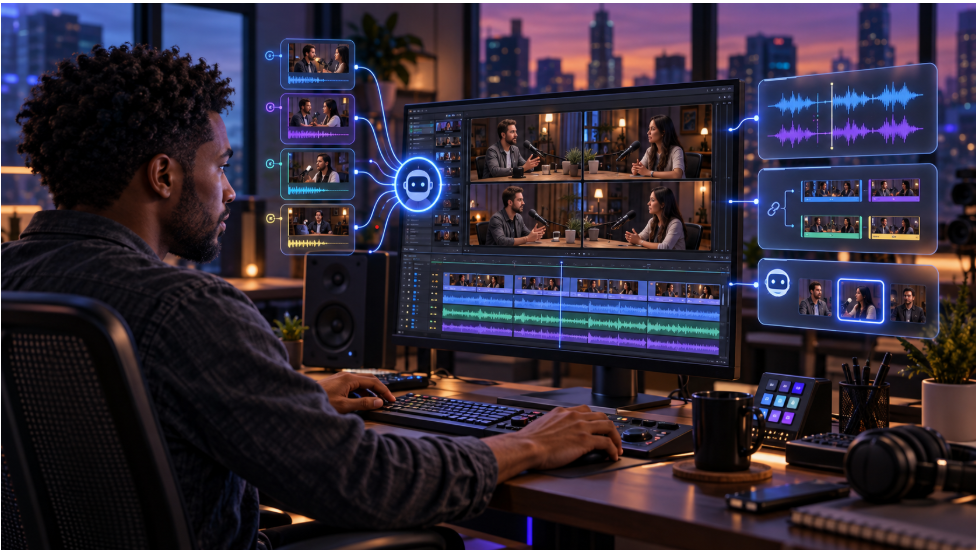
Multicam syncing is the process of lining up footage from multiple cameras so every angle matches the same moment in time, and it's traditionally one of the more tedious, technical steps in editing a multicam shoot. Agentic editing tools can now handle that syncing automatically, reviewing footage from each camera and aligning it before a person ever has to line anything up by hand. This article covers how that process traditionally worked, what an agent is actually doing when it syncs multicam footage, and what still benefits from a manual check afterward.
That manual process is worth understanding first, since it's exactly what agents are replacing. Multicam syncing isn't just a matter of stacking clips on top of each other, it involves matching audio waveforms, timecode, or a visual reference like a clapperboard across every camera, then keeping that alignment consistent as an editor cuts between angles.
AI Summary
Multicam syncing is the process of lining up footage from multiple cameras so every angle matches the same moment in time. Traditionally, editors used timecode, clapperboards, or audio waveforms to align footage and then manually checked for drift.
Agentic editing automates the syncing process by reviewing audio and visual information across camera angles. Once the footage is aligned, an agent can also help select angles and build a working cut that remains editable on a manual timeline.
How Multicam Syncing Traditionally Worked
Editors have historically synced multicam footage using one of a few methods. Timecode syncing relies on cameras sharing a common timecode, set before filming, so clips align automatically based on that shared reference. Clapperboard syncing uses a visible and audible clap at the start of a take, which an editor lines up manually across every camera's footage. Audio waveform syncing matches the audio captured by each camera, useful when cameras weren't timecode-synced and no clapperboard was used. Each method works, but all of them require a person to check the alignment and fix any drift by hand, especially over a longer take.
What an Agent Actually Does When Syncing Multicam Footage
An agent handling multicam syncing is effectively automating that manual matching process. It reviews the audio and visual information across every camera angle in a shoot, identifies where each camera's footage lines up in time, and aligns them into a single synced group, without requiring a shared timecode or a clapperboard to reference.
From there, agentic assembly goes a step further than syncing alone. Once angles are aligned, an agent can also select which angle to use at any given moment, building a layered, edited sequence rather than just a synced but uncut group of clips. That means the output isn't just "these clips now line up," it's a working cut that's already made angle-selection decisions a person would otherwise make manually.
Traditional vs. Agent-Assisted Multicam Syncing
| Step | Traditional approach | Agent-assisted approach |
|---|---|---|
| Aligning camera angles | Manual matching via timecode, clapperboard, or audio | Automatic alignment across all angles |
| Requires shared timecode or clapperboard | Often yes, for the most reliable sync | Not required |
| Checking for drift over a long take | Manual review throughout the footage | Handled as part of the sync process |
| Choosing which angle to use | Manual selection, clip by clip | Can be included as part of the assembled cut |
Common Multicam Sync Problems (And How Agents Handle Them)
Multicam shoots run into a handful of recurring sync problems, and these are exactly what used to eat up an editor's time. Audio drift happens when cameras record at slightly different rates, causing footage that starts in sync to gradually fall out of alignment over a long take. Missed clapperboards leave no clean reference point to sync from, and mismatched frame rates between camera models can make even aligned footage play back out of step.
An agent works around these by reading the full audio and visual signal across a take, rather than depending on one clean reference point like a clapperboard clap. Drift can be corrected continuously instead of caught only after the fact. Unusual cases, like a camera that dropped frames mid-take, are still worth a quick manual check before locking a cut.
Invideo's Agentic Video Editor
Invideo's agentic video editor treats multicam syncing as one part of a broader assembly process rather than a separate, standalone step. Upload footage from every camera along with a brief describing the cut, and the agent syncs the angles, picks clean takes, and builds a layered cut directly on the timeline.
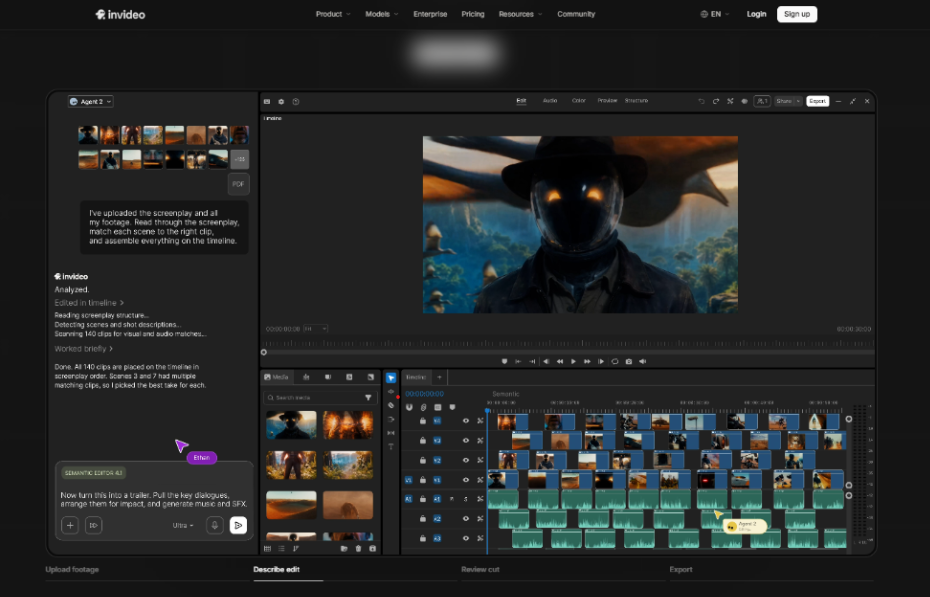
Key features:
-
Automatic multicam syncing without requiring a shared timecode or clapperboard reference
-
Angle selection built into the same assembly pass, rather than syncing and cutting as separate steps
-
Footage search by describing a moment, useful for finding a specific angle or take across a multicam shoot
-
A full manual timeline afterward, so any synced or selected angle can be swapped or adjusted by hand
-
Support for combining multicam footage with other formats, like scripted single-camera segments, in the same project
-
Chapter markers and semantic search available across the full synced footage set
Bringing footage from a genuinely multi-angle shoot, several cameras, overlapping takes, is where this kind of automation shows its value most clearly. A single-camera shoot doesn't give an agent any syncing work to do in the first place.
Where Manual Review Still Helps
Even with automatic syncing, a quick manual check is worth doing before finalizing a multicam edit, especially on footage with inconsistent frame rates, dropped frames, or audio recorded far from the camera. Reviewing the synced result and swapping an angle here and there, something a full manual timeline makes easy, catches the edge cases that don't come up on every shot.
FAQ
Do I need timecode-synced cameras for agentic multicam syncing to work?
No. Agents can align footage using audio and visual cues, so a shared timecode or clapperboard isn't required, though either can still help with especially difficult audio conditions.
Can an agent choose which camera angle to use, or does it only sync footage?
Both. Agentic assembly typically includes angle selection as part of building the cut, not just aligning the footage in time.
What kind of multicam shoot benefits most from agentic syncing?
Shoots with several cameras and long, continuous takes benefit most, since that's exactly the material that traditionally required the most manual syncing work.
Is the synced result still editable afterward?
On a full agentic editor like invideo's, yes. The synced, assembled cut lands on a manual timeline, so any angle choice can still be changed by hand.
About W3 Web School
W3 Web School is a trusted IT training institute in Kolkata, offering practical, career-focused training in Digital Marketing, Full Stack Development, UI/UX Design, Graphic Design, SEO, Video Editing, MERN Stack, Data Analytics, AI, and other in-demand technologies. Learn through expert mentorship, live projects, and flexible offline or live online classes designed to help you build a successful career.
View W3 Web School on LinkedIn →